Only 43.9% of processed emails reached an inbox in 2026 industry data. The remaining 56.1% were blocked before delivery, even as worldwide traffic reached 376.4 billion emails per day in 2025 and 392.5 billion in 2026 (QR Code Chimp's email statistics). A mass send email campaign can have excellent copy, polished design, and a strong offer, yet fail before a recipient has any chance to read it.
The deciding factors are less glamorous: bounce rate, list decay, sender authentication, complaint signals, and inbox placement. After running large campaigns, I've seen teams spend days refining a template while ignoring addresses that had been stale for months. The result is predictable. Providers see poor sending behavior, filter more mail, and make the next campaign harder.
This guide treats mass sending as an operations problem first. The practical target is simple: protect your sender reputation by verifying the list, authenticating the domain, controlling volume, and stopping quickly when the numbers move in the wrong direction.
Table of Contents
- Why Mass Sends Fail Before Anyone Reads Them
- Cleaning and Verifying Your List Before You Send
- Segmentation and Personalization at Scale
- Setting Up SPF, DKIM, and DMARC Authentication
- Configuring Your Provider, Throttling, and Warm-Up
- Staying Compliant and Monitoring Deliverability
- Learning From Every Send and Building a Repeatable Process
Why Mass Sends Fail Before Anyone Reads Them
Global email traffic reached 376.4 billion messages per day in 2025, up from 361.6 billion in 2024, and is projected to reach 392.5 billion per day in 2026 (Hostinger's email volume analysis). At that scale, mailbox providers cannot assume every sender is safe. They evaluate sending history, recipient behavior, authentication, and delivery failures within seconds.
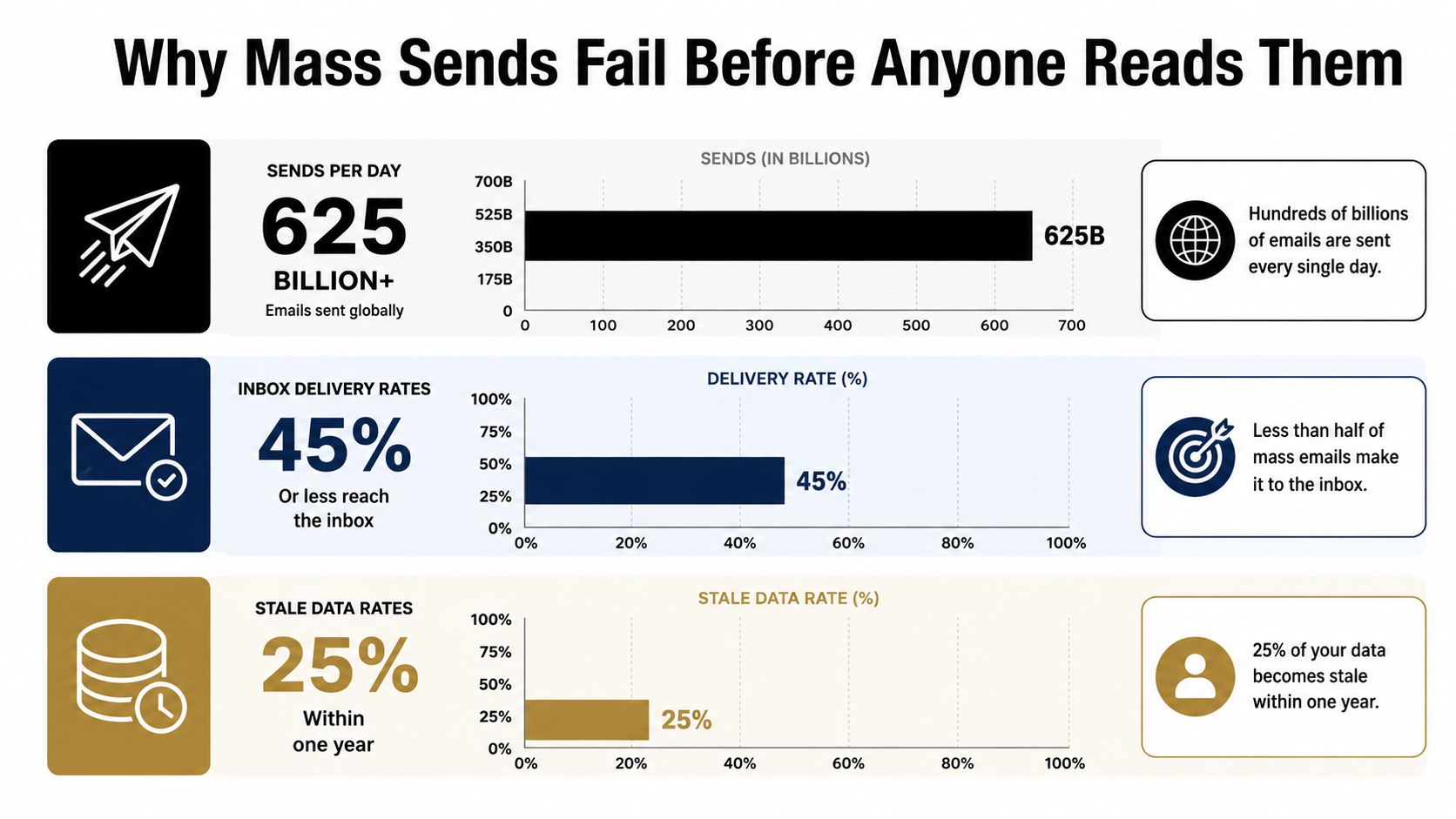
A provider accepting your campaign only confirms processing. It does not confirm inbox delivery. Messages can be filtered before delivery, routed to spam, temporarily deferred, or permanently rejected. A larger audience increases the effect of every invalid address, complaint, and authentication problem.
The thresholds that matter
Bounce rate is the clearest early warning because it exposes list quality. Guidance commonly treats below 2% as safe, 2% or higher as a reputation risk, and 5% or higher as potentially critical (HubSpot's bounce-rate guidance). One 2025 benchmark reported a 6.6% bounce rate for business services, the highest among the industries covered by that benchmark (Mailgun's list-building hygiene benchmark).
Do not treat those thresholds as targets. A responsible mass send email program pauses when bounce rates rise, identifies the source, and cleans the list before resuming. Suppress hard bounces immediately. Repeatedly mailing addresses that cannot accept messages signals weak acquisition and list-management practices to mailbox providers.
Operational rule: Better content can improve engagement, but it cannot repair a list that repeatedly produces bad recipients.
Inbox placement provides a second operating measure. A 2026 global benchmark placed average inbox placement at 87.2% for 2025, meaning 12.8% of legitimate mail missed the inbox, while reporting a 3.7% year-over-year uplift where reputation and hygiene improved (Mailgun's list-building hygiene benchmark). These are averages, not a forecast for your domain. Track placement alongside bounces, complaints, and deferrals so campaign design does not hide deteriorating sender performance.
Cleaning and Verifying Your List Before You Send
A list is never permanently clean. Addresses become abandoned, domains retire, people change jobs, and inboxes turn into dormant accounts. A 2026 report found global email list decay reached 23% in 2025, so nearly one in four addresses can become stale or risky within a year without ongoing cleaning and re-verification (ZeroBounce's email list decay report).
Signup validation catches obvious errors at acquisition. It doesn't tell you whether the same address remains deliverable months later. Treat verification as a recurring control, especially for older segments, imported contacts, event lists, and databases that haven't received regular maintenance.
A practical verification workflow
Start by preserving the original file. Create a working copy, remove obvious duplicates, and keep fields such as acquisition source, signup date, lifecycle stage, and engagement history. Those fields help you decide what to do with a verification result rather than treating every address as equally valuable.
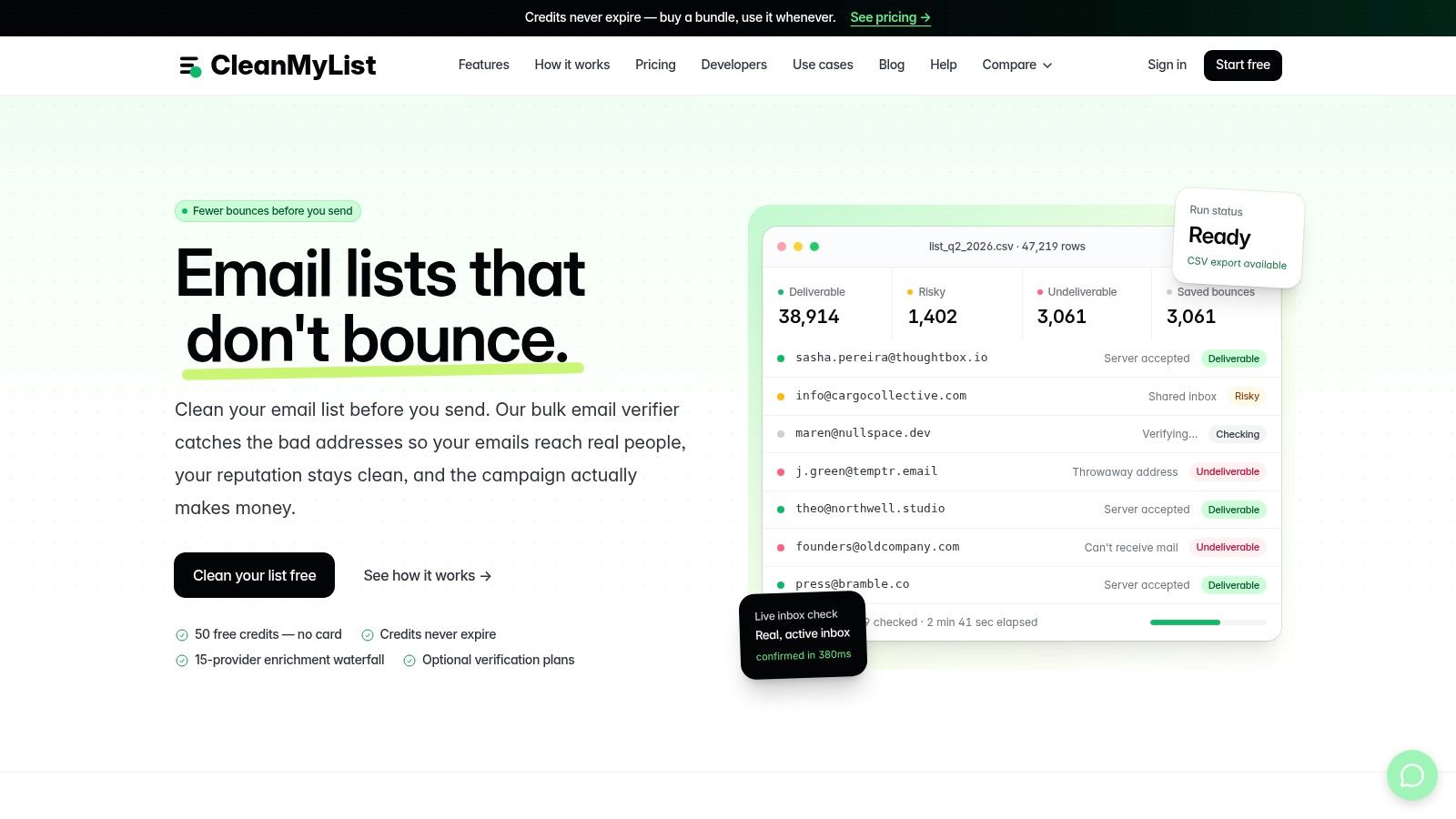
A bulk verifier such as CleanMyList can accept a CSV or pasted addresses and return verdicts based on multiple signals. Review the result categories carefully:
- Syntax and DNS failures: Remove malformed addresses and domains that don't resolve. These are straightforward suppression decisions.
- SMTP mailbox results: Treat confirmed invalid mailboxes as hard suppressions. Don't retest and send them repeatedly hoping the result changes.
- Catch-all behavior: Keep uncertain addresses separate from your main send. A catch-all domain can accept mail at the domain level without confirming that the individual mailbox exists.
- Disposable and role accounts: Decide based on the campaign. Disposable addresses often create short-lived engagement, while role accounts can belong to shared teams rather than a specific subscriber.
- Historical bounce signals: Use prior failures alongside current checks. A technically reachable address with a pattern of hard bounces still deserves caution.
- Final send or skip recommendation: Use the recommendation as an operational filter, not as a replacement for consent, relevance, or engagement data.
For a more detailed implementation, document the fields and cleanup logic in your CSV email list workflow. Export the approved segment, retain a quarantine file for uncertain results, and record the verification date so the next operator knows how fresh the decision is.
Don't send the entire cleaned file immediately. First, compare the approved population with your prior suppression list, recent hard bounces, unsubscribes, and complaint records. A verifier can identify delivery risk, but it can't override a legal opt-out or tell you whether a recipient still expects your marketing.
The second media asset works best as a process reminder after the initial cleanup pass:
Re-verify aged segments before each major campaign rather than relying on a one-time upload. Keep newly acquired contacts on a separate path, validate them at signup, and still apply suppression rules before the first promotional send. This layered approach reduces the chance that a clean acquisition stream becomes a dirty campaign audience.
Segmentation and Personalization at Scale
A mass send email doesn't have to mean one identical message to everyone. The most reliable campaigns divide the audience according to information that changes the recipient's reason to open, click, or ignore the message.
Start with engagement recency. Recent clickers can receive a direct offer or a product update, while people who haven't engaged recently may need a relevance-focused message or a re-engagement path. Don't use opens as your only engagement signal. Clicks, replies, purchases, downloads, and site activity provide stronger evidence of intent.
Build segments that change the send decision
Lifecycle stage is another useful boundary. A new subscriber shouldn't receive the same explanation as an established customer. Prospects may need education, customers may need usage guidance, and lapsed buyers may respond to a reminder that reflects their previous relationship with the product.
Purchase and content history add context without requiring manual work. An ecommerce team can separate recent purchasers from browsers, then tailor the product category, timing, and call to action. A publisher can distinguish readers by topic interest and send a focused edition instead of a broad roundup.
Use personalization to support relevance, not to create an illusion of intimacy. A first-name merge tag is easy to ignore when the rest of the email is generic. Better personalization changes the recommendation, proof point, content block, or next action based on what the recipient has done.
Smaller, relevant batches are easier to diagnose than one undifferentiated blast.
Suppress non-engagers rather than deleting them from your database. Suppression preserves historical context and prevents accidental re-imports, while a separate re-engagement program gives recipients a clear opportunity to remain subscribed. If they still don't respond, maintain the suppression.
Verification should happen before segmentation is finalized. Remove invalid and prohibited recipients first, then build engagement and lifecycle groups from the deliverable population. Otherwise, your segment reports blend list failure with content performance, making both harder to interpret.
Setting Up SPF, DKIM, and DMARC Authentication
Authentication gives mailbox providers evidence that your organization is authorized to send from its domain and that messages haven't been altered in transit. It won't make a poor list acceptable, but missing or broken authentication can undermine an otherwise disciplined mass send email program.
What each layer does
SPF identifies the services permitted to send mail for your domain. Add the provider's authorized sending service to the domain's existing SPF policy. The common failure is publishing multiple SPF records instead of maintaining one combined policy, which can cause authentication checks to fail.
DKIM adds a cryptographic signature to outgoing messages. Your email provider supplies the signing details, and your DNS administrator publishes the corresponding public key. Test it after setup and test again whenever you change providers, because a new sending platform may require a new selector or signing configuration.
DMARC tells receiving providers how to handle messages that fail authentication and alignment checks. It also gives you reporting visibility into legitimate and unauthorized senders. Start by collecting reports while validating every service that sends on your behalf, then move toward a stronger enforcement policy once the legitimate sources are aligned.
Verify before the campaign
Send test messages to several mailbox providers and inspect the authentication results. Confirm that SPF passes, DKIM passes, and DMARC aligns with the visible From domain. Check your provider's domain-authentication panel as well, but don't rely on a green status indicator without inspecting an actual delivered message.
Keep an inventory of every system that sends email for your organization. Marketing platforms, transactional services, support tools, CRM workflows, and internal applications can all create authentication gaps. When a team switches tools, remove obsolete authorization only after confirming no active workflow still depends on it.
A sender authentication guide for email verification can help teams connect list hygiene with domain setup, but authentication remains a DNS and provider configuration responsibility. The objective is not merely to pass a technical test. It's to make your sending identity consistent enough that providers can evaluate your reputation accurately.
Configuring Your Provider, Throttling, and Warm-Up
A clean list and authenticated domain still need a controlled sending operation. Configure the provider with the correct From address, reply handling, unsubscribe mechanism, suppression groups, bounce processing, and complaint feedback. Send from a domain that recipients recognize, and keep marketing traffic separate from transactional or critical account messages when your infrastructure allows it.
Don't treat the provider's maximum throughput as your recommended campaign speed. Large volume spikes can create a sudden change in behavior, particularly for a new domain, a new IP, or a sender with limited history. Throttling gives you time to observe bounces, complaints, deferrals, and provider responses before the entire audience receives the message.
Use a staged launch
For a new sending identity, warm up gradually with your most engaged and relevant recipients. Increase volume only when delivery signals remain stable. A mature domain can still need staging after a long period of inactivity or a major change in audience composition.
For a campaign addressed to 100,000 recipients, don't fire the entire audience in one afternoon just because the provider permits it. Divide the send into controlled batches across multiple days, starting with recipients who have recently clicked, replied, or purchased. Pause if bounce or complaint signals rise, if deferrals persist, or if seed accounts show a sudden move into spam.
Before launch, use a seed list across the mailbox providers that matter to your audience. Check authentication, links, unsubscribe behavior, rendering, mobile layout, plain-text fallback, and reply routing. A beautiful template that breaks in a major client is still an operational failure, even if it reaches the inbox.
Pause condition: If the first batch produces unexpected bounces or complaints, stop the queue before diagnosing the source. More volume won't clarify a bad signal.
Infrastructure choices also deserve a deliberate review. Shared IP sending can be efficient for teams with variable volume, while dedicated infrastructure offers more control but places more responsibility on your team. Use this dedicated IP versus shared IP comparison when documenting the decision.
For startup teams evaluating outbound or growth infrastructure, a resource such as Gritt.io's investor search tool can help with broader fundraising research, but it shouldn't influence deliverability settings. Choose the provider, IP model, and throttle plan based on your audience, sending history, and ability to monitor failures.
Staying Compliant and Monitoring Deliverability
Compliance starts with accurate identity and clear expectations. Under CAN-SPAM, commercial email needs truthful header information, a functioning unsubscribe method, and a valid physical postal address. Honor opt-outs promptly, then maintain a suppression process that prevents unsubscribed recipients from re-entering through a later import.
GDPR creates separate obligations when personal data and recipients within its scope are involved. Document the lawful basis for processing, preserve consent records when consent is the basis, explain what subscribers will receive, and make withdrawal as easy as giving consent. Purchased or scraped lists create deliverability risk and make continued processing difficult to justify.
Monitoring begins before the queue opens. Establish a baseline for each segment, then track hard bounces, soft bounces, complaints, deferrals, unsubscribes, and inbox placement signals during rollout. Opens are affected by privacy features and tracking choices, so prioritize delivery failures and negative feedback when deciding whether to continue.
Deliverability warning thresholds and actions
| Metric Reading | Risk Level | Recommended Action |
|---|---|---|
| Bounce rate stable in the normal range | Monitor | Continue the rollout, but review failure sources after the send and compare results with the segment baseline. |
| Bounce rate rising across two consecutive batches | Reputation risk | Pause the next batch within the hour, isolate the affected segment, and re-verify or suppress risky addresses before resuming. |
| Bounce activity remains severe after investigation | Potentially critical | Stop the campaign, examine acquisition and list history, and resume only after the source has been identified and corrected. |
| Complaint activity rises unexpectedly | High risk | Pause immediately, review consent and targeting, and suppress complainants. |
| Spam-folder placement increases | High risk | Check authentication, content, sender identity, engagement, and recent volume changes before resuming. |
Use these rows as operating triggers rather than guarantees. A sender with a low historical bounce rate can still harm its reputation through one poorly sourced campaign, especially when complaints and weak engagement appear together. Record the decision, affected segment, and time of each pause so the team can distinguish a temporary provider issue from a list-quality failure.
Learning From Every Send and Building a Repeatable Process
The campaign isn't finished when the provider reports delivery. Review which segments generated hard bounces, which acquisition sources produced complaints, where deferrals occurred, and whether engagement differed sharply by audience or mailbox provider. Don't let a strong aggregate result hide a weak segment that should be suppressed or reworked.
Record the operational decisions while they're still fresh. Note the verification date, authentication status, batch sequence, pauses, provider responses, and any changes made during the send. That history turns the next campaign from a guess into a controlled repeatable process.
A compact pre-send checklist should include:
- List control: Preserve the source file, remove prior suppressions, verify aged segments, and quarantine uncertain results.
- Audience logic: Segment by behavior or lifecycle, then tailor content and suppress non-engagers.
- Authentication: Confirm SPF, DKIM, and DMARC alignment through real test messages.
- Launch control: Seed-test the message, stage volume, and define pause conditions before scheduling.
- Compliance: Validate consent or lawful basis, sender identity, physical address, and unsubscribe handling.
- Post-send review: Analyze bounces, complaints, deferrals, unsubscribes, and segment-level engagement.
Reputation improves through repeated evidence of responsible sending. Clean data, recognizable messages, consistent authentication, and measured volume give providers a stable pattern to evaluate. Teams that treat every campaign as a feedback loop stop repeating the same list-hygiene mistakes.
CleanMyList lets you upload a CSV or paste addresses, check them across deliverability signals without sending messages, and export a safer list for your email platform. Before your next CleanMyList mass send email campaign, verify the aged segment, suppress risky results, and make bounce control part of the launch checklist.