
You launch a campaign, watch the first delivery results come in, and see a pattern that makes no sense. The addresses look correctly formatted, many belong to existing customers, and yet your sending platform reports a blocked email address or a policy rejection. Before anyone rewrites the subject line or blames the campaign creative, the delivery path needs attention.
The most important distinction is simple: a blocked address often describes what happened at delivery time, not the permanent status of the recipient's mailbox. Receiving systems can reject a valid address because they distrust the sender, the sending domain, the IP reputation, or the authentication setup. Treat the bounce as evidence, not as a verdict that every affected contact is dead.
Table of Contents
- When Campaigns Hit a Blocked Email Address Wall
- What Blocked Email Address Really Means
- Common Causes of Email Blocking
- How to Diagnose Bounce Codes and Blocking Signals
- Remediation Steps Marketers and Senders Should Take
- Quick Checklist for Preventing Future Blocks
When Campaigns Hit a Blocked Email Address Wall
A campaign failure usually starts with a misleading dashboard. The platform groups several SMTP outcomes under labels such as blocked, rejected, undeliverable, or policy failure. That summary is useful for spotting a problem, but it doesn't tell you whether the recipient account is invalid or whether the receiving provider refused your infrastructure.
Start by comparing the failures. If one address fails repeatedly while other messages to the same domain arrive normally, the mailbox may need verification. If many valid-looking addresses across several providers fail within the same sending window, the pattern points away from individual recipients and toward the sender.

The first question to ask
Pull the original bounce event from your email service provider. Don't rely only on the campaign report. You need the SMTP response code, the receiving host's reply text, the recipient domain, and the time of the rejection.
A useful first split looks like this:
- One recipient, one domain: Investigate the mailbox, domain records, and recipient-specific history.
- Many recipients at one domain: Check the receiving provider's policy response and your sender reputation.
- Many domains at once: Inspect authentication, infrastructure, volume behavior, and blocklist status.
- Temporary failures that later clear: Treat them differently from permanent policy rejections and avoid aggressive retries.
This distinction prevents a common waste of time. Removing every address that appears in a blocked-email report can shrink a healthy list while leaving the actual sender-side problem untouched. The right response depends on whether the rejection identifies a bad mailbox or a sender that the receiving system won't accept.
What to postpone
Don't begin by changing the template, shortening the subject line, or moving the send to a different hour. Content can influence filtering, but a policy rejection often happens before those changes can matter. First establish whether the provider accepted the message for inspection at all.
Practical rule: A blocked-email label is a symptom category. The SMTP response and the pattern across recipients tell you what failed.
Your immediate objective is to build a map: recipient account, recipient domain, sender domain, sending service, authentication, and rejection reason. Once those relationships are visible, the campaign stops looking random. You can decide whether to suppress addresses, repair configuration, reduce sending pressure, or request reputation recovery.
What Blocked Email Address Really Means
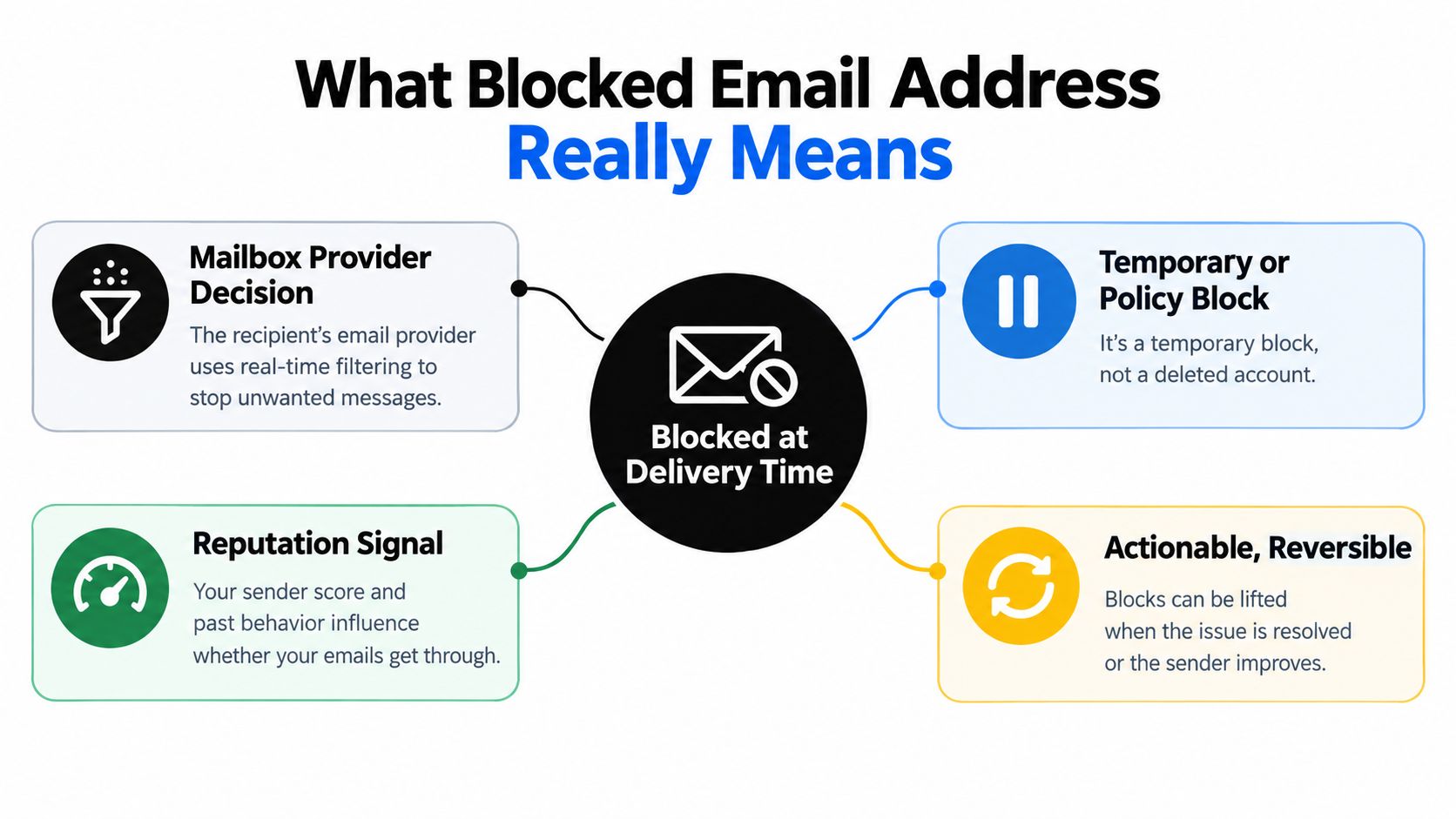
A blocked email address is often the result of a receiving system refusing a message during the SMTP transaction. That refusal doesn't necessarily prove that the mailbox has been deleted, suspended, or mistyped. The provider may have assessed the sender's identity and behavior first, then declined the message under its policy.
Think of the inbox provider as a mailroom with a security desk. Before accepting a package, it checks the return address, the delivery history associated with that sender, and whether the sender has supplied credible identification. A valid destination address can still receive nothing if the delivery service presenting the package has lost trust.
Guidance on blocked email addresses and delivery-time rejection describes how receiving systems can return a 554 policy rejection when they detect signals such as spam risk, authentication problems, or poor sending behavior. In that situation, the message may be rejected before the provider evaluates the body, links, or layout in detail.
Recipient failure versus sender rejection
Use the error pattern to separate the two categories.
| Signal | More likely interpretation | First action |
|---|---|---|
| Syntax failure | The address is malformed | Correct or suppress the address |
| Domain or DNS failure | The recipient domain can't be resolved or accept mail normally | Check the domain and retry only when appropriate |
| Mailbox-specific rejection | The recipient account may be unavailable or restricted | Verify the address and review prior history |
| Policy rejection across valid contacts | The sender, domain, IP, or authentication is being refused | Investigate reputation and authentication |
| Temporary rejection | The receiving system is deferring acceptance | Pace retries and inspect the response text |
The table is a triage aid, not a substitute for the full response. Providers use different wording, and an SMTP code alone can be too broad. The recipient domain, the exact reply, and whether the same rejection affects unrelated addresses provide the necessary context.
Why the baseline matters
Global inbox-deliverability research estimates that about 16.9% of legitimate commercial email doesn't reach the inbox, with one cited breakdown assigning about 10.5% to spam placement and 6.4% to messages that go missing through blocking or deferral. These figures come from global email deliverability research, and they show why blocked delivery shouldn't be treated as an exotic edge case.
The operational implication is more useful than the headline. If you send at scale, delivery failures can affect list hygiene, sender reputation, and campaign economics even when your database contains real people. Verification matters, but verification alone won't fix a sender identity that mailbox providers distrust.
A block can be temporary, policy-based, or reversible after the underlying signal improves. That doesn't mean every rejection will clear by itself. It means the correct remedy may involve the sender's systems rather than deleting the recipient from the database.
Common Causes of Email Blocking
Providers don't make blocking decisions from one isolated clue. They combine historical and current signals, then decide whether to accept, defer, filter, or reject a message. The same address can work one day and fail later if the sending pattern, infrastructure, or reputation changes.
Negative signals accumulate
Repeated bounces tell providers that your list contains addresses you haven't maintained. Spam complaints indicate that recipients don't recognize, want, or trust the messages. Stale contacts create a related problem because old addresses may have changed ownership, become inactive, or lose any meaningful relationship with your brand.
Scraped contacts are especially risky because consent and address quality are uncertain. A sudden volume spike can also look abnormal, even when the campaign itself is legitimate. Providers assess behavior over time, so a clean template can't erase a history of poor targeting or erratic delivery.
Compromised accounts and shared infrastructure add another layer. If an account, domain, or shared sending environment has been used for abusive traffic, your messages can inherit distrust that isn't visible in the recipient list. Review this guide to IP reputation threats when a campaign fails across multiple recipient domains and the list itself doesn't explain the pattern.
Reputation is a measurable operating signal
Inbox providers maintain reputation systems for sending domains and IP addresses. Google's Postmaster Tools reputation documentation describes reputation as a rating based on sending behavior and the quality associated with domains and IP addresses.
The practical mistake is to treat reputation as an abstract score that only large senders need to care about. A sender with a modest list can still trigger blocks through poor acquisition, repeated retries to invalid addresses, or a badly timed volume change. Reputation reflects how the system interprets your behavior, not how professional your campaign looks.
One 2026 deliverability survey reported that 52.8% of senders weren't monitoring blocklists for their sending domains and IP addresses. The figure appears in the Google-linked verified data supplied for this guide, and it highlights a gap between how measurable blocking is and how infrequently teams monitor it. Block and reject rates concern messages refused before acceptance, so waiting for open-rate data is too late for this particular failure.
Why a fix may not clear the block
Removing the immediate trigger doesn't instantly restore trust. If a sender stops mailing scraped contacts today, providers may still evaluate the historical pattern of complaints, bounces, and abnormal volume. Independent guidance on how email addresses end up on blacklists notes that blocking can persist after the original problem is addressed because reputation damage remains.
That creates a trade-off. Retrying aggressively may help a few recipients receive the message, but it can reinforce the behavior that caused the rejection. Suppressing questionable contacts, authenticating the sender, and returning to consistent, permission-based sending usually does more than repeatedly pushing the same campaign through.
How to Diagnose Bounce Codes and Blocking Signals
Diagnosis starts with the raw event, not the label in the marketing dashboard. Export the bounce details or open the message-level log in your sending platform. Record the recipient address, recipient domain, timestamp, SMTP code, reply text, sending domain, and the specific stream or service that handled the message.
Follow the rejection trail
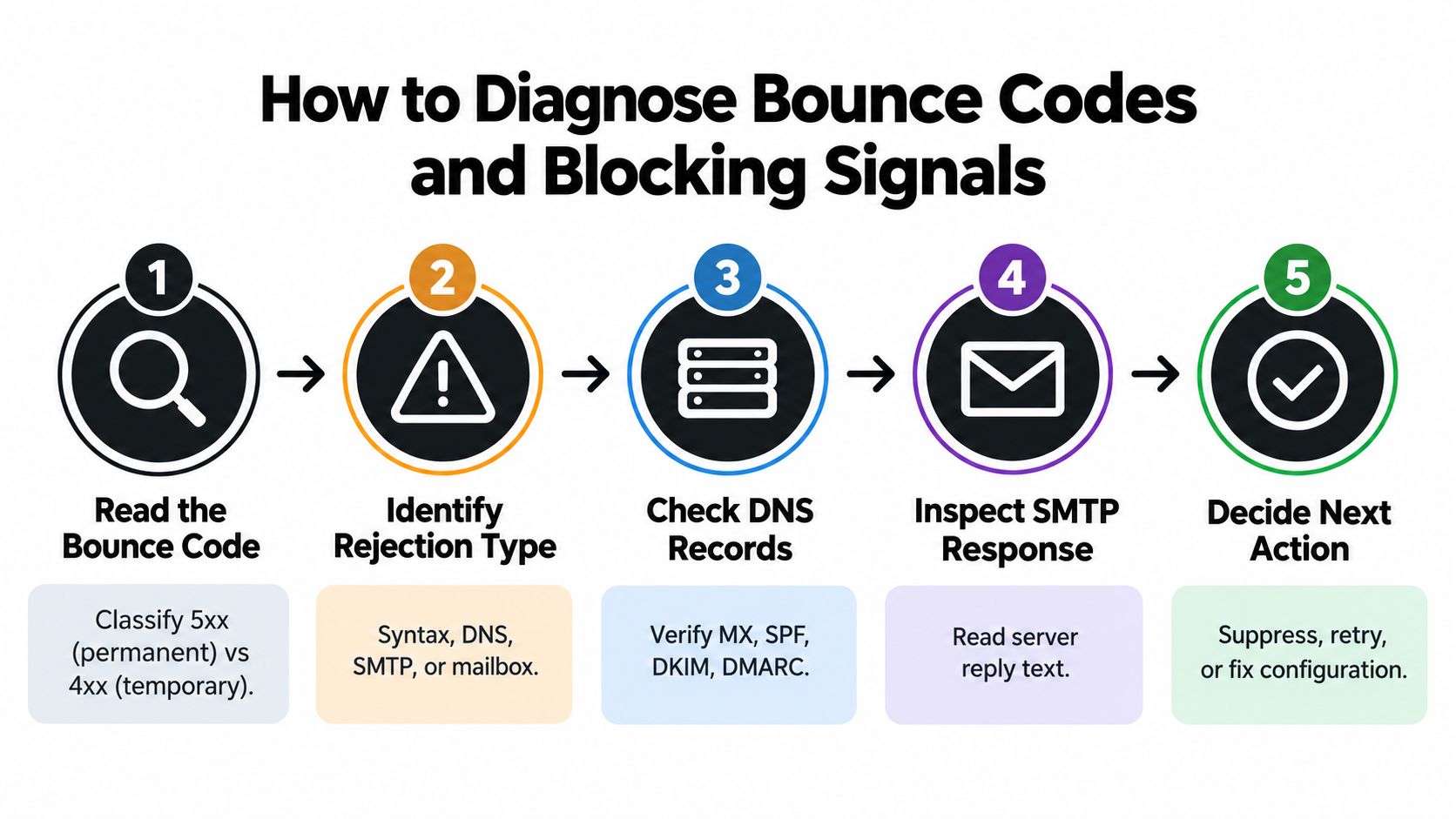
Use this sequence for each failure cluster:
- Read the bounce code. Separate temporary responses from permanent rejections. A transient response may justify a controlled retry, while a permanent policy response requires investigation before another send.
- Identify the rejection type. Classify the event as syntax, DNS, SMTP mailbox, or policy related. Don't call an address invalid just because the provider used the word blocked.
- Check the affected pattern. Group failures by recipient domain, campaign, sender domain, and sending infrastructure. A cross-domain spike is more significant than one isolated failure.
- Inspect the full SMTP reply. Look for words connected to policy, authentication, reputation, rate limiting, or mailbox status. The reply often explains whether the receiving system rejected the sender or the destination.
- Choose one action. Suppress a clearly invalid address, retry a temporary failure under controlled pacing, or repair the sending setup when the response points to sender policy.
A permanent code doesn't automatically mean the recipient is permanently gone. It means the receiving system has classified that transaction as not acceptable under its current rules. Context still matters.
Use clusters instead of anecdotes
Suppose three customer addresses at different providers fail with a policy message during the same send, while a test to an internal mailbox succeeds. That result doesn't clear your setup, because internal or friendly test mailboxes may apply different filtering rules. Run controlled tests across representative providers and compare the exact replies.
If failures concentrate at one recipient domain, read that provider's response and check whether the issue is domain-specific. If failures appear everywhere, review the sender domain's authentication alignment, recent volume changes, account security, and reputation monitoring before removing contacts.
This embedded walkthrough can help teams understand the sequence from response code to next action:
Decide whether to suppress or repair
Use suppression when the address has a clear syntax failure, repeated mailbox rejection, or verification result that indicates it shouldn't receive mail. Use infrastructure remediation when valid-looking contacts across multiple domains receive the same policy rejection.
For a practical explanation of how to distinguish address problems from broader delivery failures, see this guide to undeliverable mail messages. The key is to preserve the evidence before taking action. Once you delete the addresses or repeatedly retry the campaign, you may lose the pattern that would have identified the underlying cause.
Remediation Steps Marketers and Senders Should Take
Remediation works best in order. Stop adding pressure, isolate the cause, clean the recipient data, then restore sending with controls that prevent the same failure from returning. Treat this as an operational incident, not as a list of individual addresses to delete.
Stabilize the sending environment
Pause the affected campaign if the rejection pattern is broad. Continuing to send while a provider is refusing mail can create more negative events and make later recovery harder. Keep essential transactional traffic separate from promotional traffic so a marketing incident doesn't interfere with messages that customers need.
Next, confirm that the sending domain has working authentication and that the visible sender identity aligns with the service delivering the message. Review recent changes to the sending platform, DNS records, templates, tracking domains, account permissions, and sending volume. If an account may have been compromised, secure it before resuming.
Don't rotate domains or infrastructure as a first resort. Moving the same list and behavior to a fresh sender can transfer the problem and make historical diagnosis harder. Change infrastructure only when the evidence shows that the current environment is compromised, misconfigured, or unsuitable for the mail stream.
Repair the data pipeline
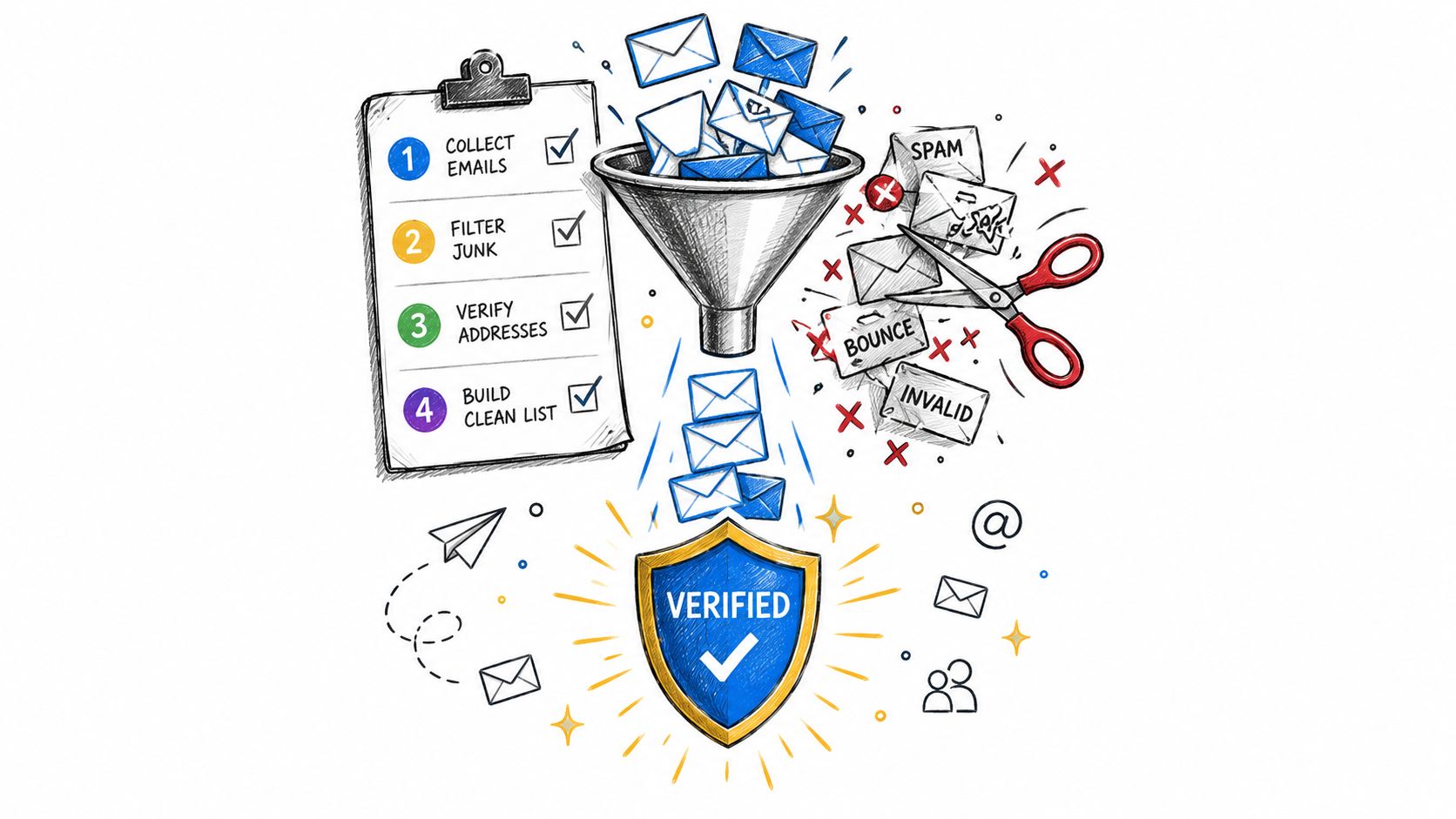
Before the next send, run the affected list through an email verification process that checks more than syntax. Useful verdicts can distinguish invalid domains, unreachable mailboxes, catch-all behavior, disposable providers, role accounts, and addresses with historical bounce risk.
Then apply the result consistently:
- Suppress clear failures: Keep them out of promotional and automated sends unless the recipient later supplies a new address.
- Review risky verdicts: Decide whether a role account, disposable address, or catch-all domain fits the purpose of your campaign.
- Remove stale records: Don't preserve inactive contacts just because they once engaged.
- Protect acquisition forms: Add real-time validation so typos and throwaway addresses don't enter the list.
- Retain the reason: Store the verification outcome and date, rather than keeping only a yes-or-no status.
Teams building product email can also review top email delivery for SaaS apps when comparing sending services and operational requirements. The provider matters, but no service can compensate indefinitely for bad data, weak authentication, or uncontrolled volume.
Resume with evidence
After remediation, send gradually to the most engaged, permission-based segment and monitor responses by recipient domain. Keep the campaign content stable during the first recovery sends so you can identify whether delivery changes correspond to infrastructure or data improvements.
Re-run aged lists before future campaigns because a previously deliverable address can become stale. A verification workflow can check syntax, DNS, SMTP mailbox existence, catch-all behavior, disposable providers, role accounts, historical bounce reputation, and a final send-or-skip recommendation without sending a message to the address. For additional guidance on stopping bounced emails, focus on preventing bad records from entering the next campaign rather than repeatedly cleaning the same list after every failure.
Quick Checklist for Preventing Future Blocks
A reliable prevention routine is less complicated than an emergency investigation, but it has to run before every important send. The checklist below is designed for the moment a campaign is being prepared and for the first minutes after delivery begins.
Before you send
- Verify the audience: Check new and aged addresses before using them in a campaign. Separate clear failures from addresses that need manual review.
- Review acquisition sources: Identify imports, scraped records, old event lists, and forms that may have introduced questionable data.
- Confirm authentication: Make sure the sending service, domain, and visible sender identity are configured consistently. Recent changes deserve a fresh review.
- Inspect campaign volume: Compare the planned send with your normal pattern. Sudden changes need controlled pacing rather than an all-at-once release.
- Segment by relationship: Start with contacts who have a current permission and recent engagement, then expand only if delivery remains stable.
When blocks appear
- Save the original SMTP response and group the failures by recipient domain.
- Check whether the rejection affects one address, one provider, or several unrelated providers.
- Suppress addresses with clear mailbox or syntax failures.
- Investigate authentication, reputation, account security, and sending behavior when valid-looking contacts fail together.
- Pause automatic retries until you know whether the response is temporary or policy-based.
- Monitor blocklists and provider feedback instead of relying only on opens and clicks.
The monitoring step deserves special attention. Blocklist checks won't explain every rejection, and a clean result doesn't prove that mailbox providers trust the sender. They are one diagnostic signal among several, alongside bounce composition, complaint activity, authentication status, and the pattern of provider responses.
Build a maintenance rhythm
List hygiene shouldn't happen only after a campaign disaster. Add validation at signup, suppress repeated failures automatically, review old segments before reuse, and keep transactional and promotional streams operationally distinct. Document who owns the sending domain, authentication records, provider account, bounce review, and incident response.
A stable sender doesn't avoid every failed delivery. A stable sender identifies the failure quickly, suppresses what should stay out, and fixes the system that caused the rest.
The most useful mental shift is to stop treating every blocked email address as a recipient problem. A valid mailbox can be refused because the sender arrived with weak credentials or a damaged reputation. Read the response, compare the pattern, and choose between suppression and sender-side repair based on evidence.
CleanMyList helps you verify addresses before sending, identify risky or disposable contacts, and keep questionable records out of future campaigns. Upload a CSV or paste addresses to receive plain-English verdicts, then visit CleanMyList to start with free credits and protect your next send from avoidable blocked-email failures.