
You launch a campaign to a list that looked healthy when it was exported. Within minutes, hard bounces rise, delivery slows, and your team starts checking authentication records, copy, and links for clues. In reality, many deliverability incidents begin earlier, when invalid, stale, disposable, or poorly acquired addresses enter the database.
Strong email validation best practices treat list quality as a continuous operating process, not a one-time cleanup. The practical system has several layers: prevent bad addresses at signup, verify existing files before important sends, suppress permanent failures, align the process with authentication, and monitor the signals that show when a list is decaying.
Table of Contents
- The Cost of Ignoring List Hygiene
- Stopping Bad Data at the Signup Form
- Choosing Between Real-Time and Bulk Verification
- Executing a Deep Clean on Aged Lists
- Aligning Validation with Modern Authentication
- Monitoring Metrics and Knowing When to Re-Validate
The Cost of Ignoring List Hygiene
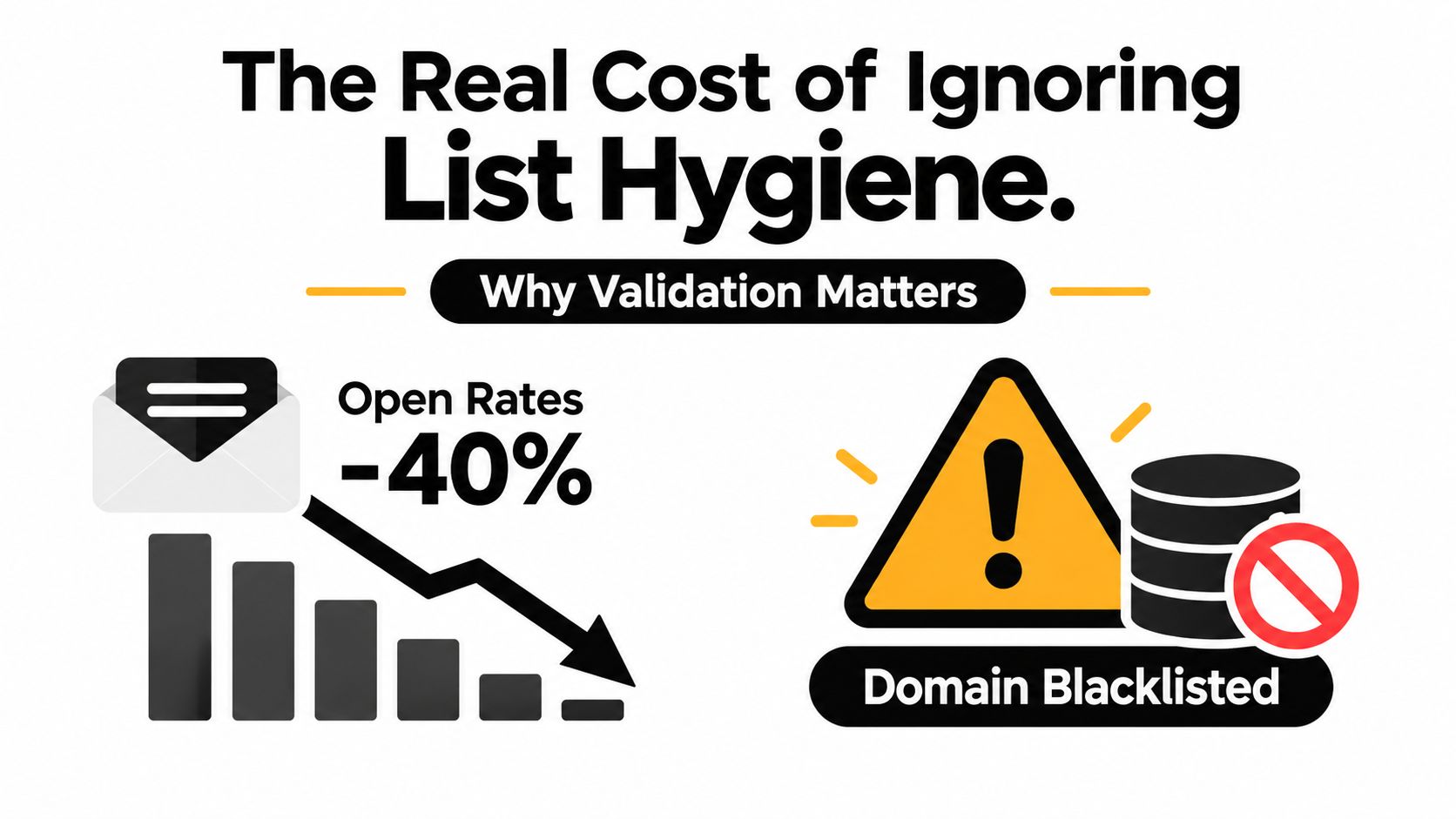
A campaign can look technically correct and still expose a serious data problem. Stale, invalid, or abandoned addresses create hard bounces, weak engagement, and complaints in the same send. Mailbox providers then evaluate the sending domain based on those patterns, which can affect delivery to valid subscribers who did nothing wrong.
Email validation best practices treat list quality as a continuous control system. Frontend checks stop obvious problems before storage, backend verification screens existing records, suppression rules prevent permanent failures from returning, and authentication alignment gives providers a consistent identity signal. No single layer can compensate for neglect across the others.
A widely used operational benchmark is to keep total bounce rates under 2%. Above that level, deliverability teams commonly treat the problem as a list-quality issue rather than random delivery noise, as summarized in Cleverly's email deliverability statistics. Thresholds vary by provider, audience, and sending history. The practical lesson remains simple: do not use a live campaign to test an unverified list.
Why bounce behavior changes reputation
Mailbox providers assess patterns across delivery attempts, recipient behavior, and complaint signals. A hard bounce indicates that an address is permanently undeliverable or has failed a critical delivery condition. Continuing to mail that address signals that the sender is ignoring clear feedback, whether the cause is poor acquisition, weak suppression, or an uncontrolled import.
The relationship between list quality and inbox access is measurable. Industry data associates bounce rates below 1.5% with 10% to 12% higher inbox placement, while broader benchmarks place global inbox placement around 83% to 84% and indicate that nearly one in six emails fails to reach the inbox, according to Mailreach's deliverability statistics overview. These figures do not guarantee results for an individual domain. They show why removing invalid addresses protects sender reputation rather than merely tidying an administrator's database.
Practical rule: Treat every permanent bounce as a data deletion event. Remove the address from active sends, record the reason, and block automated imports from restoring it.
The metrics that deserve attention
Open rates can be distorted by privacy controls and technical changes. Bounce and complaint signals provide more direct evidence that acquisition, validation, or suppression needs adjustment.
Review these signals by source and campaign type:
- Hard bounces: Separate permanent failures from temporary delays, then suppress permanent failures immediately.
- Complaint activity: Check the acquisition source, consent record, and message expectation when complaints rise.
- New-list quality: Compare signup sources, partners, imports, and manual uploads instead of hiding differences inside one average.
- Engagement decay: A quiet segment may contain abandoned mailboxes, changed jobs, or subscribers who no longer recognize the brand.
The cost reaches beyond one failed send. A damaged domain can require longer recovery work, tighter campaign limits, and closer scrutiny from mailbox providers. Continuous validation protects the audience already acquired, while bulk hygiene catches older records and authentication alignment helps providers connect legitimate messages to a stable sender. That combination produces a cleaner signal about who should receive the next message.
Stopping Bad Data at the Signup Form
The cheapest invalid address to handle is the one you never store. Real-time validation at signup lets an application check the submitted address before it triggers a confirmation email, creates a lead record, or adds a contact to an automation sequence.

Build the check into the submission path
A useful frontend flow doesn't rely on a single regular expression. The browser can catch obvious formatting errors, but the server-side validation service should make the final decision using several signals, such as domain reachability, mailbox likelihood, disposable-provider detection, and role-account identification.
Use this sequence:
- Normalize carefully: Trim accidental spaces and preserve the address in a form that can be compared consistently. Don't alter the local part without telling the user or guess a correction without showing it to the user.
- Validate after meaningful input: Run the check on blur or submit, rather than calling an external service on every keystroke.
- Return a categorized result: Distinguish invalid syntax, nonexistent domains, disposable addresses, role accounts, and uncertain results.
- Apply a business policy: A consumer newsletter may reject disposable addresses, while a business procurement form may accept a shared role address for a legitimate company.
- Store the decision: Keep the validation result, timestamp, source, and consent record so later imports don't erase the context.
A service such as the email API integration guide can help developers connect this decision to a signup workflow. The important design choice isn't just which vendor performs the check. It's where the application stores the result and how every downstream system respects it.
Use friction selectively
A hard block makes sense for a clearly malformed address, a domain that cannot receive mail, or a disposable provider that violates the offer's terms. It doesn't make sense to reject every uncertain result. Catch-all domains and privacy-oriented configurations can produce ambiguous signals even when a real person is behind the address.
Use a soft warning when the address is plausible but uncertain. Ask the visitor to confirm a possible typo, offer a visible correction, or continue with a verification step that proves control of the inbox. If the validation API times out, retry server-side and avoid turning a temporary network failure into a permanent rejection.
User experience principle: Block evidence of failure, not evidence of uncertainty.
Also protect the endpoint. Rate-limit repeated submissions, log suspicious patterns, and avoid exposing detailed validation responses that could help an attacker enumerate mailboxes. Real-time validation should improve list quality without becoming a separate abuse surface.
Choosing Between Real-Time and Bulk Verification
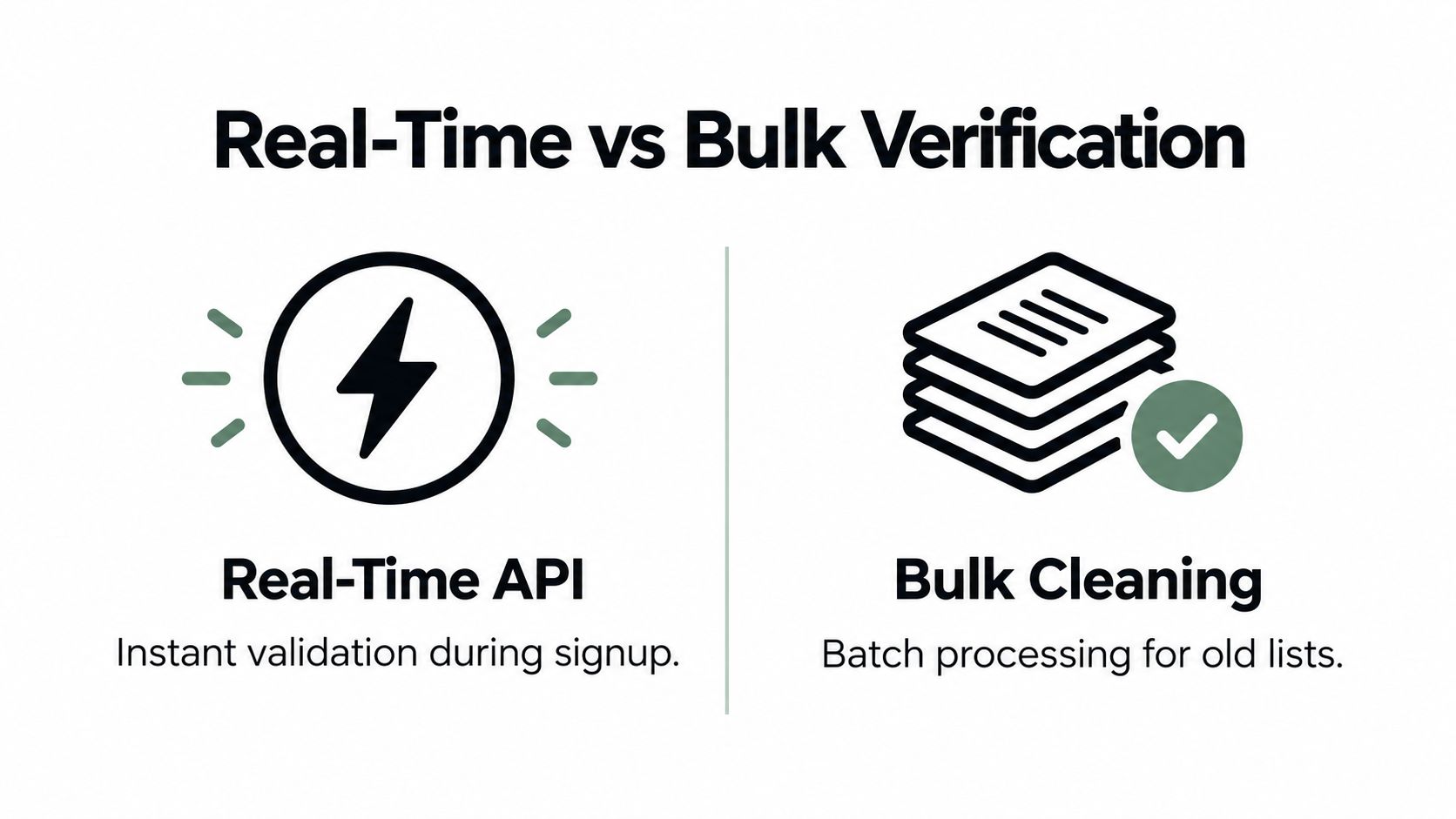
Real-time and bulk verification solve different problems. Treating them as interchangeable usually produces either unnecessary friction at signup or an unverified backlog in the CRM.
Match the method to the moment
| Situation | Better fit | Reason |
|---|---|---|
| Account creation or newsletter signup | Real-time API | Stops bad data before it enters the system |
| Checkout and transactional registration | Real-time API | Protects the address before a confirmation or receipt is sent |
| An inherited CRM export | Bulk verification | Reviews existing records without adding a live check to every user action |
| A dormant re-engagement segment | Bulk verification | Identifies stale or risky addresses before a high-risk send |
| A large seasonal campaign | Bulk verification, followed by real-time controls | Cleans the planned audience and prevents new contamination |
| A partner or event import | Bulk verification | Tests the file before it reaches the ESP or automation platform |
Real-time checks offer immediate decisions and a smoother operational path for new records. They also introduce an external dependency into a customer-facing flow, so your implementation needs timeouts, retries, logging, and a fallback policy.
Bulk verification gives you a wider view of an existing file. It can expose clusters of bad data associated with a form, acquisition source, vendor, or old import. It also requires disciplined handling of the original file, result export, access permissions, and suppression updates. A no-subscription, pay-as-you-go option can be appropriate when a team cleans lists intermittently rather than maintaining a constant validation workload.
Don't confuse a verdict with permission to send
A valid-looking address isn't automatically an engaged subscriber or a permissioned contact. Keep consent, source, suppression history, and engagement data beside the validation result. A clean technical verdict should never override an unsubscribe, complaint, legal restriction, or internal do-not-contact status.
Watch the workflow below the tool:
- Before upload: Remove unnecessary columns and restrict access to the working file.
- After processing: Preserve the original separately, review ambiguous results, and export only the segments your policy permits.
- Before import: Check the destination's suppression list so an old address can't overwrite a previous opt-out.
- After sending: Feed permanent bounces and complaints back into the master suppression process.
This short video provides another view of the distinction between live checks and list-level verification.
For implementation decisions, the real-time email validation workflow is most useful when read alongside your own signup volume, risk tolerance, and data-import schedule.
Executing a Deep Clean on Aged Lists
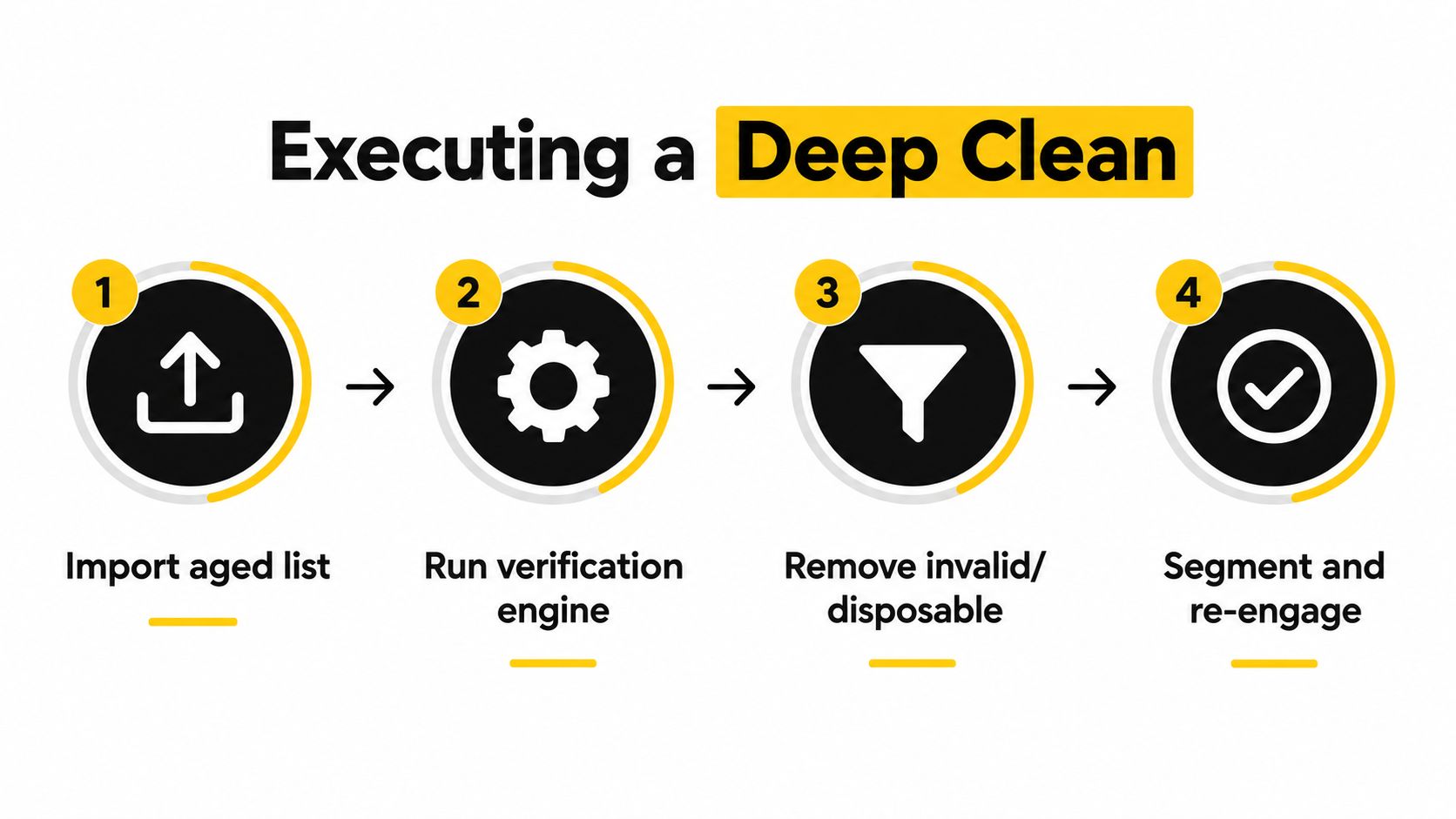
An aged list shouldn't go directly from a CSV file to a campaign. Start by identifying where the records came from, when they were last active, whether consent still applies, and whether your CRM already contains suppression or complaint history.
Prepare the file before verification
Create a working copy and retain a stable identifier for every row. Don't overwrite the source file with verdicts, because you may need to audit a decision, compare future checks, or restore a legitimate contact that was incorrectly categorized.
Before processing, remove duplicates where appropriate and standardize fields without changing the address itself. Keep source, consent status, last activity, customer status, and suppression status available for segmentation. Validation tells you about deliverability risk. It doesn't tell you whether you have the right to send.
A practical result model has more than two buckets:
- Send: The address passes the provider's checks and has no conflicting suppression or consent status.
- Suppress: The address is invalid, permanently undeliverable, disposable under your policy, or already associated with a hard bounce.
- Review: The result is uncertain, including some catch-all domains or addresses with conflicting CRM history.
- Segment: The address is technically usable but needs separate treatment because it is role-based, inactive, or associated with a particular acquisition source.
Handle ambiguous addresses deliberately
Catch-all domains accept mail for addresses that may not represent a real, monitored mailbox. A validation service may not be able to confirm the individual mailbox with confidence, so don't treat a catch-all verdict as equivalent to a verified inbox. Place those records in a controlled segment, use a lower-risk message, and watch delivery and engagement signals closely.
Role-based addresses such as info@, support@, or admin@ can be legitimate in business workflows. They may also create poor engagement or reach a shared mailbox that nobody expects to receive marketing. The right action depends on the relationship. A support contact tied to an active customer account may need transactional communication, while a cold role address from an old prospect file may belong in review or suppression.
Disposable addresses deserve a firm policy because they often indicate temporary access or low intent. Don't apply that policy blindly to every unusual domain, though. Define which categories your product accepts, document exceptions, and make the signup experience explain the decision.
Write the suppression rule before the send
A deep clean is incomplete until the result controls future imports. Add permanent failures, confirmed complaints, unsubscribes, and policy-rejected addresses to a central suppression list. Configure the CRM, ESP, sales tools, and data warehouse to consult that list before activation.
Then run a small controlled send to the lowest-risk segment. Review bounces, complaints, engagement, and unexpected verdict patterns before expanding. If an acquisition source produces a disproportionate number of invalid or ambiguous records, fix the source instead of repeatedly cleaning its output.
The goal isn't to maximize the number of deliverable-looking rows. It is to create a sending audience that is technically reachable, permissioned, relevant, and protected from accidental re-import.
Aligning Validation with Modern Authentication
A verified mailbox will not rescue a sender whose domain fails authentication or whose messages produce poor recipient signals. List hygiene and sending infrastructure must reinforce each other. Removing invalid addresses reduces avoidable bounces, but broken SPF, DKIM, and DMARC alignment can still give mailbox providers reason to distrust the message.
Use double opt-in where the risk of unwanted or mistyped signups justifies the added friction, and align SPF, DKIM, and DMARC with the visible sending identity. The benchmark gap remains practical: only 13% of senders reported using inbox-placement testing, while DMARC adoption rose by more than 11% year over year, according to Validity's 2025 benchmark report. Treat authentication as one layer of the validation workflow, not as a separate infrastructure task.
Check the message, not only the recipient
A validation process asks whether an address can probably receive mail. Deliverability review must also establish whether the sender and message are likely to earn trust from the recipient system.
Review:
- Authentication alignment: Confirm that the visible sending identity and authenticated domain support one another.
- Consent and expectation: Verify that the recipient requested the type of message being sent.
- Content structure: Check links, redirects, unsubscribe handling, HTML rendering, and accessibility.
- Engagement fit: Avoid sending large volumes to contacts without recent interest unless a re-engagement plan is in place.
- Placement evidence: Use seed testing or inbox-placement testing where it fits the program, then compare results by mailbox provider.
Validation alone cannot compensate for weak message construction. The Unspam email deliverability benchmark found that only 46% of analyzed emails passed subject-line quality checks, while 13% contained broken or unreachable links. These findings do not replace list hygiene. They show that a deliverable address is one part of a trustworthy send.
Make ownership explicit
Engineering should maintain authentication records and event handling. Marketing should own consent, segmentation, and message expectations. Deliverability or operations should connect bounce, complaint, authentication, and placement signals in one review process.
Use a sender validation checklist before a major campaign:
- Confirm the sending domain's authentication status.
- Confirm that suppression and unsubscribe data have synchronized.
- Validate the audience and isolate ambiguous results.
- Test links, rendering, and unsubscribe behavior.
- Review a representative placement sample.
- Start with a controlled audience when the segment or source is new.
For a deeper look at how validation ties to sender identity, see the sender verification guide.
This approach prevents teams from blaming the list for every inbox problem. The address may be valid while the message, authentication, or engagement pattern creates the actual delivery risk.
Monitoring Metrics and Knowing When to Re-Validate
A clean list ages the moment new addresses enter it. People change jobs, abandon inboxes, switch providers, lose access to domains, and stop recognizing brands. A list that passed verification during acquisition can become risky later, especially when the team keeps adding records without a matching suppression and monitoring process.
The operational answer is a trigger-based cadence rather than a ritual calendar. Re-validate before a major send to an aged or inherited segment, after a long period without activity, and whenever a source begins producing unusual bounce or complaint behavior. Keep real-time checks active for new signup paths so the next cleanup starts with less contamination.
Build a simple monitoring loop
Review performance after each meaningful campaign and group the results by list source, segment, sending identity, and message type. A blended account average can hide a damaged partner import or a single form being attacked by automated submissions.
Use this checklist:
- Bounce review: Suppress permanent failures immediately and investigate unusual clusters.
- Complaint review: Trace complaints to consent, source, frequency, and message expectation.
- Engagement review: Separate inactive subscribers from active customers instead of treating every quiet contact identically.
- Authentication review: Check alignment and authentication failures before changing list policy.
- Content review: Test links, unsubscribe paths, and message structure when placement changes.
- Suppression review: Confirm that every sending system receives the current do-not-contact data.
- Source review: Pause or repair an acquisition channel that repeatedly introduces invalid records.
Re-validate based on risk
There is no universal interval that fits every sender. A daily newsletter with continuous acquisition needs different controls from a business that sends occasional product updates. Use the age and origin of the segment as decision inputs, then shorten the interval when the audience is stale, the source is unfamiliar, or the campaign has high reputational risk.
A useful escalation pattern looks like this:
- New signup data gets checked during capture.
- Older active segments get checked before a significant campaign.
- Dormant or inherited files go through bulk verification before reactivation.
- Any segment with worsening bounce behavior is paused and investigated.
- Suppressed records stay suppressed unless a deliberate, documented process proves the record should return.
Don't use open rates as the only re-validation trigger. They can help identify engagement changes, but bounce, complaint, authentication, link health, and consent signals create a more reliable diagnosis. The aim is to know whether the problem is bad data, weak permission, poor content, or technical misalignment before you send at scale.
CleanMyList provides no-subscription bulk email verification for CSV uploads or pasted addresses, with verdicts covering syntax, DNS reachability, SMTP mailbox existence, catch-all behavior, disposable providers, role accounts, historical bounce reputation, and a send-or-skip recommendation. Use CleanMyList to check an aged file before a high-risk campaign, then pair that cleanup with real-time validation at signup and a suppression process that stays active.