Grow your list as fast as possible is bad advice for a business emails list. A bigger file doesn't earn more if half the addresses are stale, scraped, or signed up for something else. You'll get better revenue, and you'll protect your sender reputation, by mailing fewer people you can justify mailing. Valid and permitted aren't the same thing, and treating them as separate checks changes every decision that follows.
Table of Contents
- What a Business Email List Really Is
- Which Contacts You Can Email and the Proof to Keep
- GDPR and CAN-SPAM Rules for Business Email
- How to Build a Permission-Based List Step by Step
- Verification Verdicts and What to Do With Each
- Why Segmenting Beats a Bigger List
- Run Your First Clean Before the Next Campaign
What a Business Email List Really Is
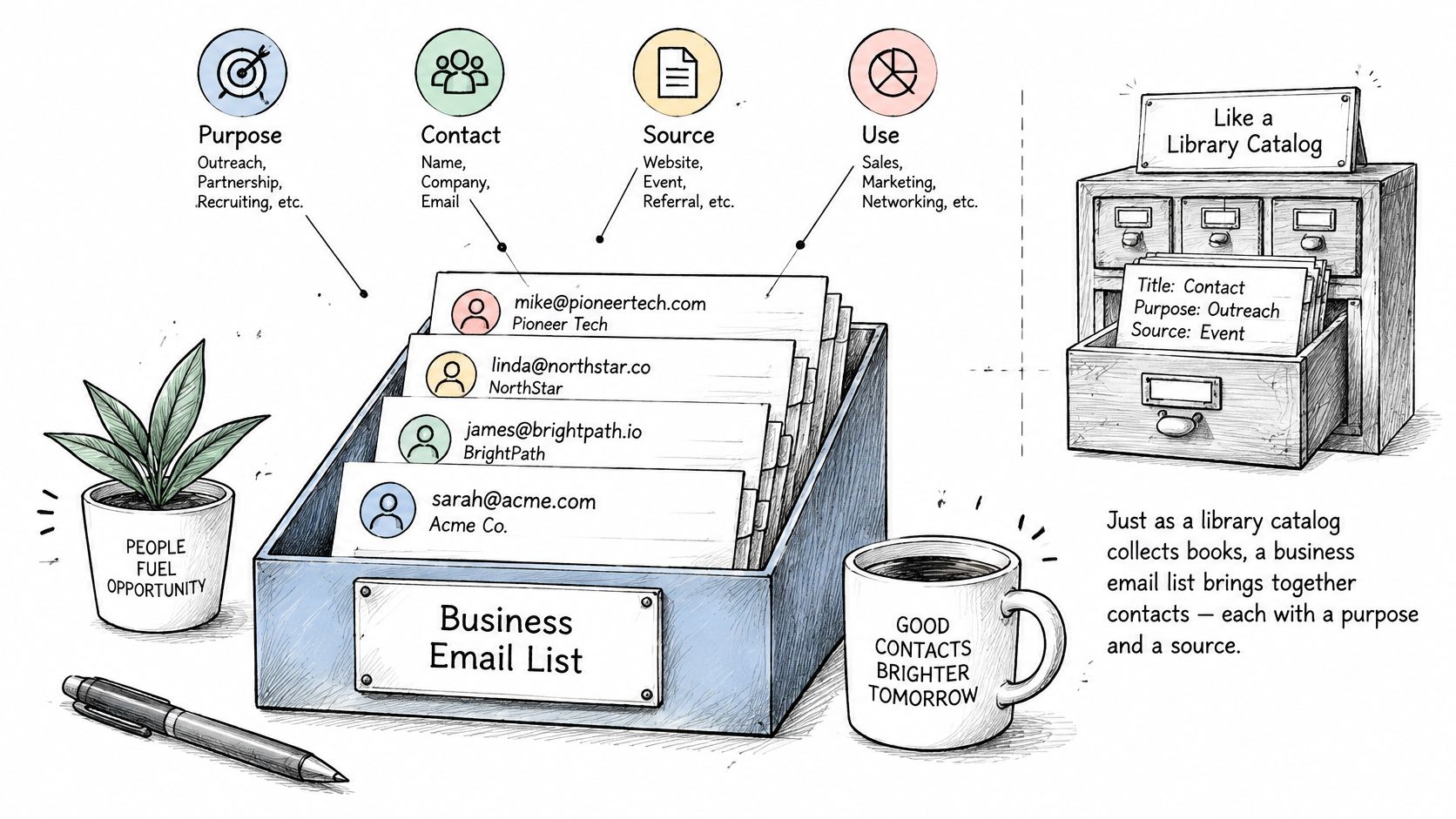
A business email list is a collection of work email addresses your company may message, with each address tied to a purpose and a source. Think of it as a guest list, not a pile of doorbells. Every name needs a reason to be there, plus a record showing the invitation was real.
Say a software company collects 3,000 addresses from a product webinar, a trade show scanner, and its checkout flow. That's one file, but it isn't one audience. Webinar registrants agreed to hear about that topic, customers agreed to product updates, and scanned badges may have agreed to nothing beyond entry to the hall.
Three Things People Confuse
- Raw address book: Names gathered from inboxes, CRMs, and old spreadsheets, often with no consent record attached.
- Subscriber list: People who opted in through a form or checkout, with at least some evidence of what they requested.
- Permissioned audience: A subscriber list you can defend record by record, because source, timing, and purpose are stored with each address.
Only the third one is an asset you can mail with confidence. The first two may contain good contacts, but you can't tell which ones they are.
Why Quality Shows Up in Revenue
The money follows that distinction. Litmus's 2025 State of Email research found that 35% of marketing leaders reported earning $10 to $36 for every $1 invested in email, 30% reported $36 to $50 per dollar, and 5% reported above $50 per dollar.
The same research found 21% of respondents still didn't measure email ROI, down from 36% in 2023. If you don't measure return, you can't see what undeliverable addresses and inactive contacts cost you. You're paying to store, verify, and mail people who'll never buy, while their silence drags down the engagement signals mailbox providers watch.
Returns also depend on matching message type to audience. Litmus reported customer-engagement emails led in B2B and technology, promotional emails led in B2C and retail, and newsletters led in direct-to-consumer, agencies, and professional services. A list built for one job won't automatically perform at another.
Judge a list by revenue, engagement, and deliverability together, not by subscriber count alone.
A smaller, current list of reachable, relevant recipients will usually beat a large, stale one. I'd rather mail 8,000 people who asked for exactly what you're sending than 40,000 people who might once have met someone from your company.
Which Contacts You Can Email and the Proof to Keep
Finding an address is easy. Proving you may email it for a specific purpose is the work many businesses skip, and it's the work that decides whether a campaign is defensible. Campaigner's 2025 email marketing commentary notes that smaller, permission-based lists outperform larger, loosely opted-in databases, with stronger engagement in GDPR-regulated regions. Shrinking a list by removing contacts without defensible consent can raise results, not lower them.
Every address needs the same core record, whatever its source. Store the source, timestamp, notice shown, purpose, jurisdiction, and unsubscribe history alongside it.
List Sources and the Consent Evidence to Keep
| List source | Evidence to keep | Typical risk |
|---|---|---|
| Inbound signup on your own form | Timestamp, form version, consent wording shown, record ID | Low when the email matches what was promised |
| Event registration | Event name, date, opt-in checkbox wording | Low to medium; email should match the event purpose |
| Customer purchase | Order record, transactional notice, marketing opt-in status | Low for product-related emails; medium for unrelated promotions |
| Partner referral | Partner name, referral consent, date received | Medium; you depend on the partner's consent evidence |
| Public business directory | Source URL, date collected, job role | Medium to high; purpose must fit the role shown |
| Purchased list | Vendor contract and proof of original consent | High; consent is often impossible to prove |
| Scraped addresses | None available | High; avoid entirely |
A Valid Address Is Not a Safe Address
Verification tells you a mailbox exists. It says nothing about whether that person expects your message. A perfectly deliverable address from a scraped directory can still generate complaints, because the recipient never asked to hear from you and doesn't recognize your name.
Borderline cases need a purpose test, not a technical one. Consider three common ones:
- Public work address, role-related offer: A facilities manager listed on a company site may be a reasonable recipient for a relevant B2B approach in some jurisdictions, but you still need the source URL, collection date, and a clear opt-out. Relevance to the role is the whole argument, so a generic blast destroys it.
- Shared inboxes: Addresses like info@ and support@ reach a team, not a person. Nobody there personally opted in, and whoever opens your email may have no context for it. Keep them out of personal cold outreach and use them only where a team inbox is the right destination.
- Newsletter consent, promotional intent: Someone who agreed to a monthly newsletter didn't agree to weekly discount emails. Changing the deal requires new permission. Mailing promotions anyway is how engaged subscribers become complainers.
One rule overrides everything else. If an unsubscribe or objection is on record for an address, it beats any later import of that same address from a CRM, a partner file, or an event list. Suppression records must survive list merges, tool migrations, and staff changes.
Decision rule: If you can't name the source and the purpose for an address in one sentence, don't add it.
That single test kills most bad imports before they happen. It also forces honest conversations about purchased and scraped data, where the honest sentence usually can't be written.
GDPR and CAN-SPAM Rules for Business Email
Two different legal models govern most business email, and they ask different questions. The US model mainly asks whether your message is honest and easy to leave. The European model asks whether you had a right to process the address in the first place. This is general information, not legal advice, so have counsel confirm your position for each jurisdiction you mail.
CAN-SPAM for US Recipients
CAN-SPAM covers commercial email sent to US recipients, including business addresses. It doesn't require prior opt-in, but it sets strict conditions on every send:
- Accurate headers and subject lines: Your From name, routing information, and subject can't mislead recipients about who sent the message or what it contains.
- Clear identification: Commercial messages must be identifiable as advertising where that applies, and each email needs a valid physical postal address.
- Working opt-out: Every commercial email needs a functioning unsubscribe mechanism, and you must honour opt-outs within 10 business days.
- No recycling opt-outs: You can't sell or transfer addresses belonging to people who opted out, except to a processor helping you comply.
For outbound teams working across these requirements, Cold Email Compliance from MailAdept is a useful companion reference on how the rules apply to cold outreach specifically.
GDPR for EU and EEA Contacts
Under GDPR, a work email address that identifies a person, such as firstname.lastname@company.com, is personal data. That means you need a lawful basis before you store or mail it. For marketing, that basis is usually consent, or legitimate interest supported by a documented balancing test showing your interest doesn't override the recipient's rights.
You also owe each contact a privacy notice at collection, explaining who you are and what you'll do with the address. You must honour access, erasure, and objection requests, and you should keep addresses only as long as you need them. Our detailed walkthrough of GDPR email compliance requirements covers how these duties apply to everyday list management.
The UK position under PECR adds a wrinkle. Corporate subscribers can generally receive marketing email with a working opt-out, but sole traders and some partnerships are treated like individuals, which usually means consent first. A business address alone doesn't tell you which category you're in, so check before you assume.
Verification fits inside the same logic. We require a legitimate sender relationship before processing a list, such as your own customer list or a list processed under a Data Processing Addendum. A vendor that happily cleans any file you upload, no questions asked, is a warning sign rather than a convenience.
Three Questions for Every Address
Before any address enters a campaign, ask where the recipient is, what your relationship with them is, and what they saw when they gave you the address. If your team can answer all three from stored records, you're operating a permissioned audience. If the answers live in someone's memory, you have a compliance gap waiting for a complaint to expose it.
How to Build a Permission-Based List Step by Step
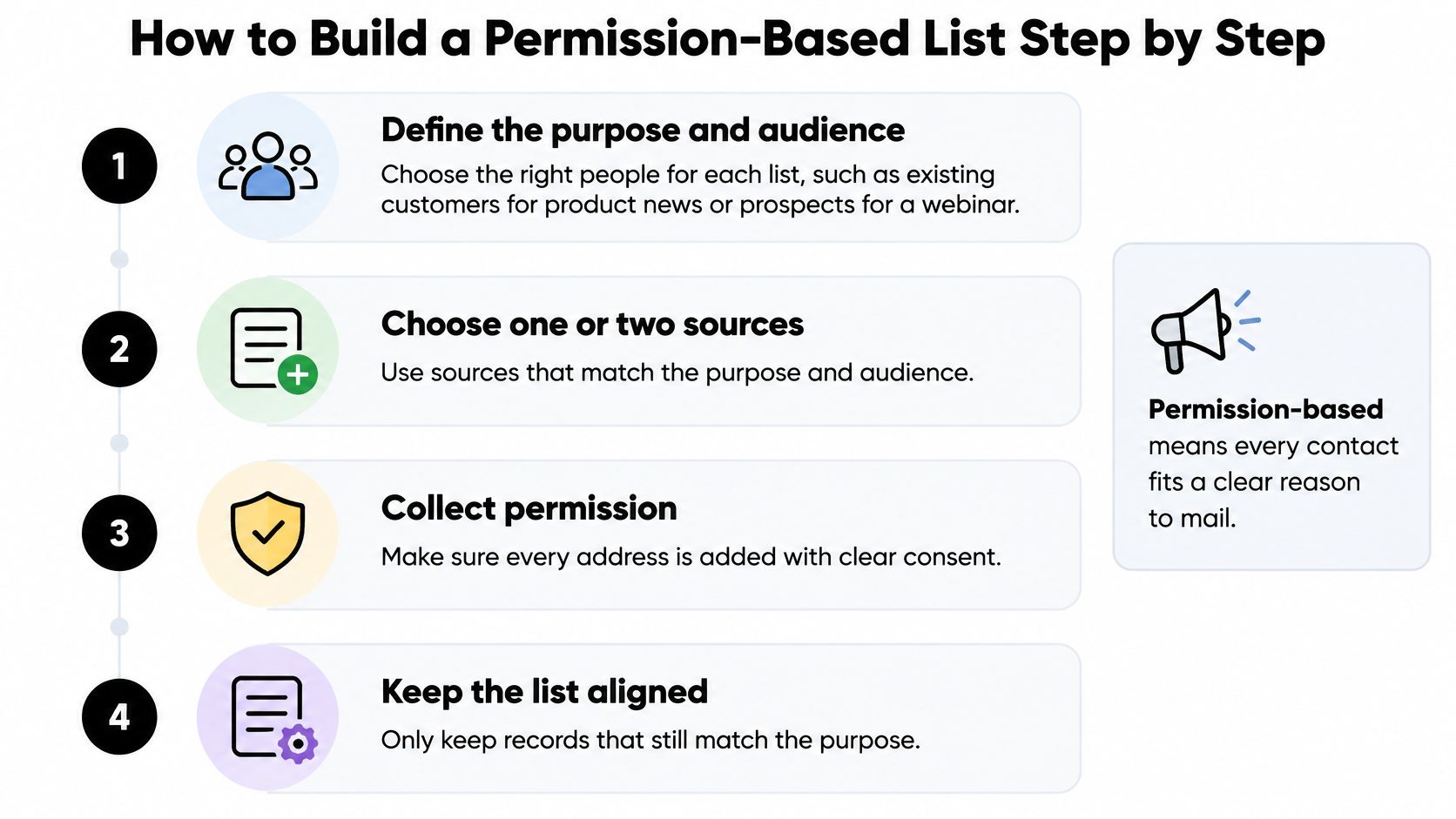
Building properly is slower at the start and much cheaper later, because you never pay to clean up consent you failed to capture. The four-part flow below summarizes the shape of the process before the detailed steps.
The Seven Steps
- Define the purpose and audience. Write down who this list is for and what they'll receive, such as existing customers getting product news or prospects invited to webinars. Skip this and every later segmentation decision becomes guesswork, because nobody recorded why each person joined.
- Choose one or two matching sources. Favour signup forms you control, where you set the wording and capture the evidence yourself. Partner and event sources can work, but each new source adds consent records you must obtain and trust.
- Capture consent in plain language. Your form should say what subscribers will receive, how often, and who sends it, in one readable sentence. Leave optional marketing boxes unticked, because a pre-ticked box isn't consent and won't survive scrutiny.
- Confirm with double opt-in. For newsletters and high-stakes lists, send a confirmation email and add only people who click it. Our guide to how double opt-in works explains the setup in detail. Confirmation proves the address belongs to someone who wants your email, and it filters out typos, bots, and addresses entered by third parties.
- Validate at capture. Check addresses as they're typed so mistakes like gmial.com and yhaoo.com get corrected before a record is saved. Fixing a typo costs nothing at the form and costs you a bounce later.
- Store the evidence fields. Save source, timestamp, notice version, purpose, and jurisdiction with every record at the moment of signup. Retrofitting these fields months later is unreliable, because form wording and campaign context will have changed.
- Tag and welcome. Tag each record by source and purpose, then send a welcome message restating what they signed up for and how to leave. The welcome email sets expectations while the signup is still fresh in the recipient's mind.
The short video below walks through the confirmation and capture mechanics visually, if you want to see the flow before building your own.
A Worked Example
Say a webinar form collects 2,000 registrations and 1,400 people confirm through double opt-in. Mail the 1,400. Hold the 600 unconfirmed addresses out of every campaign until they confirm, however tempting the bigger number looks in a report. Some of those 600 are typos, some are bots, and some changed their minds. All three groups hurt you if mailed.
Yes, confirmation shrinks your starting list. That's the point. You've traded unverifiable volume for an audience that demonstrably wants your email, and that audience will out-engage the raw file from the first send.
A healthy first month looks boring in the best way. Your confirmation rate holds steady, hard bounces stay well below 2 percent, and complaints sit near zero. If bounces or complaints spike early, something upstream is broken, usually the form wording or a source you don't control.
Verification Verdicts and What to Do With Each
Verification results aren't a simple pass or fail. Most verdicts describe a level of risk, and each one calls for a different action before you send.
Verification Verdicts and the Action for Each
| Verdict | What it indicates | Action |
|---|---|---|
| Valid | Mailbox exists and accepts mail | Send; keep the verification timestamp |
| Invalid syntax or missing domain | Typo or dead domain, such as gmial.com | Remove from campaigns; correct at source if it is a typo |
| Hard bounce | Mailbox rejected permanently | Suppress immediately |
| Catch-all | Domain accepts all mail, so the mailbox is unconfirmed | Send only in a small, monitored segment |
| Role account | Shared inbox such as info@ or support@ | Decide case by case; usually keep out of personal cold outreach |
| Disposable | Temporary address built to disappear | Remove |
| Inactive | Valid mailbox with no engagement for a long period | Re-permission or suppress |
| Temporary failure or no response | Server did not answer in time | Retry later; do not delete automatically |
Catch-all and risky results cause the most arguments. The domain accepts everything, so verification can't confirm the individual mailbox exists. Don't treat these as valid, and don't delete them reflexively either. Put consenting catch-all addresses in a small, monitored segment, watch bounces and complaints closely, and promote or suppress them based on what happens.
Temporary failures deserve patience. A server that didn't answer may be busy, greylisting, or briefly down. Retry later rather than deleting, and only act on repeated failures across separate checks. Always keep your original file untouched, with timestamps and reason codes stored beside each result, so you can compare how verdicts change between runs.
The Gmail Thresholds Behind the Rules
These habits aren't fussiness. They're how you stay inside hard limits. Google's email sender guidelines require all senders to implement SPF or DKIM. Bulk senders, defined as those sending at least 5,000 messages per day to Gmail accounts, must implement SPF, DKIM, and DMARC, maintain valid forward and reverse DNS records, and support one-click unsubscribe.
Google recommends keeping the user-reported spam rate below 0.1% and preventing it from reaching 0.3%, because at or above 0.3% delivery mitigations become unavailable. Authentication alone won't save you if your list generates bounces and complaints. Suppress hard bounces immediately, monitor complaint rates in Google Postmaster Tools, and revalidate older records before high-volume sends.
Combine Four Signals Before You Send
For each address, weigh technical status from verification, consent status from your evidence record, engagement over the last 90 days, and business value. A valid, consented, engaged address goes into regular sends. A valid but unengaged address with consent moves to re-permission. A catch-all with consent goes to the monitored segment.
Any address without consent evidence is suppressed, whatever its verification verdict says.
That last rule is where technical cleaning and permission meet. A clean verdict on an address you can't justify mailing is still an address you shouldn't mail.
Why Segmenting Beats a Bigger List
Mailing everyone feels efficient. It isn't. You're sending your most relevant offer to people who stopped caring months ago, and their silence tells mailbox providers your email isn't wanted. Segmentation fixes that by matching each send to the people most likely to act on it, and our practical guide to targeted email marketing goes deeper on building those audiences.
Segments Worth Building First
- Engagement recency: Who opened or clicked within the last 90 days, and who hasn't engaged in a year.
- Role or industry: A finance director and an IT manager at the same company want different messages.
- Source: Webinar registrants, customers, and event contacts joined for different reasons and should hear accordingly.
- Lifecycle stage: Trial users, active customers, and lapsed buyers sit at different points in the relationship.
Say you hold 50,000 addresses and 12,000 people opened or clicked in the last 90 days. Send your targeted campaign to the 12,000. Send a re-permission email to the next 15,000 who engaged between 90 and 365 days ago, asking plainly whether they still want your messages. Suppress or archive the remaining 23,000 unless they re-engage on their own.
Why Age Makes Segments Riskier
Lists don't stay accurate while you ignore them. Validity's data-quality analysis reports that email lists decay at approximately 25% per year, so a list of 100,000 addresses could lose roughly 25,000 potentially usable records over a year, before syntax errors or role accounts are counted.
Job changes, domain changes, and mailbox closures drive that decay. Older segments therefore need rechecking before mailing, not after the bounces arrive. Store validation timestamps, and don't auto-delete ambiguous results until a later check or business context resolves them.
Keeping every deliverable address feels safe, but it dilutes your engagement signals and weakens targeting. A technically valid contact who never engages still counts against you, because providers judge your mail partly by how recipients respond to it. Keep segments separate whenever the offer, consent scope, or sender differs.
Opens alone won't tell you list health, since privacy features distort them. Watch clicks, replies, conversions, and complaint rate instead, because those reflect deliberate action.
Working rule: Never mail the whole list when a segment fits.
Run Your First Clean Before the Next Campaign
Do one thing before your next send. Clean the list you're about to mail.
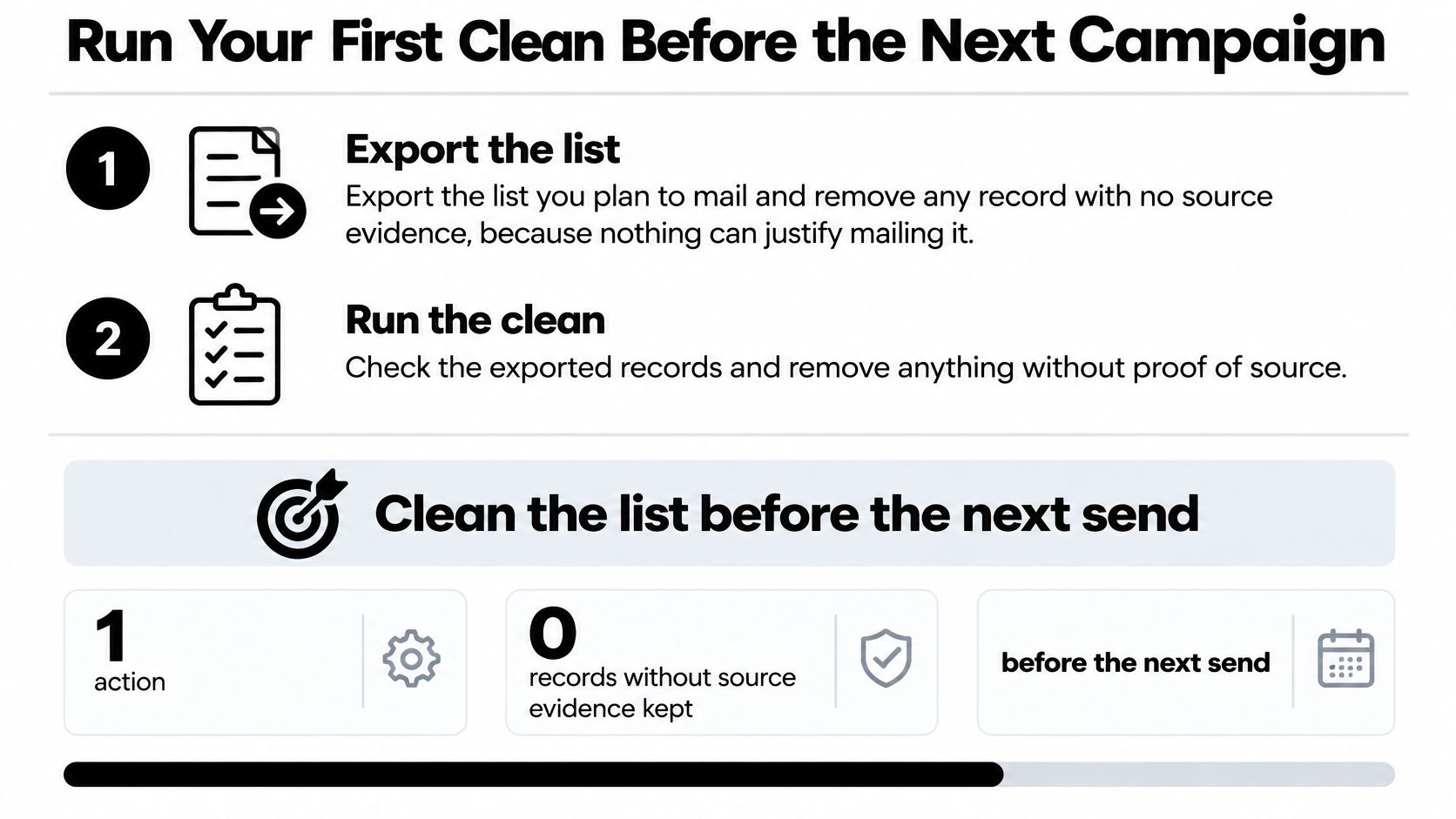
- Export and strip. Export the list you plan to mail and remove any record with no source evidence, because nothing can justify mailing it.
- Verify and read the summary. Run the export through verification and compare verdict counts against the verdict table, noting how many records land in each category. Our process is three steps, drop your list in, watch it clean, then send to real people, and a list of 10,000 emails takes around a minute while 100,000 takes about six minutes.
- Test a small sample first. Compare verdicts on a sample against the bounce history you already hold. If the verdicts predict what bounced, scale up with confidence.
- Push results back with reason codes. Tag suppressed and held addresses in your email tool, and keep the untouched original file so verdict changes can be compared later.
- Set a recurring schedule. Recheck active segments monthly and dormant segments before every reactivation campaign.
One pass won't hold. ZoomInfo's email accuracy analysis reported roughly 19% of addresses were invalid before sending and that lists decay by about 3% per month. Cleaning is a lifecycle, not an event. Start with the sample, confirm the verdicts match your real bounce behaviour, and then commit to the schedule. Our sales team offers pricing for bigger teams, custom volumes, and free list audits if you want a second opinion first.
Your next campaign doesn't need a bigger list; it needs a defensible one. CleanMyList verifies every address with a plain-English reason for each verdict, so you can suppress risky records and mail people who want your email. Upload your list before the next send, review the results against your consent records, and start protecting the sender reputation your revenue depends on.