A campaign goes out on Tuesday. By Wednesday morning, temporary addresses have bounced, the shared sending IP is throttled, and the next send is already at risk. The weak point was the signup form: it accepted any string with an @ sign.
The issue is not rare. In data from more than 500,000 addresses collected through forms managed by Emailchef and TurboSMTP, temporary email services accounted for 12% of sign-ups in 2025, rising to 18% in promotional-deal industries, according to Serversmtp's registration-form data.
A disposable email domains list is only useful when each match triggers a clear decision. A free-trial form may block a known disposable provider; a newsletter signup may send the address for review instead. Without a rule, the decision gets delayed until someone investigates bounces.
The ten providers below are compared by inbox behavior, privacy, lifespan, and the action to take at signup or before a send. For guidance on campaign setup and list hygiene, see Alignmint's guide to email campaigns.
Table of Contents
- 1. Mailinator
- 2. Guerrilla Mail
- 3. 10 Minute Mail
- 4. Temp-Mail
- 5. YOPmail
- 6. Maildrop
- 7. TrashMail
- 8. Mailnesia
- 9. FakeInbox
- 10. Getnada (nada.email)
- How the 10 Disposable Email Providers Compare
- Turn Your Domain List Into a Working Rule
1. Mailinator
Mailinator is the reference implementation of the whole category. Any address on its public domain accepts mail with no registration, and anyone who types that inbox name into the site can read what landed there. Nothing in the inbox is private and nothing in it is yours.
That public-by-design model explains why it's the first domain many teams block and the one every validation vendor uses as a smoke test. QA engineers route staging signups into it because it's fast and disposable, which means real Mailinator traffic is often legitimate engineering work rather than fraud.
The interface looks like any ordinary mail client, which is exactly why test addresses slip past review.
A positive match on a known provider is a strong signal. A negative match proves nothing at all.
Here's the piece most lists get wrong. Mailvalid's 2026 scan of disposable domains checked 9,963 domains from an open-source blocklist and found 78.2% appeared mail-capable, with 69.2% publishing an MX record and another 9.0% holding an A record that could support fallback delivery. A listed domain that answers on port 25 is doing what its operator built it for, so "it accepted the SMTP handshake" never clears an address.
- Block the bare domain and its subdomains: a partial match on mailinator.com leaves the door open.
- Give QA a domain you own: point test suites at an internal catch-all so public inboxes never appear in production data.
- Assume every message is public: never send credentials or personal details to a Mailinator address.
If you want the background on why the category exists, this explainer on what makes a disposable email address different walks through the inbox lifecycle.
Handling rule: hard block at signup on any form that creates an account, starts a trial, or triggers a transactional email, and suppress existing matches before the next send.
2. Guerrilla Mail
Guerrilla Mail is one of the few temporary services that also sends mail. Addresses expire automatically, usually within about an hour, and the web interface lets a user write from the temporary address as well as read to it. That outbound capability changes what the address is: not just a receiving bin but a short-lived identity.
The category behaves like this as a whole. A measurement study of seven popular disposable-email services collected roughly 2.3 million messages across about 210,000 domains over three months and found that 24.6% of those messages contained at least one tracking link, according to the study archived by the National Science Foundation. Disposable inboxes turn up inside automated and measurement workflows, which is why they produce odd engagement patterns instead of clean bounces.
Consider a reader who wants a one-time download link, won't hand over a work address, and reaches for Guerrilla Mail. The address verifies, the link arrives, and the contact goes silent within the hour. Nothing in your reporting flags it, because the mailbox was real when you checked.
- Treat it as risky, not invalid: the mailbox exists, so a hard bounce tells you nothing.
- Never rely on it for recovery: if the account matters later, the inbox is already gone.
- Add the domains to suppression rules: at signup and again on every import.
Because the address can send, it can also generate replies that look human for a few minutes and then stop. That pattern is worth a flag in its own right.
Handling rule: allow the signup for low-stakes content, gate anything with a real cost behind a second signal, and drop these addresses out of lifecycle automation until someone proves engagement.
3. 10 Minute Mail
Ten minutes is the entire product. 10 Minute Mail generates a temporary inbox that expires after about ten minutes by default, with an option to extend it. The address exists to receive one confirmation and disappear.
That design is exactly why list matching struggles. An analysis cited by Tempmailspot's write-up on detection estimates that commonly maintained blocklists cover only about 60% to 80% of disposable domains in active circulation, because new services keep appearing. The same analysis of 1.5 million disposable-email addresses across more than 46,000 websites put the largest usage concentration in artificial intelligence and emerging technology at 12.1%.
A blocklist is a lagging indicator. The provider turning up in your form data this month is often not on the copy you downloaded last quarter.
For a single-use verification, the user reads the code, finishes the step, and never returns. The address is technically valid at the moment of signup and worthless a quarter later, which is the whole problem with measuring list health on bounce rate alone.
- Read the message immediately: there's no retention to fall back on.
- Don't build anything on the address: password resets, receipts, and renewal notices reach nobody.
- Score it high at signup: short-lived providers are the cleanest case for an automatic reject.
Handling rule: reject at the form. This is one of the few providers where a binary decision costs you almost nothing, because nobody runs a real account on a ten-minute inbox.
4. Temp-Mail
Temp-Mail targets developers as much as privacy seekers. It publishes several sending domains and a web interface, plus an API that lets a test suite spin up a temporary inbox, read the verification code, and throw the address away afterward.
Putting staging traffic through a public provider is a common mistake in test automation.
Where the staging mistake bites
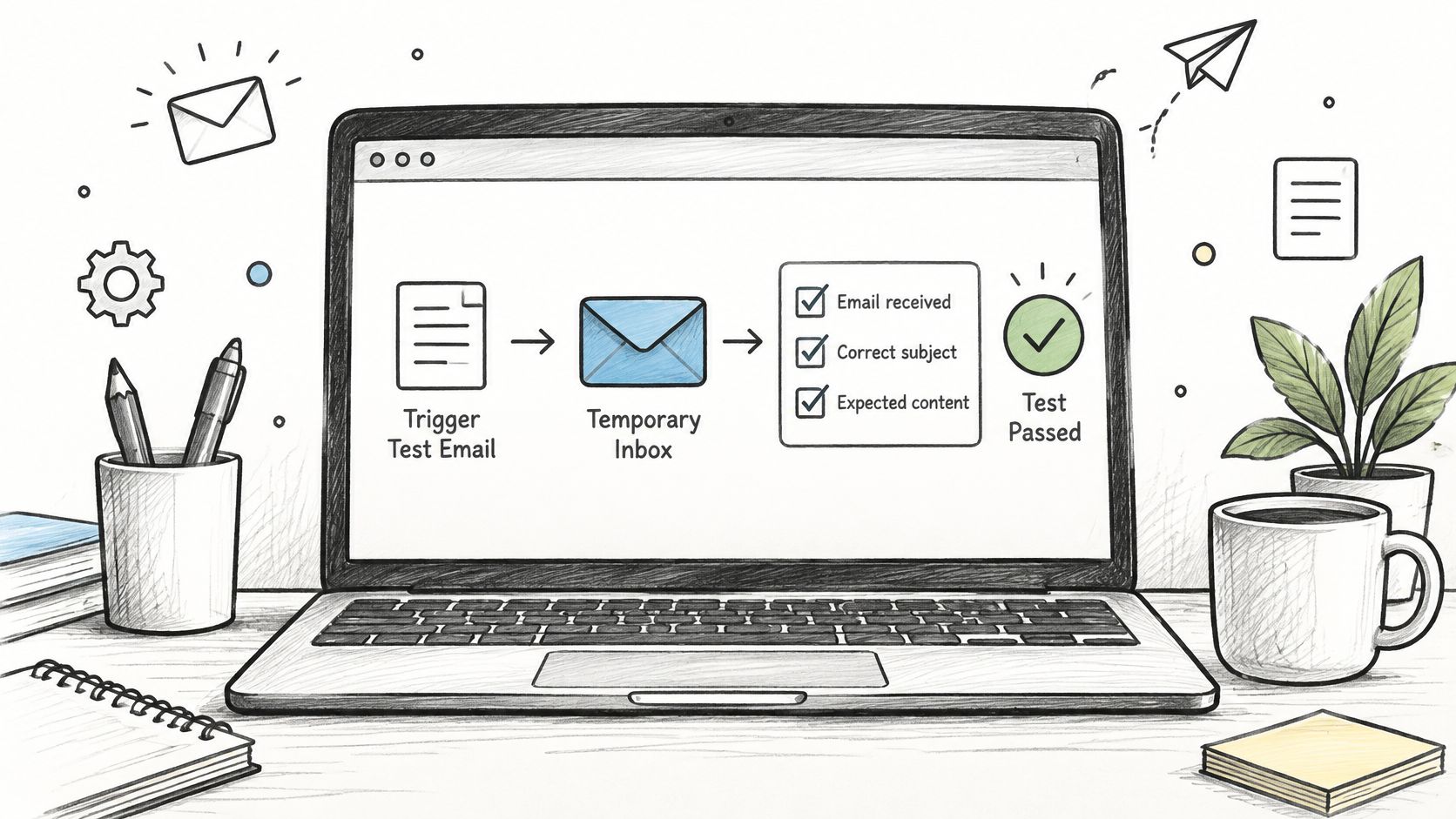
A team wires its end-to-end suite to a temporary inbox service. The tests pass for months. Then someone points the same suite at a staging environment that sends through the production email provider, and a few thousand automated signups land in the marketing database with valid SMTP responses. Nothing bounces. Nothing looks wrong until the deliverability numbers slide two weeks later.
The fix is a short refactor that many teams skip.
- Use it in test and staging only: never let a temporary domain into a production signup path.
- Keep the domains in your validation layer: a test that forgets the block is how leaks happen.
- Own your QA inbox: a catch-all on a domain you control gives repeatable tests with no third party involved.
If you're cataloguing which services to watch, this rundown of disposable email sites covers the operators behind the domains and how they rotate them.
Handling rule: block in production, allow in staging, and route any address that survives both to a manual review queue rather than a silent pass.
5. YOPmail
YOPmail doesn't fit the ten-minute pattern. Inboxes persist far longer than most competitors, need no registration, and open by name from a web page. Anyone who knows or guesses the name sees the same messages.
That persistence makes it a favourite for repeated testing and for spam. A user can push the same address through several signup flows without it disappearing between attempts. Marketing teams find it in list imports, and it shows up in complaint data because the person who created the inbox isn't the person reading what arrives.
Say someone tests a welcome sequence by creating five named inboxes, subscribing each one, and checking rendering and timing across all of them. Every one of those addresses is a live subscriber on your list with no engagement behind it, and each one counts toward your bill.
- Never send anything sensitive: the inbox is open to anyone with the name.
- Expect it in imports: run disposable detection on every list you bring in, not just on forms.
- Watch complaint patterns: addresses nobody reads inflate list size without adding reach.
Handling rule: hard block at signup, and on existing lists move matches to quarantine rather than deleting them outright, so you keep a record of which source let them in.
6. Maildrop
Maildrop is about as simple as the category gets. No registration, no password, any inbox name on the domain opens in a browser tab. That speed is why people reach for it when a download gate demands an email address they don't want to give.
The privacy cost is real. A reported dataset drawn from four disposable services contained 856,886 emails, including names and home addresses, because some inboxes had no password protection, per Mailbeam's overview of temporary addresses. Messages people assumed were throwaway turned out to be readable by anyone who tried the right inbox name.
Privacy check: if a colleague admits to using a public inbox for a work signup, assume whatever landed there is now public and rotate any credential that arrived with it.
Say a growth team signs up for a competitor's newsletter through Maildrop to study the onboarding. Fine. Apply the same habit to a vendor portal and you've created an account nobody can recover, tied to a mailbox the whole internet can read.
- Assume all messages are readable: no expectation of privacy exists.
- Never use it for financial or identity data: statements, invoices, and reset links all leak.
- Flag the domain in validation: block at signup and check imports for it too.
Handling rule: hard block at signup, and treat any existing account tied to the domain as unverified until the person confirms a different address.
7. TrashMail
TrashMail works differently from everything above. It forwards messages sent to a temporary alias into a real inbox, usually for a limited number of messages or a set period. The person on the other end is reachable. They just didn't want to hand over their primary address.
That forwarding model is why hard blocking here costs more than it saves. The alias maps to a real mailbox, and the human behind it may be a perfectly good subscriber protecting themselves from a list they expect to be sold.
The difference matters when you write the rule.
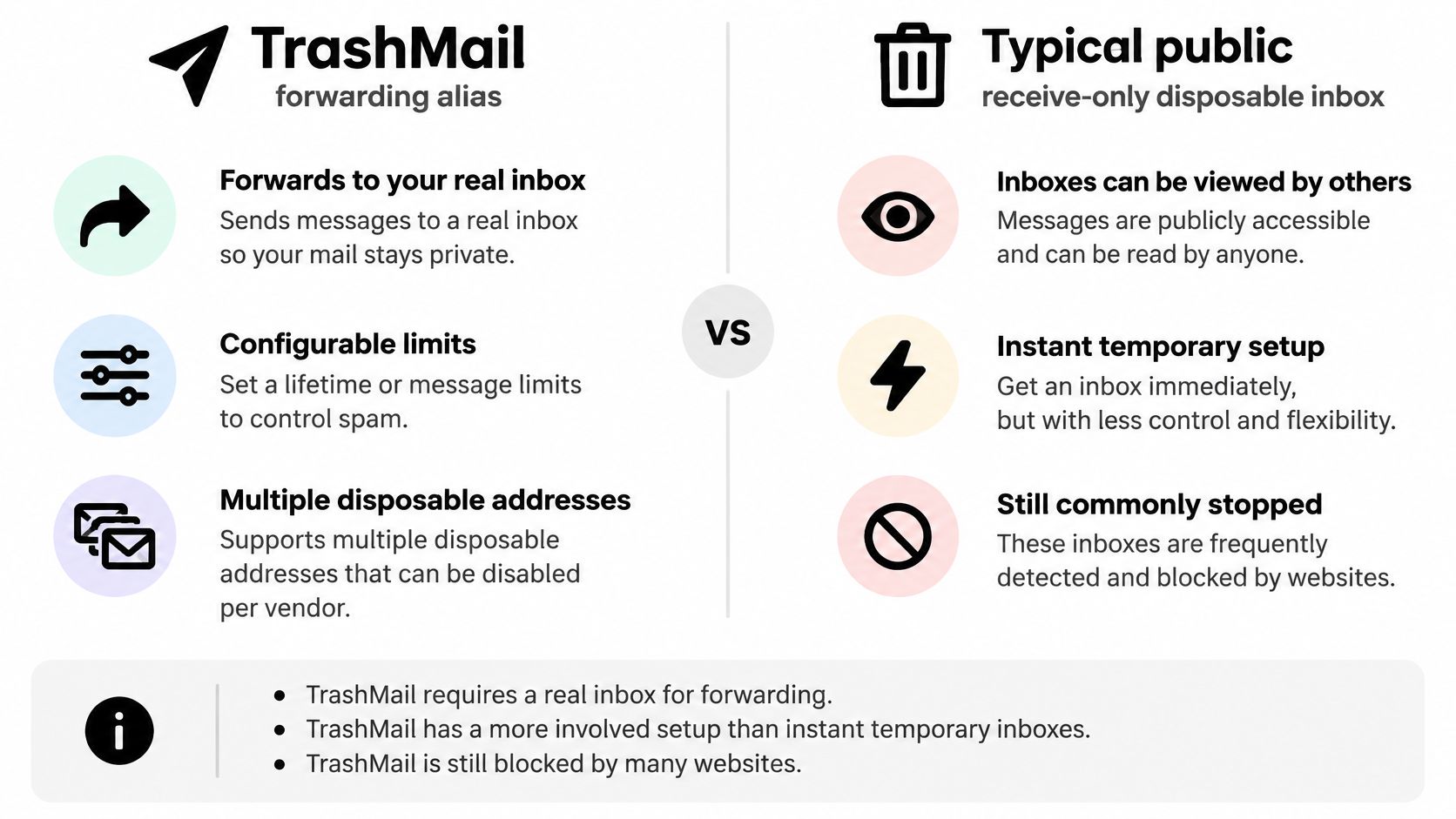
A subscriber creates a fresh TrashMail alias per newsletter, sets a short lifetime, and disables the alias once the mail gets boring. From your side the address bounces later without warning, weeks after the last open. That's a list hygiene problem, not a fraud problem, and it deserves different treatment.
- Set short lifetimes for anything you don't plan to keep: the alias isn't a subscription.
- Use one alias per vendor: it isolates spam and reveals who sold your address.
- Disable before expiry: silent forwarding failures are worse than an obvious bounce.
The judgment call: forwarding aliases sit between disposable and legitimate. Blocking them protects trial economics; reviewing them protects list growth.
Handling rule: don't hard block. Flag for review, require a confirmation click, and keep the address out of high-value automation until it engages.
8. Mailnesia
Mailnesia accepts mail at any address on its domain with no registration, opens inboxes by name, and deletes messages automatically after a short period. There's no account to create and no password to remember.
Because messages vanish on a timer, the address is only useful for a single confirmation step. A user signs up for a free account, clicks the link, and moves on. Your welcome sequence, your day-three tip, and your re-engagement campaign all land in a bin that no longer exists.
Say a product team tests a new signup flow during development and uses Mailnesia to catch the confirmation email. The flow passes. Three weeks later that same address appears in a production import because someone copied a QA fixture into a seed file.
The cleanup most teams skip
Search your database for temporary domains you blocked months ago. Legacy rows hurt more than new ones, because they've been collecting sends and generating nothing back the entire time.
- Read the message promptly: deletion is automatic and there's no recovery path.
- Never tie a long-lived account to it: the address outlives nothing.
- Include the domain in your blocklist: and re-run old lists against the current version.
Handling rule: hard block at signup, and re-check imported lists against the current list rather than trusting a filter you applied a year ago.
9. FakeInbox
FakeInbox is built for one job. It generates a short-lived address so someone can receive a confirmation message without registering, and the address stops being useful almost immediately after that.
There's little ambiguity here. Sites that enforce real-user checks block it, and the short lifespan means even a determined user can't keep an account running on it. What matters for list owners is where these addresses enter. Usually it's a gated download, a discount code, or a webinar registration with no other friction in the path.
Say a webinar registration asks for a name and an email, then sends a join link an hour before the session. Half the FakeInbox registrations never open the link, and the reminder emails bounce. The attendee count looks fine in the platform report and wrong when you check who showed up.
- Check for the confirmation right away: there's no window to wait.
- Don't count on future access: recovery, receipts, and renewal notices all fail.
- Reject at signup: short-lived services are safe to block outright.
Handling rule: reject at the form and tag the verdict as disposable rather than invalid, so your reporting separates deliberate throwaways from typos and dead mailboxes.
10. Getnada (nada.email)
Getnada runs on the nada.email domain and follows the standard pattern: a web interface, disposable inboxes, no registration. It sits on most public blocklists, and that's exactly where the trouble starts.
Being on a list isn't the same as being covered. Castle's open-source dataset tracks the top 1,000 domains observed in real fake-signup, multi-accounting, promotional-abuse, and spam activity and is rebuilt daily; one documented campaign created 330 custom domains in roughly three weeks, none of which appeared in public disposable-provider lists, per Castle's research on disposable email infrastructure. The domain a fraud ring registers tomorrow will never appear in yesterday's download.
Here's where I land: a match is a strong risk signal and a miss is not a clearance. Score the address, don't binary it.
Say a free-trial form blocks nada.email and stops there. The next abuse wave runs fresh domains with real MX records, and the form waves them through because they're new, not because they're clean.
- Don't keep long-term accounts here: recovery is impossible.
- Filter nada.email and re-check imports: signup filtering only covers new data.
- Add confidence scoring: pair the list with domain age, catch-all behavior, and bounce history.
Handling rule: flag as high risk, require step-up verification for anything with a cost attached, and let low-stakes newsletter signups through on review rather than blocking blind.
How the 10 Disposable Email Providers Compare
| Item | Inbox Lifetime | Can Send Mail | Inbox Visibility | Best For |
|---|---|---|---|---|
| Mailinator | Short; messages are deleted automatically | Not stated in the provider entry | Public; anyone who knows the inbox name can read messages | QA testing and disposable-domain validation |
| Guerrilla Mail | About one hour | Yes | Public inbox; messages are accessible by inbox address | One-off signups and short email exchanges |
| 10 Minute Mail | About ten minutes; can be extended | Receiving only | Private, temporary inbox | Single-use verification |
| Temp-Mail | Temporary; the entry does not give a duration | Yes, through its published sending domains | Private inbox | Automated email testing |
| YOPmail | Longer than many disposable services | Receiving only | Public; accessible by inbox name | Repeat testing with the same inbox |
| Maildrop | Short-lived | Receiving only | Public; accessible by inbox name | Quick throwaway signups and sandbox testing |
| TrashMail | Configurable time or message limits | Forwarding only | Private; messages go to a real inbox | Spam-controlled signups with message forwarding |
| Mailnesia | Short-lived | Receiving only | Public; accessible by inbox name | Quick confirmations and signup testing |
| FakeInbox | Short-lived | No; designed for receiving | Private, temporary inbox | One-time verification |
| Getnada (nada.email) | Temporary; the entry does not give a duration | No; designed for receiving | Public; access is not restricted | Quick verification and email-flow testing |
Use the table to choose a handling rule, not just to identify a provider. Public inboxes expose messages to anyone who knows the address, so do not use them for password resets or sensitive account data. Private, short-lived inboxes suit one-time testing, while forwarding services fit signups where a user needs to receive messages at a separate address. At signup, flag matching domains for review or block them when the account needs reliable recovery. Before a campaign, remove disposable addresses rather than treating every listed provider as equivalent.
Turn Your Domain List Into a Working Rule
A list is a snapshot with a timestamp on it. The open-source disposable repository reports 6,593 domain-related entries after fetching 5,196 domains and hashes, and regenerates the whole set every 24 hours, per the disposable domain repository on GitHub. Treat any copy you're holding as stale the moment you download it.
Three places need the rule applied.
- At signup: check the address in real time and reject or flag before the record is created.
- On import: run every uploaded list through the disposable check, not just new form submissions.
- Before a send: re-verify aged contacts, because a domain that was clean last quarter may sit on a provider list this week.
Then decide the order of checks inside each address: syntax and typo detection, domain and MX existence, mailbox behavior, catch-all status, disposable classification, role account, and historical bounce reputation. Disposable detection is one signal in that chain, not a verdict on its own, and a positive match should never be the only reason a real customer gets locked out of an account.
Push the verdicts back where they came from
Cleaning in a spreadsheet and re-uploading by hand is where organizations lose the gains. Export the cleaned list, or push it straight back into your email tool with bad addresses tagged, so the next campaign pulls from the filtered version instead of the original. Keep the reason string attached to each verdict, because "known temporary provider" and "mailbox accepted but disposable risk" call for different follow-up, one a block and the other a review.
If you're working business contacts, this guide on how to validate and dedupe B2B email lists covers the overlap between deduplication and verification.
CleanMyList refreshes its list of known throwaway providers every day, which keeps the signup check and the bulk clean pointed at the same data.
Rechecking aged lists is the step teams skip most often. Provider infrastructure moves, domains get sold, and abuse patterns shift, so a contact that passed six months ago isn't certified today.
You can see whether this problem is already sitting in your database by running the list you have right now. CleanMyList checks every address against disposable providers, catch-all behavior, and mailbox existence, returns a send or skip recommendation with a plain-English reason, and every account starts with 50 free credits and no card required. Upload a CSV, paste a few hundred rows, and watch the verdicts come back before your next send goes out at CleanMyList.