52.1% of 210,427 role-based email address checks came back invalid in a 2026 study, against 11.5% among more than 10 million non-role addresses, a rate roughly 4.5 times higher (Bouncezero role-based email study 2026). That headline gets quoted as proof that every generic inbox is junk. The breakdown underneath it says something far more useful. Across the prefixes in the same study, the invalid rate swung by about 17 times from best to worst.
That spread is the argument. "Role based" isn't a risk bucket. It's a label covering a dozen different jobs, each with its own reader, its own filtering, and its own case for staying on your list or leaving it. Read the prefix before you mail it, and the keep-or-drop question mostly answers itself.
Table of Contents
- What a Role Address Names
- Prefix Risk and Campaign Fit
- Standards Mailboxes and Business Habits
- Deliverability Gains and Hygiene Costs
- How Verification Treats a Role Mailbox
- Keep the Role or a Named Address
What a Role Address Names
Think about the doorbell outside a department office. The label reads Accounts, not "Priya". Priya might leave in March and someone else takes the desk in April, but the bell still says Accounts and a visitor still gets answered. A role based email address behaves the same way. It names a job, a queue, or a team rather than a person.
You meet the same few every week: info@, sales@, support@. Further out sit operational cousins such as abuse@ and postmaster@, which were never designed to carry a newsletter. Where the mail lands depends on setup. The local part, the piece before the @, is shared by several people, forwarded to whoever owns the task this quarter, or piped into a ticketing system. Several people can read one message, and nobody personally owns the relationship with you.
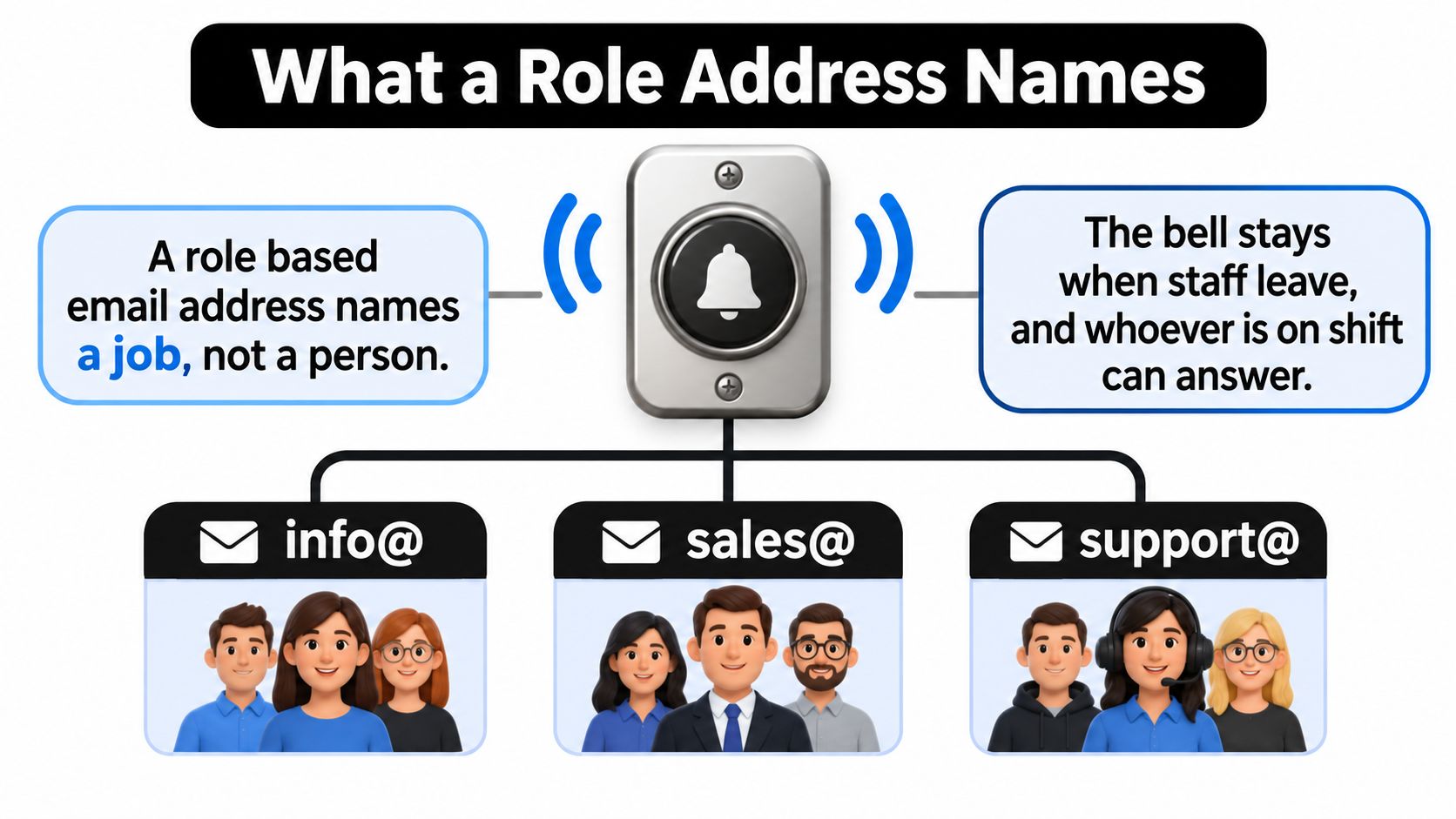
Organizations publish these inboxes deliberately. Work keeps moving when someone resigns. Strangers get a front door instead of guessing a first name and surname. A recurring team job, invoices being the obvious one, has a stable destination that doesn't shift with the org chart. If forwarding rules have ever confused you, the mechanics behind an alias email address explain most of what's happening under the hood.
Three separate questions hide inside "is this a role address", and they get answered one at a time:
- Will the receiving server accept the mail? A delivery question, settled by DNS and SMTP.
- Is the local part a role word? A naming question, settled by a prefix list.
- Is that role right for this send? A campaign question, settled by judgment, not by a tool.
A live mailbox can still be the wrong promotional target. Deleting every generic address, though, throws away contacts a company deliberately put in front of the public. Both mistakes come from treating one label as a verdict.
Prefix Risk and Campaign Fit
The same 2026 dataset of 210,427 role-based checks breaks down by prefix, and the gap is the whole story. contact@ was invalid at 3.3%, marketing@ at 9.3%, support@ at 45.0%, and hr@ at 57.1%. Between the lowest and highest of those categories sits a gap of about 17 times.
Treat those numbers as study-specific rather than universal benchmarks. The published material doesn't establish the sample's geography, collection method, or peer review, so they describe one large dataset rather than the whole internet. The direction still holds, and it holds loudly: your risk lives in the prefix, not in the class.
Why One Average Misleads
A role address tells you what a mailbox is for. It doesn't tell you whether anyone is reading it this month. contact@ is often the address a company answers, because it's the one the company publishes. hr@ may exist only because an applicant tracking system created it years ago and a filter now swallows anything that isn't an application. Both come back as "role" on a report. Only one belongs in a nurture sequence.
There's a second trap. SMTP acceptance doesn't prove you reached a decision-maker, since servers can return a successful response even when recipient-level existence is ambiguous, and catch-all domains make that routine (EmailListChecker on detecting role-based addresses). A green result for a role prefix means the mail will probably be accepted. It says nothing about who reads it or what they do next.
The real question: not "is this address role-based", but "is this shared mailbox appropriate for this campaign objective".
Say a five-person bakery publishes only info@ and the owner reads it between batches. Say a two-hundred-person software company publishes info@ and it forwards to a receptionist, two marketers, and a shared folder. Same prefix, two completely different readers, and only one of them is a plausible recipient for what you're sending.
One Treatment Per Prefix
Most lists built from directories and company websites arrive full of role prefixes, which is normal. The fix is a workflow that separates them before the first send rather than after the complaints, which is the same discipline that keeps a business emails list usable across quarters. Here's the treatment that matches each door.
- contact@ is the general inquiries desk. Keep it when the company publishes it, send it the message it was published for, and drop the invented personalization. "Hi there" beats "Hi Sarah" when the reader is a group of strangers sharing a queue.
- marketing@ belongs to a team that handles partnerships, press, and co-marketing. It's a weak target for a one-to-one sales note and a strong one for a collaboration pitch with a real angle.
- support@ is a ticket queue. Keep it for service follow-up, password resets, and anything a customer started. Suppress it from promotions, because the people reading it are paid to close tickets.
- hr@ is a hiring desk. Exclude it from marketing unless the send is recruiting, in which case it's the correct target and you should write like a recruiter.
- info@ is whatever the company decided it is. Label it, read the website to see what purpose it's advertised for, and match your message to that published purpose instead of guessing.
- sales@ is worth mailing only if the company puts that door in public. When it does, address the team rather than a fictional first name, and make the offer relevant to a group that fields vendor mail all day.
- billing@ talks about invoices and payments. Finance threads and transactional notices only; nobody at that desk wants a webinar invitation.
- abuse@ and postmaster@ never go in a campaign. One exists to receive complaints about misuse, the other keeps the mail system alive.
Keep the table beside those rules. The rate column shows what the study measured, and the treatment column is the decision.
| Prefix | Typical function | 2026 invalid rate | Suggested treatment |
|---|---|---|---|
| contact@ | General inquiries | 3.3% | Keep when the company publishes it; avoid fake personalization |
| marketing@ | Marketing team inbox | 9.3% | Segment for partnership or press, not one-to-one sales |
| support@ | Customer help queue | 45.0% | Service workflows only; suppress from promotions |
| hr@ | Hiring and people operations | 57.1% | Exclude from marketing unless the send is recruiting |
| info@ | Public information desk | No rate published | Label and match the message to the published purpose |
| sales@ | Sales queue | No rate published | Use for account outreach only if the company publishes it |
| billing@ | Invoices and payments | No rate published | Finance or transactional threads only |
| abuse@ | Misuse and complaint reports | No rate published | Never include in a campaign |
| postmaster@ | Mail system operations | No rate published | Operational mail only, never promotional |
| All role checks in the study | Mixed functions | 52.1% | Do not auto-delete the whole class |
| Non-role addresses in the study | Named mailboxes | 11.5% | Comparison baseline, not a role rule |
When the Role Address Is the Only Contact
Plenty of small companies publish one address and nothing else. That doesn't make the row useless, and it doesn't make it a person. Segment it, cap the volume you send to it, and watch three numbers: replies, complaints, and downstream conversions. A shared desk that answers is worth more than a guessed employee address that bounces, and the only way to know which you have is to send a small batch and read the response.
Testing beats theorizing here. If you want to know whether a segment like this performs, run it as an experiment rather than a launch, and the 30-day email marketing experiment from Narrareach gives you a structure for holding everything steady except the segment you changed. A catch-all domain with a role prefix should land in review, never in a confirmed-person bucket, because acceptance there proves almost nothing.
Standards Mailboxes and Business Habits
The pattern has a paper trail. RFC 2142, published in May 1997, defined the functional mailboxes Internet services were expected to provide, among them postmaster@ for mail-system administration, hostmaster@ for DNS and host operations, webmaster@ for web services, and abuse@ for reporting misuse (M3AAWG sender complaint handling reference). The design principle was straightforward: an address should identify an organizational responsibility rather than a particular employee, because people leave and duties don't.
Then there's the harder rule. RFC 5321 requires any system running an SMTP server that supports relaying or delivery to support the reserved, case-insensitive local name postmaster. That isn't a courtesy. postmaster@ is expected infrastructure wherever qualifying mail systems exist, and it is not a general contact box a marketer can borrow for a product launch. Messages sent there are read by whoever keeps the mail system running.
Everything else is habit. info@, sales@, support@, contact@, hr@, and marketing@ are informal extensions teams invented later, usually shared and routed by a department, and never proof that anyone is watching. The well-known names are conditional too: an organization is expected to support the mailbox when the function exists, not to treat every famous prefix as universally mandatory.
A standards address can be valid, monitored, and completely wrong for your promotion, because it represents a queue or a duty rather than an identifiable reader.
Naming things after their function instead of their owner is a habit that pays off well outside email. A step-by-step design system setup from Wecomeet applies the same discipline to shared interface components, giving each piece an agreed name so the work survives whoever joined last.
Deliverability Gains and Hygiene Costs
Start with what a shared inbox gets right. It doesn't resign. A named employee address hard-bounces the week after someone leaves, while the function address is still accepting mail two years later. It's also the address the company chose to publish, which usually means someone has been told to watch it for support, sales, or billing.
The trade-off runs in both directions at once.
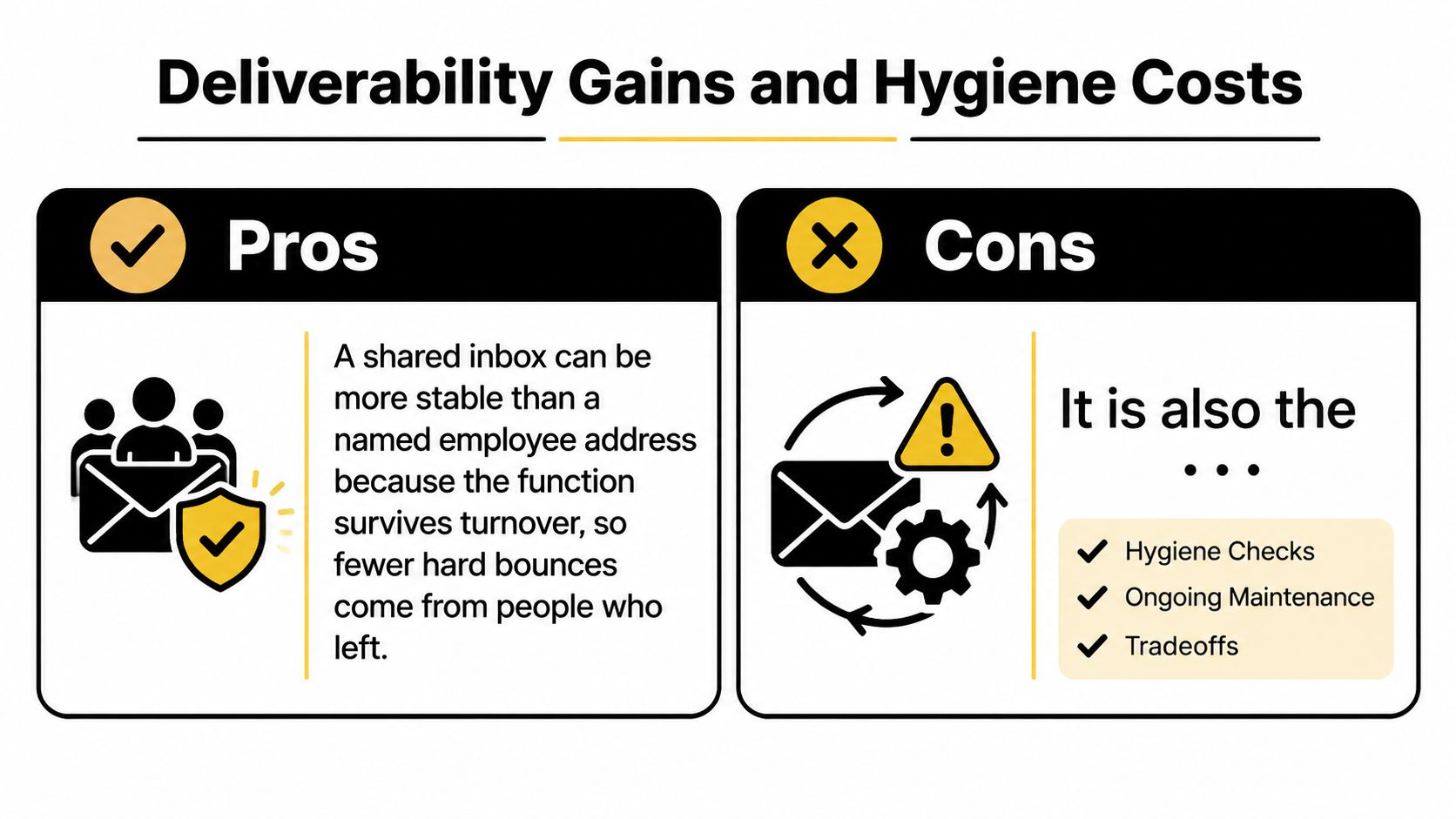
The costs arrive from the same properties. Several people see the message, so a mismatched promotion has more chances to be forwarded to an abuse desk or marked as spam by someone who never asked for it. Role boxes are frequently filtered, aliased, or left unattended. Unattended mail doesn't bounce, though. It disappears into a queue nobody opens, which shows up in your reporting as silence rather than as a clean failure you can act on.
- Stability against silence. The address outlives staff, which helps delivery and hurts evidence, because a mailbox that accepts everything tells you nothing about engagement.
- A public purpose against a mismatched message. A published support@ invites service questions. It doesn't invite a product launch aimed at a named buyer.
- Reach against filtering. A queue open to the whole world tends to carry heavier filtering, so identical copy can land in an inbox for a named address and in junk for the shared one.
- Clean data against muddy metrics. Mix role rows into one engagement score and a team inbox that never clicks drags down a segment of real buyers.
Practical rule: score shared inboxes as their own cohort. The moment a team address sits in the same engagement bucket as a person, every rate you report blends two different behaviors.
Catch-all domains sharpen the whole problem. The server can accept mail for a local part that was never confirmed and may not exist, so a positive SMTP result can hide a dead queue. You pay for every one of those attempts and get nothing back.
For a walkthrough of how shared inboxes behave during a live send, this session is a useful companion to the rules above.
Weigh the two sides. A monitored info@ that reaches an owner is a better contact than a scraped personal address that gets you reported. An unread support@ queue is a worse contact than nothing at all, because it costs money and teaches your reporting nothing. The prefix tells you which one you're holding.
How Verification Treats a Role Mailbox
A useful verification result tells you two things at once. Can this mailbox accept mail, and is the local part a role? Those are separate facts, and collapsing them is where list cleanup goes wrong. DNS confirms the domain has a working mail server. SMTP may accept the recipient. Neither proves a person owns the address, agreed to hear from you, or will ever open a message.
RFC 6449 adds a detail that changes how you read the sensitive prefixes. Feedback-loop enrollment commonly uses role accounts such as abuse@ and postmaster@, with a confirmation sent to those addresses to verify the organization authorized it (RFC 6449). That makes those boxes operational in the strictest sense: they're read by abuse, security, or infrastructure staff whose job is to act on complaints rather than to read offers.
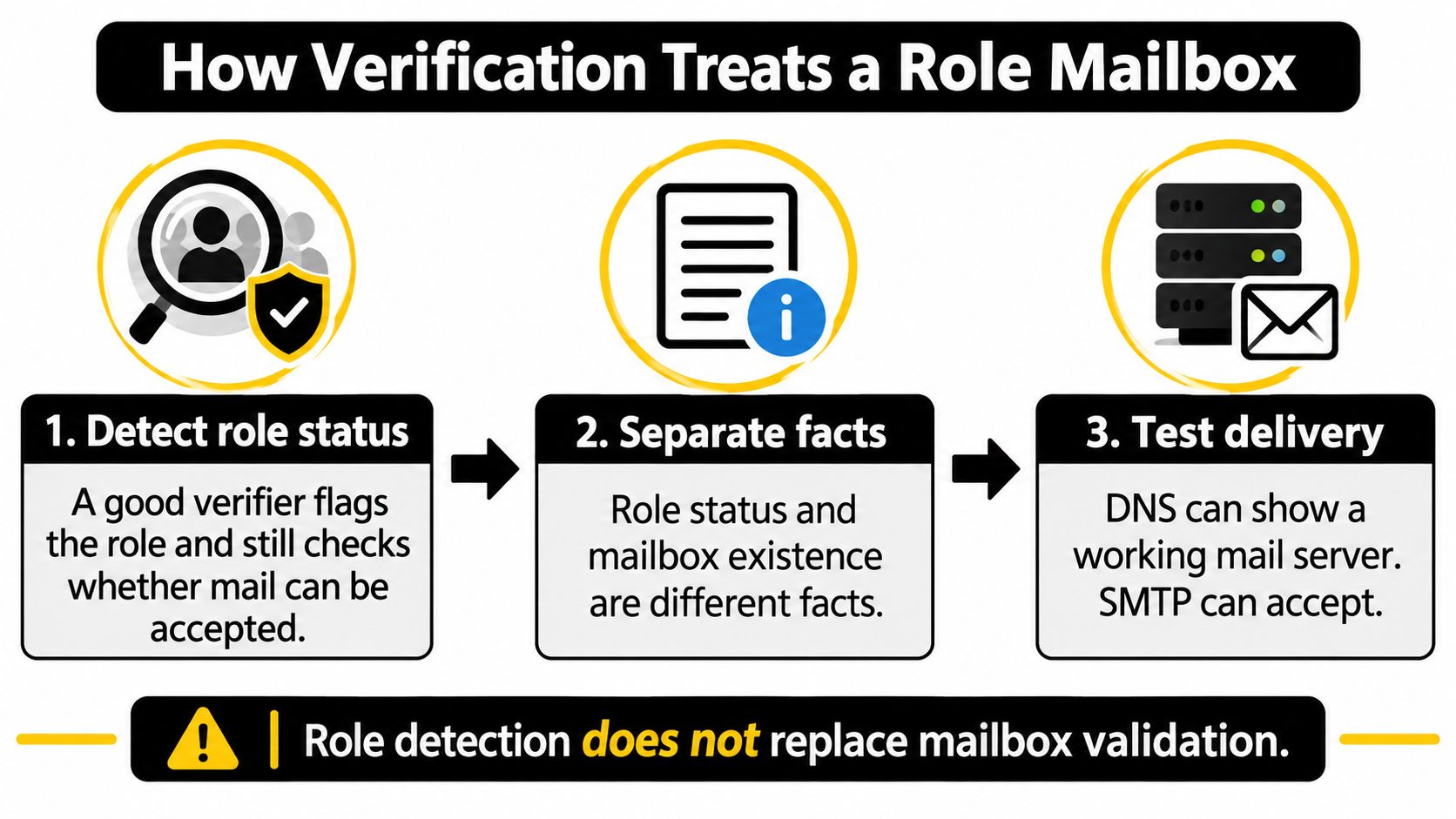
So keep the two results apart. Role status is a naming fact about the local part; mailbox existence is a delivery fact about the destination. The line between postmaster@, which is tied to SMTP service operation, and sales@, which is a business convention that proves nothing about monitoring, is exactly why a verifier should report them separately (Suped guide to abuse and postmaster addresses). Otherwise you're using a delivery fact to make a judgment call it can't support.
Catch-all detection belongs in the same pass, not a later one. SMTP acceptance can happen when a specific local mailbox was never independently confirmed, so a role prefix on a catch-all domain is a double uncertainty: you know the shape of the name but not whether anyone is behind it.
A production record should carry four separate fields rather than one verdict. mailbox_exists answers whether delivery is possible. is_role answers whether the local part names a function. is_catch_all flags the domains where acceptance proves least. send_recommendation holds the decision you made about this address for this campaign. Merge them into a single valid or invalid bit and you lose the reason a row is risky, which turns every future cleanup into guesswork.
We built CleanMyList around that split. Shared inbox addresses such as info@ and support@ are flagged so you can decide whether they belong in a campaign, and each address comes back with one label, one score, and one plain-English reason instead of a silent delete.
What you do with the export matters as much as the labels. Keep the original address in the source file, keep the role flag beside it, and route promotional mail to review or suppression while leaving service workflows intact. Auto-rejecting every role address removes live business contacts the company wants found. Treating every accepted role address as a person raises complaint risk on the same list. Both shortcuts skip the judgment the data was there to support. If you want the wider method for reading those verdicts, this guide to email list validation covers how the checks fit together.
Keep the Role or a Named Address
A published info@ address can be a better choice than a guessed employee email. It points to a business function, while a named work address can identify a person and count as personal data under EU and UK GDPR. The Manypi personalisation exercise distinguishes between generic addresses such as info@ and named workplace addresses. Replacing a role address with a scraped or inferred contact just to fill a first-name field can add privacy concerns without making the contact more accurate.
Authentication helps establish that your email is legitimate, but it does not guarantee inbox placement. A well-configured sender still needs to choose an address that fits the message.
Use the role address when its job matches your purpose:
- Keep the published role for service, press, or procurement messages, or when the company offers no named contact. Make sure the message is relevant to that function.
- Suppress it from cold, one-to-one sales sequences that require a specific decision-maker you do not have permission to contact.
- Do not replace it with a guessed employee address just to personalize a message.
- Consider the shared function when contacting a privacy-conscious small business, publisher, or global team, provided your consent, notice, and suppression practices are in order.
- Keep the address labeled rather than deleting it. A later campaign may have a legitimate reason to contact that function.
Verification also needs a legitimate sender relationship, such as your own customer list, a client list you are mailing on their behalf, or a list processed under a data processing addendum. That relationship and the message purpose matter more than the prefix alone.
A role address is a different kind of contact, not automatically a worse one. Match the message to the function, and choose a named address only when you have a sound reason to contact that person.
CleanMyList flags shared inboxes such as info@, support@, and sales@ so you can decide whether they fit a campaign. Each result includes a plain-English reason, giving you context to segment the list rather than guessing. You can start with 50 free credits, no card required, at CleanMyList.