A campaign finishes, and the overall bounce rate looks manageable. But when you break down the results, one mailbox provider accounts for most of the failures. Should you remove those addresses, try again later, or slow the next send? A single campaign-wide number can't answer that.
That's what bounce off rules are for: deciding what happens after a delivery attempt fails. A closed office, a busy switchboard, and a full waiting room can all stop someone from getting through, but they call for different responses. Email failures work the same way. Treat them all alike, and you risk mailing dead addresses again or dropping people whose messages were only temporarily delayed.
The practical question isn't just how many messages bounced. It's which addresses to skip now, which to retry, and whether a particular provider, campaign, list age, or acquisition source is behind the problem.
Table of Contents
- Why a Bounce Spike Is Not One Problem
- How Bounce Off Rules Read Delivery Codes
- Soft Bounces Versus Hard Bounces
- What Mailbox Providers Do with Failures
- Why a Single Bounce Percentage Misleads
- Verification and Rules Before You Send
- Put Bounce Off Rules into the Next Send
Why a Bounce Spike Is Not One Problem
The campaign dashboard looks acceptable at first glance. Then you sort the results by mailbox provider and find that most failed deliveries went to one provider, while the others show relatively few problems. The campaign-wide number hasn't changed, but the next decision has.
If the affected messages failed because those mailboxes don't exist, retrying them wastes another send. If the provider temporarily slowed delivery, removing every affected address would be an overreaction. A broad number tells you that delivery failed. It doesn't tell you why, or whether another attempt makes sense.
Think of a busy building's reception desk. A visitor might be turned away because the office has closed permanently, because the switchboard is handling too many calls, or because the waiting area is full. The visitor didn't get through in any of those cases, but only one suggests the office no longer exists. Email servers return different signals for similar reasons.
The useful question isn't “What's our bounce rate?” It's “What failed, where did it fail, and what should happen to that recipient next?”
One total can hide two bad decisions
When a team lumps every non-delivery into one bucket, it can make either of two costly mistakes:
- Sending to invalid addresses again: A permanent failure is unlikely to be fixed by resending the same message to the same destination.
- Removing recipients who could receive mail later: A temporary failure may reflect congestion or provider resistance, not a bad address.
Good bounce off rules distinguish between these cases and give marketers more than a keep-or-delete choice. The right action might be to send, retry later, suppress an address, or slow a campaign at a particular provider.
A provider-specific cluster also points to where to investigate. The list's overall result might conceal an issue linked to one mailbox provider, a particular campaign, an older list, or a specific signup source. That's why bounce handling starts with the delivery signal, then considers the context around it.
How Bounce Off Rules Read Delivery Codes
Mail servers don't rely on one universal “bounce” label. Modern bounce handling uses enhanced SMTP status codes, a shared way to describe delivery outcomes. The IETF's RFC 3463, published as a standards-track document in January 2003, defined this system for delivery-status notifications and diagnostics. Each enhanced code has three numeric components: a class, a subject, and a detail sub-code (RFC 3463 and its enhanced status-code framework).
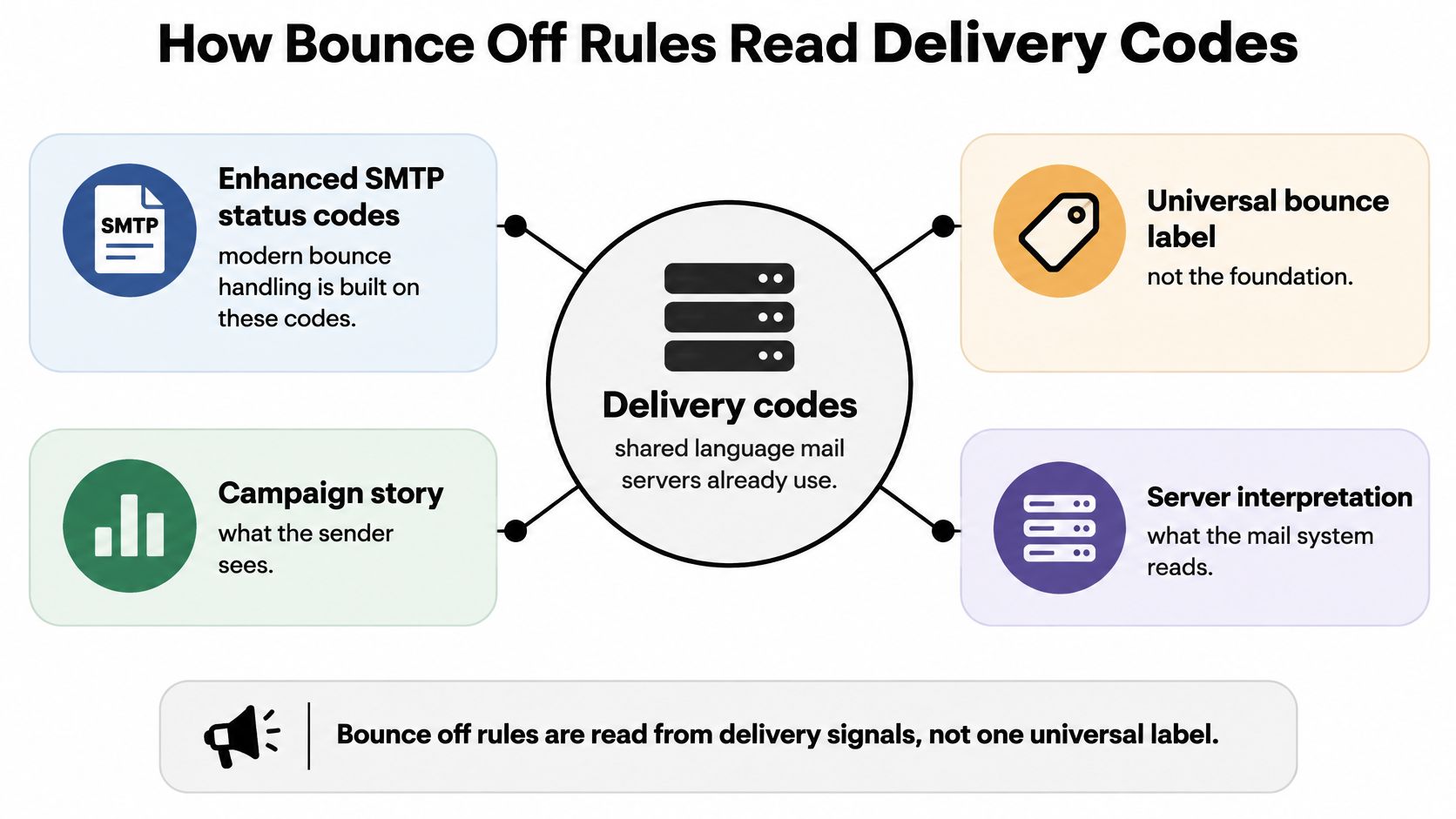
Start with the first digit. It's the fastest clue to what the mail system is reporting and what you should consider doing next.
- 2.x.x means success. The server is reporting a successful outcome at that stage. It doesn't, by itself, prove the message reached the recipient's inbox.
- 4.x.x means a transient failure. The message was valid, but delivery was temporarily delayed. Congestion or a temporarily unavailable destination might be involved, so a controlled retry may be appropriate.
- 5.x.x means a permanent failure. Resending the same message without changing the destination or circumstances is unlikely to work, making suppression a stronger option.
Read the family before choosing an action
The code's subject and detail provide more specific diagnostic information. But the first digit gives a marketer the broad category needed to make an initial decision: success, monitor and possibly retry, or treat as a stronger candidate for suppression.
RFC 3463 replaced the earlier RFC 1893 framework, formalizing how systems describe these outcomes in a machine-readable, language-independent way. Different mail systems can use that shared structure without depending on a single informal label for “bounce.”
For a practical explanation of what can happen when a message can't be delivered, see this guide to undeliverable email messages. The operational principle is straightforward: monitor temporary failures and use controlled retries; treat permanent failures as stronger candidates for suppression.
Soft Bounces Versus Hard Bounces
The code family points toward the next action, but marketers often talk about failures as soft bounces and hard bounces. These terms describe the practical difference between a temporary delivery problem and a more persistent one.
A soft bounce is usually temporary. For example, SMTP 450 can indicate that a mailbox is unavailable for now, such as because it's busy or subject to a temporary policy block. A hard bounce is a stronger sign that delivery won't work under the current conditions. SMTP 550 can indicate that a mailbox is unavailable because it may not exist, can't be accessed, or is rejected by policy. The enhanced status 5.1.1/550 is normally treated as a hard bounce under this approach (RFC 5321's SMTP reply-code definitions).
| Failure class | Example | What it usually means | Bounce off action |
|---|---|---|---|
| Success | 2.x.x | The server reports success at that stage | Send or record success, but don't assume inbox placement |
| Temporary | 450 or another 4.x.x response | Delivery is delayed or temporarily unavailable | Retry later using bounded retries with exponential backoff |
| Permanent | 550 or 5.1.1/550 | The destination is unavailable or rejected under current conditions | Suppress or quarantine before the next campaign |
Keep evidence, not just a label
When a message fails, preserve the original enhanced status code, classify the response family, and record the retry history. A plain-language action such as “send,” “retry later,” or “suppress” makes the result useful to a busy campaign manager without hiding the server's evidence.
For a temporary response, use bounded retries with exponential backoff, meaning you wait longer between attempts and stop after a defined limit. Suppress only after repeated failure supports that decision. For a 5.1.1 or 550 response, normally remove or quarantine the address before the next campaign rather than sending to it again unchanged.
These rules prevent opposite errors. Repeatedly mailing invalid addresses can compound bounce signals, while immediately suppressing a temporarily throttled recipient can remove someone who might accept mail later. Also, an SMTP acceptance isn't proof that the message reached the inbox. Downstream filtering or later processing can still produce a delayed non-delivery report.
What Mailbox Providers Do with Failures
Your list rules control how you react. The receiving provider also evaluates the mail it gets, including complaint signals, authentication, and patterns in SMTP responses.
Google's sender requirements for Gmail took effect on February 1, 2024. Google recommends keeping reported spam rates below 0.3% in Postmaster Tools. That works out to 3 complaints per 1,000 delivered messages, or 30 per 10,000, so a seemingly small number can matter as volume grows (Google's Gmail sender requirements).
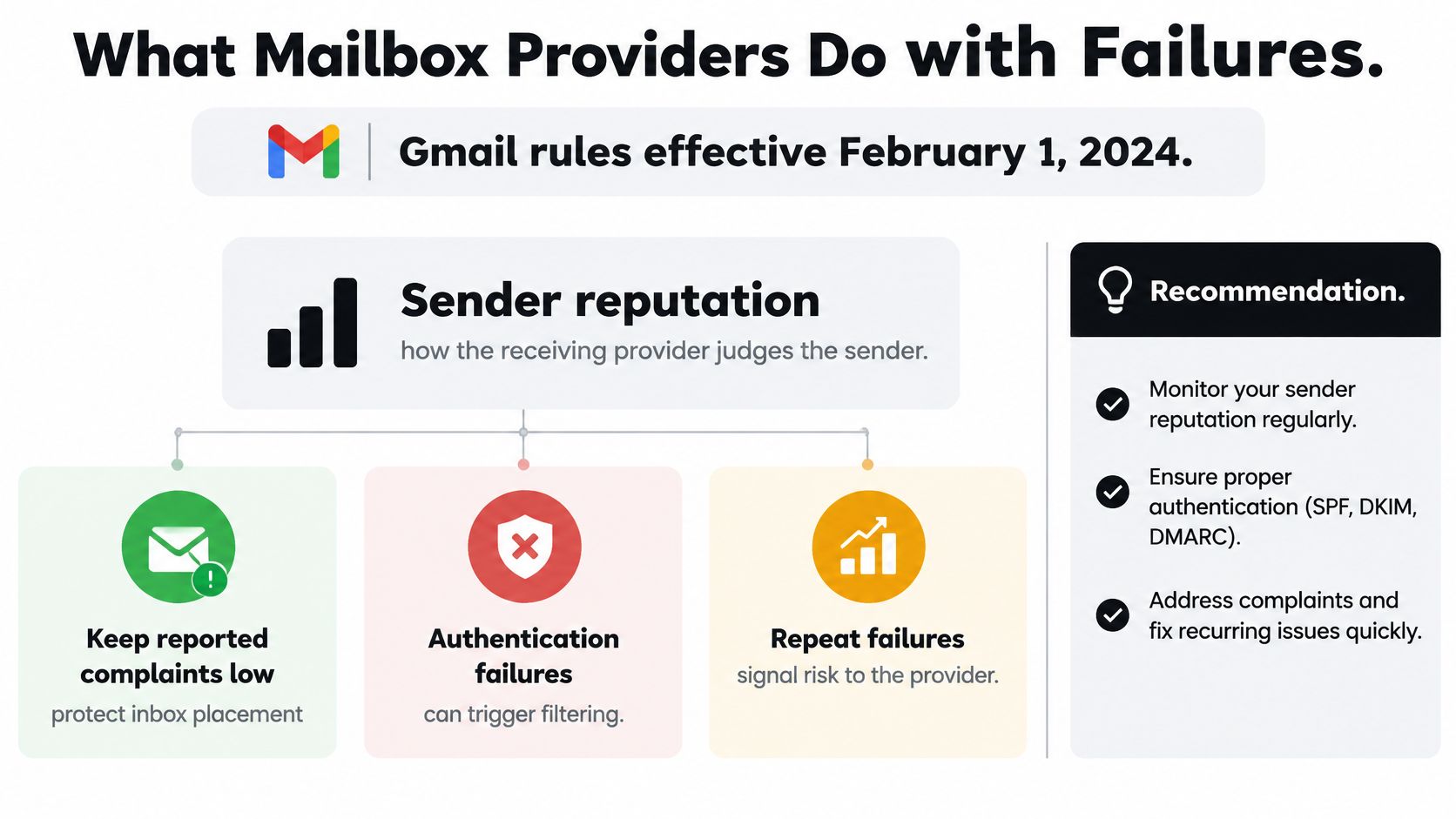
A Gmail response such as 4.7.28 may indicate that a sending quota has been exceeded. Because it belongs to the transient 4.x.x family, it isn't, by itself, a verdict that the recipient's address is fake. Record the code, limit retries, and slow or pause sending if those responses start rising. Don't delete every associated address just because a temporary provider response appeared.
Read resistance as a delivery signal
Repeated permanent 5.x.x failures call for stricter address-level action. Temporary responses clustered at a provider call for a different response: look at timing and volume, then decide whether to slow that part of the campaign.
Bounce controls work best alongside reputation monitoring. Track hard and soft failures, complaints, authentication outcomes, and provider-specific throttling instead of relying on one list-cleaning metric. These email deliverability best practices offer related guidance on maintaining a healthy sending setup.
That distinction also helps teams separate a temporarily resistant provider from a bad address. For more on the sender-side signals involved, see this guide to email sender reputation. Clean lists, controlled retries, and prompt suppression of persistent failures give you more useful information for deciding what to do next.
Why a Single Bounce Percentage Misleads
A single percentage can summarize a campaign, but it can't identify which recipients need action. Bounce off rules depend on the failure type, mailbox provider, list age, and sending pattern. Those details determine whether to suppress an address, retry it, or investigate a provider-specific problem.
Salesforce distinguishes temporary soft bounces from permanent hard bounces, recommends removing hard bounces at least weekly, and suggests keeping overall bounces below 2% in its email data best practices. Other benchmark guidance varies, with some sources describing under 1–2% as healthy and others placing warning thresholds above 2–3%. Those different reference points don't turn one campaign-wide number into a universal decision rule.

Look for the cluster behind the total
Suppose your overall campaign result looks acceptable, but Gmail, Yahoo, or a regional provider accounts for a disproportionate share of failures. The total can hide that concentration. If you look only at the aggregate number, you might continue sending into a provider-level problem or remove good recipients across the entire list.
A useful review breaks failures down by:
- Provider: Is one receiving system returning a cluster of similar responses?
- Campaign: Did the pattern appear in one send or across repeated sends?
- List age: Are older addresses more likely to fail than recently collected ones?
- Acquisition source: Does one signup or import source contribute more problematic records?
Neither a benchmark nor an acceptable headline result guarantees that a campaign will avoid throttling or filtering. Authentication failures, complaint spikes, weak engagement, and provider-specific rejections can still matter. For further guidance on improving inbox placement, keep the focus on the signals recipients' providers are returning.
The practical rule is event-based: suppress permanent failures, retry temporary ones on a bounded schedule, and investigate repeated soft bounces that cluster at a provider, campaign, list age, or acquisition source. The key question isn't just whether the total sits below a target. It's which addresses to skip, which to retry, and where delivery is deteriorating.
Verification and Rules Before You Send
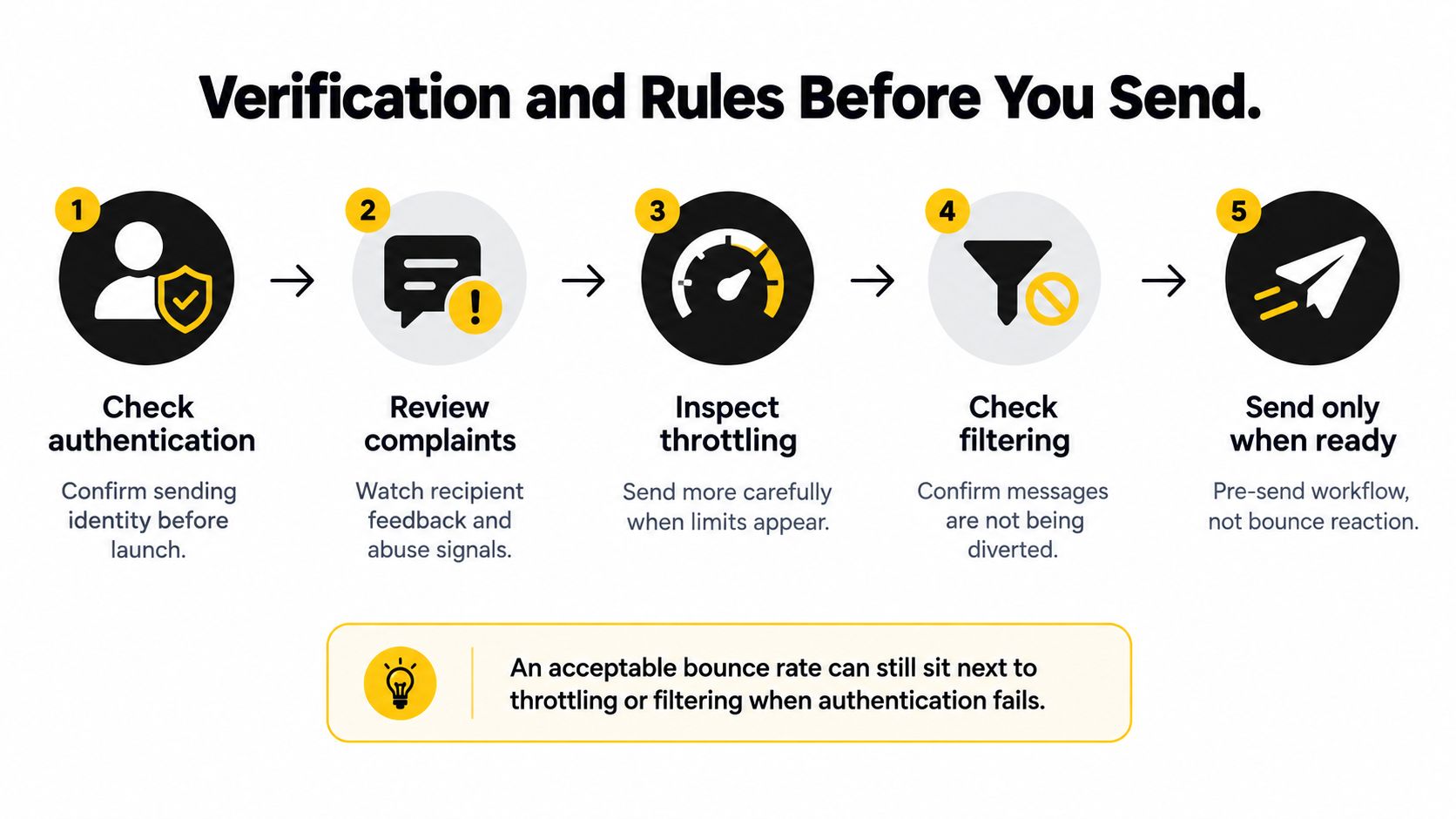
An acceptable bounce result doesn't guarantee that your next campaign will be delivered as planned. A sender can face throttling or filtering when authentication fails, complaints rise, engagement weakens, or one provider rejects more mail. Pre-send checks help catch problems before your delivery results become the only warning.
Gmail recommends keeping spam complaint rates below 0.1% when possible and preventing them from reaching 0.3% or higher, as explained in its sender guidance for Google Workspace. Treat complaint monitoring as one part of the process, alongside SPF, DKIM, and DMARC authentication, provider-specific failures, and address quality.
Build a decision into the workflow
Before sending, check that the addresses are worth attempting and preserve any SMTP evidence you already have. A useful system gives each record a clear next action: send, retry later, or suppress. That decision should reflect the failure class and retry history, not just whether an address looks correctly formatted.
There are three practical ways to handle list quality:
| Approach | When it helps | What it won't replace |
|---|---|---|
| Send, then clean after bounces | When you need to react to actual delivery responses | Pre-send screening or authentication checks |
| Batch-verify an uploaded or pasted list | Before reusing a list or launching a campaign | Provider and complaint monitoring |
| Block typos and fakes at signup | As new contacts enter your system | Reviewing existing or aging records |
As one no-subscription bulk verification option, CleanMyList checks addresses against eight signals: syntax, DNS, SMTP mailbox existence, catch-all behavior, disposable providers, role accounts, historical bounce reputation, and a final send-or-skip recommendation. It doesn't send email during verification, and it provides a plain-English reason for each result. To learn more about how to validate email addresses, focus on using verification as one input to your sending decision, not as a promise of inbox placement.
A verifier can help flag addresses before a campaign, but it can't replace authentication checks or complaint monitoring. Keep the original SMTP status code when a delivery fails, and use the result to refine the next send rather than treating verification as a guarantee.
Put Bounce Off Rules into the Next Send
Before your next campaign, turn the last set of delivery results into decisions. Separate permanent failures from temporary ones, suppress persistent defects before reuse, and use a bounded retry schedule for temporary responses. Quarantine addresses that fail repeatedly or come from an acquisition source that needs review.
Then check whether the failures cluster at a particular provider. If temporary 4.x.x responses rise at one mailbox provider, reduce volume there instead of deleting the whole list. Revalidate older lists before sending again, because a mailbox that once worked can become stale.
A practical pre-send routine looks like this:
- Review the evidence: Keep the original SMTP response and separate temporary from permanent failures.
- Set recipient actions: Mark addresses to send, retry later, or suppress.
- Check provider patterns: Look for concentrated throttling or rejection before resending.
- Revisit older records: Verify aging lists rather than assuming past delivery means current validity.
- Prevent new bad data: Use signup checks to catch typos and fakes as people enter your list.
For a campaign list that needs screening, CleanMyList lets teams upload a CSV or paste addresses, review plain-English send-or-skip reasons, and export a cleaned list or sync it to an email tool. Its verification doesn't send email, and a signup widget can help stop typos and fake addresses from entering later. Use those checks alongside provider monitoring, not as a replacement for it.
The decision should be clear for every failure: skip now, retry later, or send. Base it on the failure type and provider pattern, not on one headline bounce rate.
CleanMyList checks email addresses before you send and returns a plain-English send-or-skip recommendation, helping you apply bounce off rules to a list rather than guessing from one campaign-wide figure. Upload a CSV or paste addresses, review the results, and visit CleanMyList to prepare your next send.