You've just sent a large campaign, and the first warning arrives before the reporting dashboard finishes loading. Hard bounces climb, inbox placement weakens, and your email service provider slows the next send. The list looked usable in a spreadsheet, but spreadsheets can't tell you whether a mailbox exists, whether a domain accepts every address, or whether an address belongs to a disposable service.
Bulk email verification software checks those risks before you send. It processes a list in batches and classifies addresses as valid, invalid, risky, disposable, role-based, catch-all, or unknown. The right tool depends less on how many features appear on its pricing page and more on where your addresses come from and how often you send.
A newsletter publisher with permission-based subscribers has a different problem from a cold outbound team working with sourced contacts. An e-commerce brand needs protection at signup and before major campaigns. A developer needs predictable API behavior, not another dashboard. This guide uses those workflows as the buying framework.
Table of Contents
- Why Bulk Email Verification Matters in 2026
- What Bulk Email Verification Actually Checks
- How to Evaluate Bulk Email Verification Software
- Comparing Top Bulk Email Verification Tools
- Which Verification Model Fits Your Team
- Running a Bulk Verification Job Step by Step
- Final Verdict and Buying Checklist
Why Bulk Email Verification Matters in 2026
A cold outbound team can ruin a sending domain with one neglected contact file. An e-commerce brand can collect invalid addresses at signup, then carry them into every promotion. A newsletter publisher faces a different risk: an old permission-based list may decay between sends. Verification removes these preventable delivery problems before they reach the campaign queue.
The category now represents substantial software infrastructure. The email verification software market reached about $0.71 billion in 2025 and is projected to reach $1.1 billion by 2030, with a 10.4% near-term CAGR. North America was identified as the largest regional market in 2025, according to market data on bulk email verification services. Another forecast estimated the broader email verification market at $5.243 billion in 2023 and roughly $9.849 billion by 2031, though the studies use different market definitions.
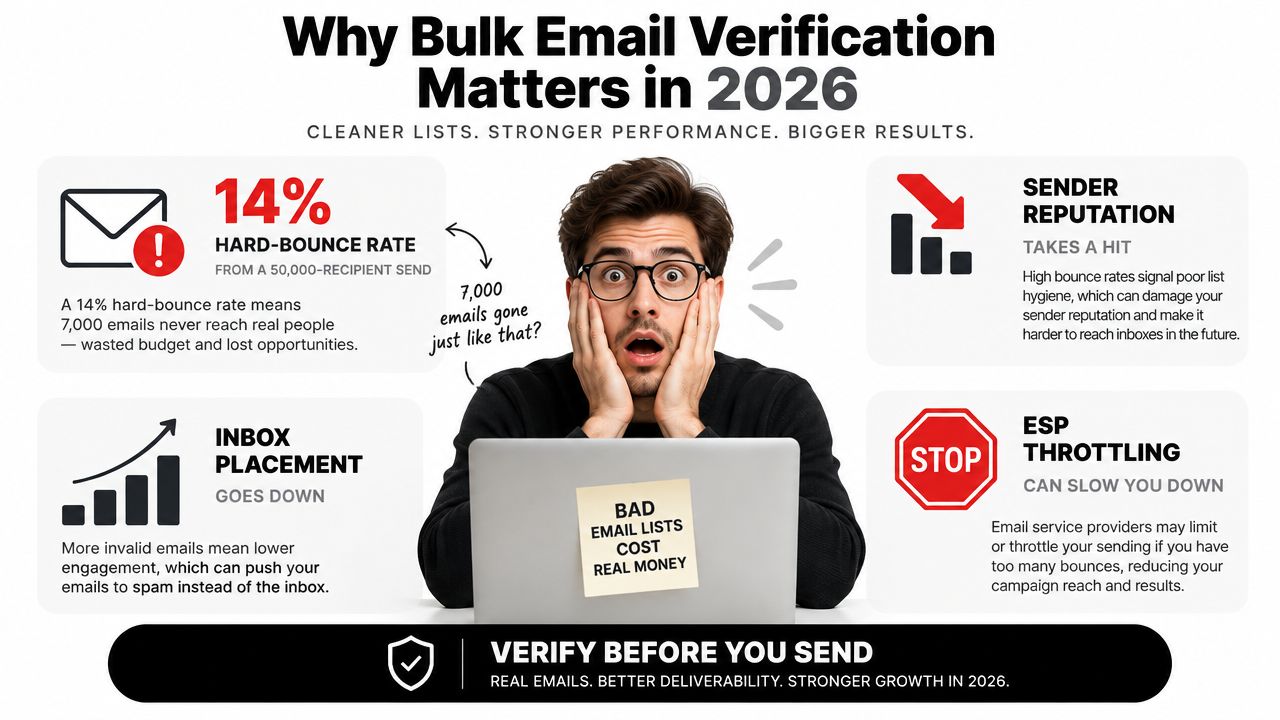
The operational reason buyers care
Verification screens addresses before delivery. That supports bounce control and sender reputation, especially as cloud email infrastructure makes recurring list hygiene easier to run. Independent benchmarks place average hard bounce rates around 0.21%, with wide variation by industry. Architecture averages around 1.04%, while software and SaaS averages around 0.93%, as summarized in bulk verification market and deliverability benchmarks.
Treat 2% as a warning threshold for list quality and sender reputation. A rate above 5% can seriously harm reputation and deliverability. These thresholds are diagnostic signals, not targets. Investigate the source, age, and collection method of the list before sending again.
Practical rule: Match the verification workflow to your data risk. Do not buy a feature-heavy platform because another company uses it.
Start with the list, not the feature grid
Ask three questions:
- Where did the addresses come from? First-party signups, old CRM exports, event leads, scraped contacts, and purchased data carry different risks.
- How often do you send? A quarterly newsletter needs a different credit model from an outbound team launching sequences every week.
- Where must the check happen? Batch cleaning belongs before a campaign. API validation belongs inside a signup or lead-capture flow.
Bulk verification is now a recurring operating task, not an occasional cleanup reserved for large senders. One major vendor reported validating almost 18 billion email addresses between June 2018 and December 2022, with most of that volume coming from bulk uploads. The buying decision is direct: which part of your workflow is producing bad addresses, and when can you stop them?
What Bulk Email Verification Actually Checks
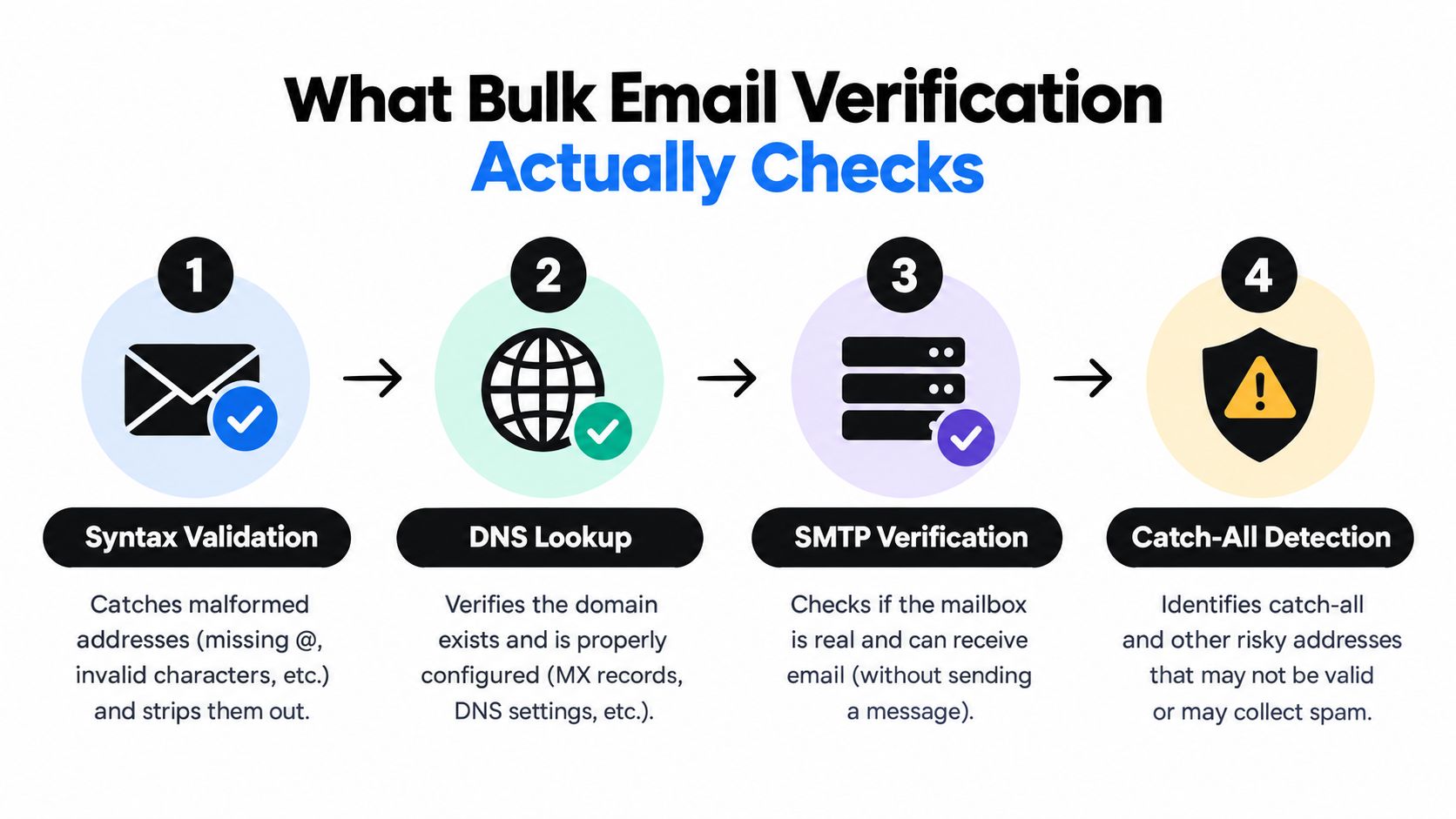
A serious verifier doesn't make one magical validity decision. It runs a sequence of checks, and each stage catches a different failure. Syntax can identify a malformed address instantly, but it can't prove that the mailbox exists. SMTP probing can go deeper, but some mail servers refuse or obscure verification requests.
The verification pipeline
Syntax validation comes first. It catches missing characters, malformed domains, accidental spaces, and other formatting errors without contacting a mail server. This is fast and useful, but it only tells you that an address is structurally plausible.
DNS and MX lookups then check whether the domain exists and is configured to receive email. A valid-looking address at a domain with no functioning mail setup shouldn't reach your sending platform. These checks still don't prove that the individual mailbox exists.
SMTP verification probes the recipient server without sending a message. It asks whether the server will accept mail for the address, which makes it the most informative stage in many workflows. Providers differ in how thoroughly they probe, how they handle timeouts, and how they interpret temporary responses. For a practical explanation of syntax and SMTP email checks, see Eludic's technical guide.
Catch-all detection tests whether a server accepts arbitrary addresses. A catch-all domain may return an apparently successful response for both a real contact and a nonexistent one, so the verifier should classify it as uncertain rather than blindly calling it valid.
The risk signals behind the verdict
Disposable-domain detection identifies temporary inbox services that people often use for one-time registrations. Role-based detection separates addresses such as info@, support@, and abuse@ from individual contacts. A role address isn't necessarily undeliverable, but it behaves differently in outbound, lead scoring, and consent workflows.
Reputation checks add another layer. Providers may compare an address or domain against known complaint patterns, historical bounce behavior, and other risk indicators. The output matters more than the label. You need to know whether unknown means a temporary server response, a catch-all domain, a timeout, or a provider's inability to reach a confident conclusion.
The checks explained in CleanMyList's verification documentation is useful when you need to map individual result fields into operational rules. Real-time and bulk verification use the same core logic. Real-time checks process one address during a form event, while bulk tools queue many records, manage retries, and export a result set.
The trade-off is certainty versus speed. A fast syntax check can run immediately. SMTP and catch-all checks require network interaction and may return unknown when a server delays or blocks the probe. A buyer's guide from Bouncer recommends evaluating false-valid rate, false-invalid rate, unknown rate, throughput, and API latency, not just a binary valid or invalid score, as described in its email verification evaluation criteria.
How to Evaluate Bulk Email Verification Software
Start by separating accuracy claims from evidence. Ask a vendor how it measures false-valid results, where its SMTP checks run, how it handles catch-all domains, and whether it publishes methodology. A headline accuracy number is less useful than a paid test on your own list, especially when your addresses come from a difficult B2B source.
Then test throughput with a file that resembles production. Independent comparison data reports listed speeds ranging from about 0.012 seconds per email for the fastest tool in one 2026 table to about 0.039 seconds per email for slower high-volume tools. Other large-batch reviews cite throughput as high as 200,000 verifications per hour and about 100,000 emails in around 30 minutes, as documented in bulk email verification tool comparisons. Treat those figures as benchmark context, not a promise for your file.
The six buyer checks
| Criterion | Key Question to Ask | Why It Matters |
|---|---|---|
| Accuracy | How are false-valid, false-invalid, catch-all, and unknown results measured? | A false valid can create a bounce. A false invalid can remove a real subscriber. |
| Speed | What throughput and batch limits apply during peak demand? | A slow queue can delay a campaign or signup flow. |
| Privacy and security | How long is data retained, where is it processed, and is it used for training? | Uploaded lists may contain personal data and commercial intelligence. |
| Pricing | Do credits expire, roll over, or get consumed by uncertain results? | The advertised price may not equal the cost of usable records. |
| Integrations | Does it connect to your ESP, CRM, API, webhook, or automation layer? | Manual exports create stale copies and operational mistakes. |
| User experience | Can you segment results, preserve columns, and re-check aged records? | Clean output must remain usable when it returns to your system. |
Weight the criteria by workflow
A cold outbound team should weight SMTP depth, catch-all handling, reputation signals, and burst pricing most heavily. A newsletter publisher should prioritize safe exports, predictable list cleaning, and a credit model aligned with publication frequency. E-commerce teams need both signup-time API checks and campaign-scale uploads. Developers should inspect latency, error handling, authentication, documentation, and webhook behavior before dashboard polish.
Don't ignore privacy terms. Look for encryption in transit and at rest, a clear deletion policy, a data-processing agreement where needed, and an explicit statement about model training. A low per-credit price isn't a bargain if procurement later blocks the tool or your team can't explain where customer data went.
Comparing Top Bulk Email Verification Tools
No single platform wins every workflow. The tools below are representative options, but their fit depends on list source, send cadence, and whether you need verification as a standalone service or as part of prospecting and marketing automation.
| Tool | Pricing Model | Stated Accuracy | Avg Speed (per 1k) | Key Integrations | Privacy Notes |
|---|---|---|---|---|---|
| ZeroBounce | Credit packs and subscriptions | Verify current vendor claim and test independently | Confirm on a production-like sample | ESP, CRM, API options | Review current retention, DPA, and processing-region terms |
| NeverBounce | Pay-as-you-go and recurring options | Verify current vendor claim and test independently | Strong bulk orientation, test queue time | Marketing and CRM workflows, API | Confirm current retention and regional processing terms |
| Hunter Verifier | Subscription-led platform with verification included | Verify current vendor claim and test independently | Better suited to integrated prospecting than pure bulk | Finding, CRM, API workflows | Review platform-wide data handling |
| Kickbox | Usage-based credits | Verify current vendor claim and test independently | Developer-focused, test API latency | API and developer integrations | Check current compliance and retention documentation |
| Emailable | Subscription and verification credits | Verify current vendor claim and test independently | Built for real-time and bulk use | Signup, marketing, and API workflows | Confirm deletion and processing terms |
| Bouncer | Pay-as-you-go and subscription options | Verify current vendor claim and test independently | Designed for batch and API workflows | HubSpot and API-led workflows | Review current DPA, subprocessors, retention, and transfer terms |
These rows deliberately avoid repeating unverified vendor percentages or prices. Vendor pages change, plans differ by region, and stated accuracy isn't a substitute for a sample from your own database. A credible comparison should show how a tool handles unknown and catch-all results, not just how many addresses it labels valid.
Where the products fit
ZeroBounce is a sensible candidate for a mid-market team that wants a mature list-cleaning workflow and detailed risk categories. It deserves a paid sample against your own B2B or newsletter data before you commit.
NeverBounce is strongest when the primary job is a recurring or one-off bulk upload. If you need advanced real-time behavior, test the API separately instead of assuming the batch interface predicts it.
Hunter makes sense when finding and verifying addresses happen in the same sales workflow. It's harder to justify as a pure verifier if your team already has a sourcing system.
Kickbox belongs on a developer shortlist. Its appeal is the API experience and usage-based approach, but a developer should confirm how it classifies catch-all and unknown records.
Emailable suits signup-heavy products and teams that want verification close to form submission. Bulk cleaning works, but don't pay for real-time convenience you won't use.
Bouncer deserves attention from teams with strong privacy and organizational requirements. Its location alone doesn't prove GDPR compliance, so review the current DPA, subprocessors, processing regions, transfer mechanisms, and deletion terms.
For a broader practical comparison, use this email validation tool guide as a starting point, then run your own controlled sample. CleanMyList is another no-subscription option for CSV uploads, pasted lists, and bulk workflows, with per-address reasons and export or sync paths. It may suit teams that verify intermittently rather than paying for a recurring seat.
Which Verification Model Fits Your Team
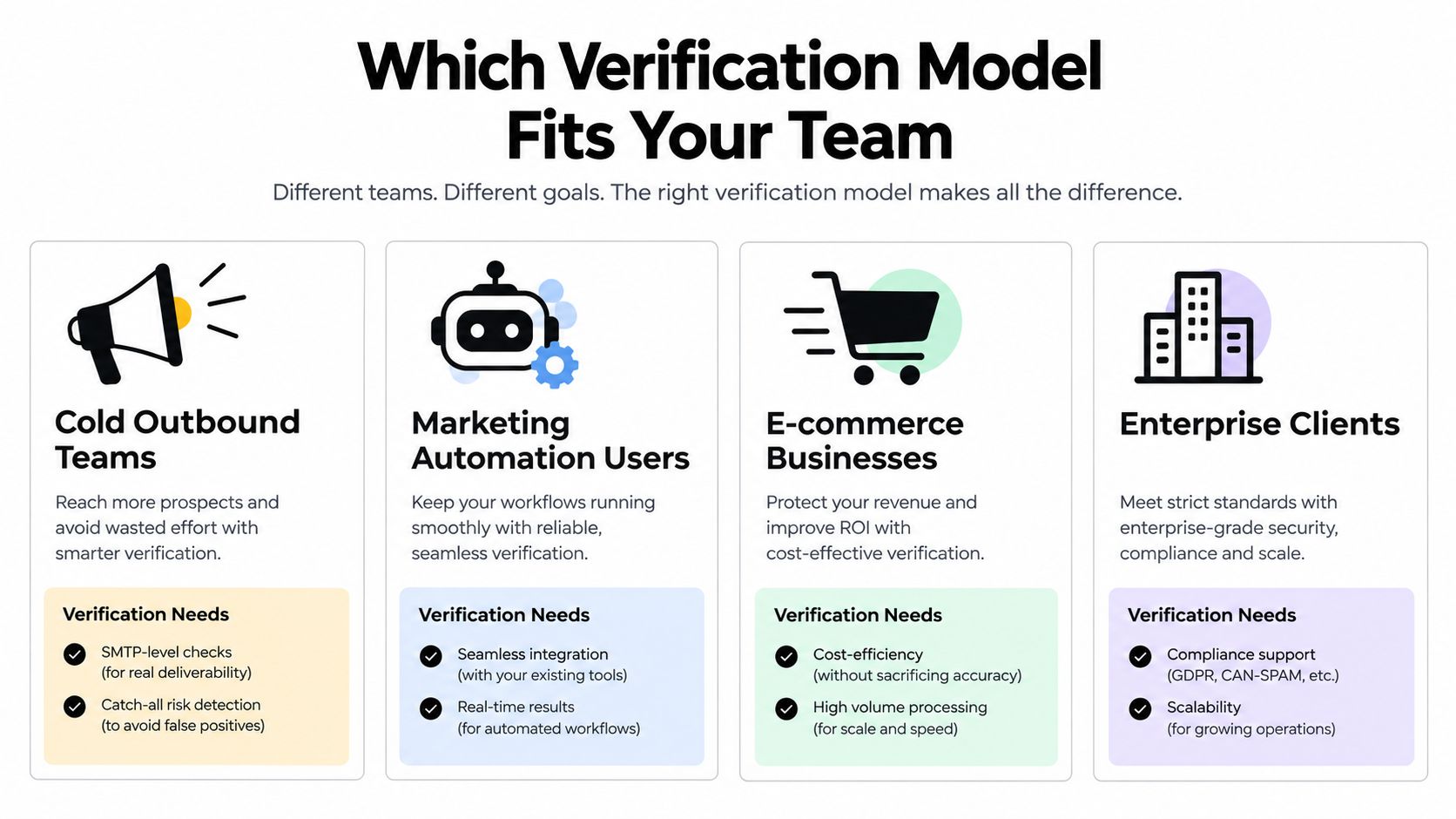
Choose the verification model based on where addresses enter your system and how often you send. A bulk-only tool cannot stop a disposable address at signup. A real-time API cannot replace a review of an aging campaign database. Teams that collect addresses at signup and run campaigns from an existing database typically need one primary model, bulk verification before campaigns or API checks at capture, plus a lighter secondary check for the other entry point.
Cold outbound teams
Salesloft, Instantly, and Smartlead users should prioritize SMTP-level checks, catch-all risk scoring, and burst-friendly credits. The list source is usually the main risk. Newly sourced files can include malformed, stale, role-based, and catch-all addresses even when the provider appears reputable.
Do not discard every catch-all result automatically. Apply a clear policy to high-confidence records, quarantine uncertain addresses, and run a second check only when the expected value supports it. Credit packs usually fit burst-based campaigns better than a large recurring subscription.
Newsletter publishers
Beehiiv, Substack, and ConvertKit publishers should tie cleaning to list growth and send cadence. Permission-based audiences usually create a different problem: stale or abandoned mailboxes, rather than uncertainty around scraped contacts.
Use a subscription when verification is regular and predictable access matters. Choose a credit bundle for occasional sends or uneven list growth. Keep suppressed and unknown contacts separate, because a verification result should not erase consent history or engagement data.
E-commerce and DTC brands
Klaviyo and Postscript users should validate addresses at signup and run a bulk check before high-volume periods. The API blocks obvious junk at the form, while a batch pass catches records that aged or entered through imports.
Prioritize native CRM and ESP integration over a polished standalone dashboard. A connector or webhook should return results to the source system instead of forcing operations staff to maintain multiple CSV copies.
Developers and enterprise teams
Developers building signup forms need an API-first provider with transparent per-check pricing, stable response fields, sensible timeout handling, and clear unknown results. Review this email verification API guide before connecting a provider to production, especially for failure handling and response interpretation.
Enterprise buyers should test access control, auditability, retention controls, service commitments, and regional processing during procurement. A tool that fits a marketing team can become costly after security review, legal work, and integration effort are included.
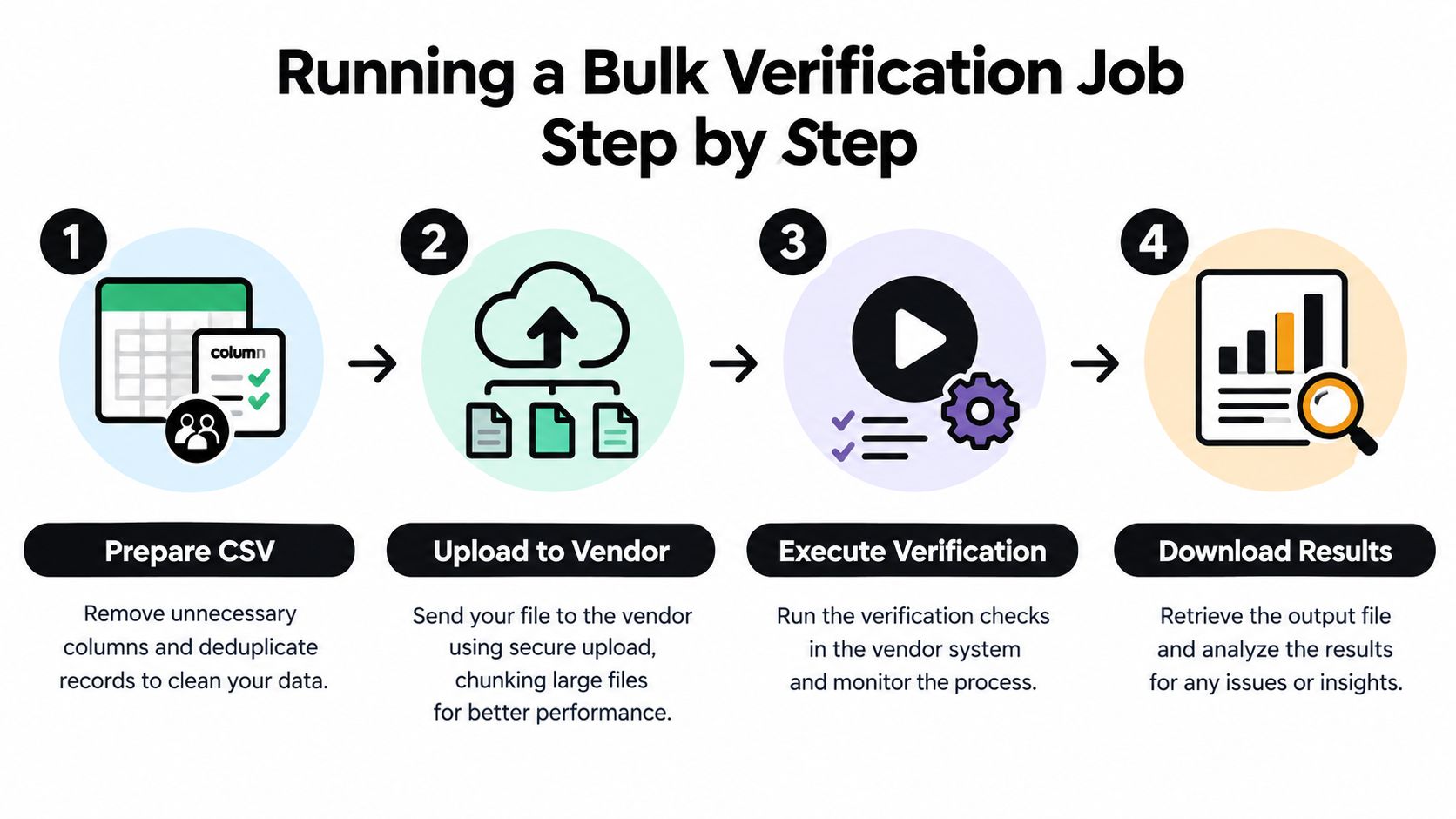
Running a Bulk Verification Job Step by Step
A clean job starts before the upload screen. Export the source list, remove merged fields, normalize address casing, preserve the original record ID, and deduplicate without destroying useful CRM columns. Keep the untouched source file separate so you can audit what changed.
A practical run sequence
-
Prepare the CSV. Keep one email field, retain the identifier needed to rejoin results, and remove obvious formatting noise. If Excel or CSV conversions are part of your process, follow practices that avoid data loss in CSV and Excel files.
-
Choose a sensible batch. Follow the vendor's recommended file size instead of uploading one oversized export. Large files can create longer queues and more SMTP timeouts, while tiny fragments increase administration.
-
Run the job and retain all statuses. Export valid, invalid, catch-all, disposable, role-based, and unknown results. Don't flatten everything into a binary keep or delete field.
-
Apply sending rules. Remove invalid and disposable addresses where appropriate. Route catch-all and unknown records into quarantine, especially when the list is valuable or the source is uncertain.
-
Return the results to the system of record. Use a native connector, CSV import, API, or webhook. Update the original record rather than creating a second contact universe.
Re-verification should follow list risk. Cold outbound databases need more frequent attention than permission-based lists that receive regular engagement, while imported or aged records deserve a check before a major campaign. Don't treat verification as a permanent certificate. Mailboxes close, domains change, and server behavior shifts.
Measure the job against the outcome that matters. Track the share of invalid, unknown, catch-all, role-based, and disposable results, then compare post-cleaning bounce behavior with the quality of the source list. If unknown rates are high, investigate provider limits and server responses before blaming the addresses.
Final Verdict and Buying Checklist
Buy bulk email verification software only after it proves itself on your data. Ask for a paid sample, inspect the result taxonomy, and compare the vendor's false-valid and unknown behavior with your campaign risk.
Your checklist should include:
- Accuracy: Test a representative sample and inspect SMTP, catch-all, disposable, role, and reputation signals.
- Transparency: Confirm how bulk jobs differ from API checks, including retries, timeouts, and unknown results.
- Privacy: Review the DPA, retention period, deletion process, encryption, subprocessors, and processing regions.
- Credits: Check expiration, rollover, catch-all billing, subscription limits, and the cost of records you won't send.
- Integration: Confirm that your ESP, CRM, API, webhook, and export workflow preserve the fields you need.
- Cadence fit: Choose credits for irregular bursts and subscriptions only when recurring use makes the economics clear.
Avoid four traps: buying credits that expire, accepting a vendor that labels catch-all addresses as valid without a risk category, uploading sensitive lists to free tools with unclear data practices, and trusting “unlimited” plans that impose hidden throttles.
Cold outbound teams should default to API-first tools with strong catch-all handling. Newsletter publishers should choose credit bundles or subscriptions tied to actual send volume. E-commerce and DTC teams should prioritize CRM-native integrations. Signup-time teams should choose real-time APIs with predictable latency and clear unknown responses.
Run a 1,000-row paid sample from your own list before signing an annual plan. That test will tell you more than a feature grid.
CleanMyList lets you upload a CSV, paste addresses, or use bulk verification workflows to classify contacts across syntax, DNS, SMTP, catch-all, disposable, role-account, and reputation signals before you send. Visit CleanMyList to test a no-subscription workflow, review plain-English verdict reasons, and export a cleaner list for your email platform.