You've got a campaign ready, a list that passed a quick format check, and a send button waiting. Then bounces climb, a chunk of mail lands in spam, and you're left wondering which addresses were the problem. That's the gap most list cleaning misses. A valid email address list isn't just addresses with an @ sign, it's addresses you've sorted by what you know about each mailbox, its risk, and whether you should send at all.
Email still reaches a huge audience, since DataReportal's Digital 2025 Global Overview Report found that 75% of online adults worldwide used email at least once per month in 2025. At that scale, small defects multiply fast and turn into wasted sends and messy measurement.
Table of Contents
- Capture Addresses Without Letting Typos In
- Validation Checks and the Order to Run Them
- Catch-All, Role and Disposable Addresses
- Bounce Benchmarks and the Metrics to Track
- Why Valid Addresses Still Land in Spam
- Set Your Verification Cadence Before the Next Send
Capture Addresses Without Letting Typos In
Capture is the cheapest place to stop bad data. Once a typo reaches your database, you'll pay to store it, verify it, and eventually bounce off it. Fix it while the person is still on the form.
Add a client side syntax check that gives instant feedback. If someone types gmial.com, flag it and suggest gmail.com before they submit. Don't auto correct, because the person needs to confirm the mailbox is theirs. I would also keep the form short. Ask only for the address and the consent you need, since every extra field lowers completion and pushes people toward throwaway addresses.
Validate Again on the Server
Client side checks can be bypassed with a direct request, disabled scripts, or a bot. Run syntax and DNS checks on the server before you save anything, and reject an address with no mail route. A real time email validation API fits here, because it checks the address at the moment of entry rather than during a later cleanup.
For higher risk sources, use double opt in with one confirmation link. That link proves the mailbox is reachable and the person meant to sign up, which removes most typos and fake signups at the source.
- Store the consent record: Keep the timestamp, form, and wording the person agreed to.
- Store the acquisition source: You'll need it later to split bounce rates by source.
- Treat imports as unverified: A partner file, event list, or custom prospect list doesn't earn trust because it arrived in a spreadsheet, so run it through the full checks before it joins real subscribers.
Practical rule: If you can't name where an address came from and what the person consented to, don't put it in your main send pool.
Validation Checks and the Order to Run Them
An @ sign is the weakest test you can run. A defensible valid email address list comes from staged checks, run in order, with each address stopped at the first layer it fails.
The format layer has a formal basis. The Internet Engineering Task Force history for RFC 5322 shows RFC 5322 was published on October 1, 2008, defining the Internet Message Format, following RFC 2822 from 2001 and RFC 822 before it. That standard defines how addresses are represented, but a well formed address can still point to a nonexistent mailbox or an abandoned account.
The Six Stages in Order
- Normalize a copy: Trim whitespace, standardize casing, and normalize Unicode representations without changing the original field. You need the original for your audit trail.
- Parse the syntax: Use a permissive, RFC 5322 compatible parser, not a hand built pattern. Restrictive patterns reject legitimate addresses with unusual but valid characters.
- Query DNS for MX records: Treat a missing or explicitly null MX as non deliverable. This proves the domain can route mail, not that a mailbox exists.
- Run the SMTP dialogue: Talk to the receiving server without sending message content and read the recipient response. Mailbox level signals start here.
- Classify the SMTP code: A 2xx response is provisionally deliverable, a 5xx is likely invalid, and a 4xx is temporary or indeterminate.
- Probe for catch all: Test a deliberately random, nonexistent local part. If the server accepts that too, its acceptance of your real address proves almost nothing.
That staged order, rather than a single regex, is the workflow described in the botslave guide to email validation, MX, catch all and SMTP probing, which places average bounce rate near 1.06% with a 0.21% median and a commonly cited acceptable ceiling below 2%. Hold a cleaned list to a stricter internal target than that ceiling.
Don't force 4xx or unknown results into valid to make your numbers look better. Remove hard failures immediately, quarantine temporary results for a controlled retry, and isolate catch all records for throttling or engagement based verification.
| Check | What it proves | Action on failure | What it cannot prove |
|---|---|---|---|
| Syntax | Address is well formed under RFC 5322 | Remove the address | Whether a mailbox exists |
| Domain and MX | Domain has a mail server that accepts mail | Remove if no MX or null MX | Whether the person reads the inbox |
| SMTP response 2xx | Server accepts the recipient | Keep as provisionally deliverable | Engagement or consent |
| SMTP response 5xx | Server rejects the recipient | Remove now | Anything about a retry |
| SMTP response 4xx | Temporary or unclear result | Quarantine and retry later | A final verdict |
| Catch all domain | Server accepts any address, real or invented | Isolate, throttle or verify by engagement | That a specific mailbox exists |
| Disposable, role or dormant | Temporary inbox, shared inbox or long inactivity | Review or suppress by segment | Whether the address is wanted |
Keep an Audit Trail for Every Address
Save the original value, normalized value, DNS result, SMTP code, catch all result, timestamp, and final disposition. Without that trail, you can't explain why an address was kept or removed, and you can't spot which layer is failing most often.
Mailbox status changes, so rerun aging lists, and I'd rerun anything older than about 90 days before a major send. In practice, the mechanics shouldn't slow you down. You can add addresses to CleanMyList by uploading a CSV, pasting rows, linking to a file, or importing from a connected tool, and adding one line of code to a signup or checkout form catches fake or mistyped emails before they enter the list. A list of 10,000 emails takes around a minute to clean, and 100,000 emails takes about six minutes, so rechecking before a send is a scheduling habit, not a project.
Catch-All, Role and Disposable Addresses
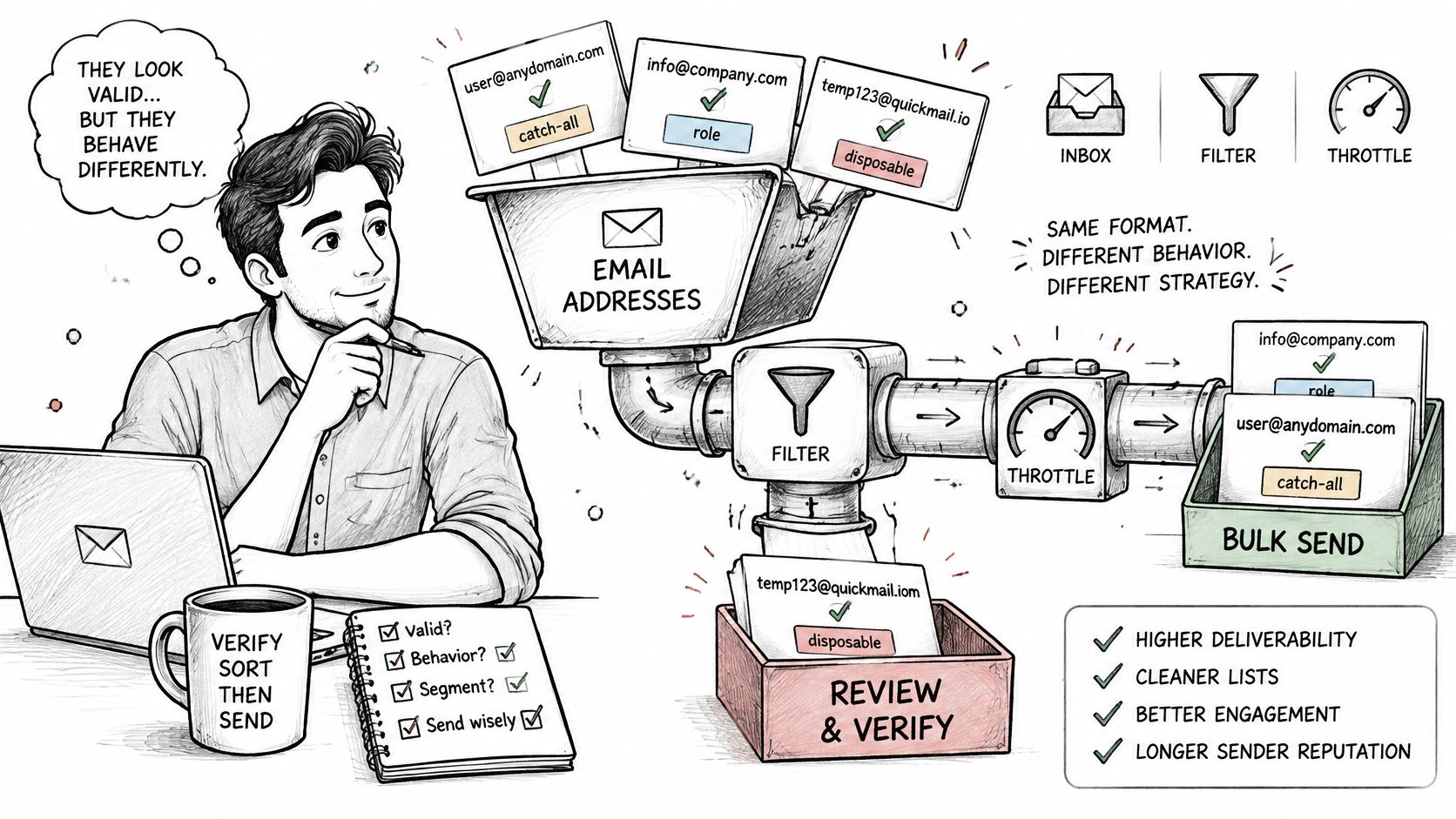
Some addresses pass every technical check and still don't belong in your main send. They look valid, they behave differently, and mailing them in bulk is how a clean looking list produces a bounce spike.
Sorting these addresses by behavior is the work shown here.
Four Types That Need Different Handling
Catch all domains accept mail for any local part, real or invented. Send to them only after engagement history confirms a person, or throttle them into a separate campaign so a problem doesn't hit your primary pool. Our deeper guidance on catch all email addresses covers how to handle that uncertainty without guessing.
Role accounts such as info@, sales@, and support@ are shared inboxes. We spot shared inbox addresses such as info@ and support@ so you can decide whether they belong in a campaign. A support inbox may be perfectly valid for a service notice and completely wrong for a newsletter, and shared inboxes also make consent murky because whoever signed up may not be whoever reads it.
Disposable addresses come from temporary inboxes built to vanish. Suppress them at signup and remove them from existing lists. We flag known throwaway email providers, and the list of them is refreshed every day, so rerun a list before a major send to catch new services.
Dormant addresses have no opens or clicks for a long period. Give them one clear re engagement message, and suppress the ones that stay silent. Mailing dormant addresses repeatedly doesn't revive them, it just signals to mailbox providers that people ignore you.
Use Three Groups and Stop Guessing
- Send: 2xx response, no catch all flag, no disposable flag, and recent engagement.
- Review: Catch all, role based, 4xx, or long dormant addresses that need a separate decision.
- Suppress: 5xx failures, disposable addresses, hard bounces, complaints, and unsubscribes.
A valid address is not automatically a sendable address. The group it sits in matters more than the fact a server answered.
That discipline is what keeps a valid email address list useful. You're not trying to keep every address, you're trying to protect the pool you'll mail.
Bounce Benchmarks and the Metrics to Track
Start with a baseline you can defend. Take your ESP logs over a fixed date window and calculate hard bounces divided by total attempted sends, multiplied by 100. Keep soft bounces in a separate column, because throttling, full inboxes, and greylisting need different fixes than a mailbox that doesn't exist.
The Twilio 2023 email marketing benchmark report supports a sensible global operating target of below 2% total bounces, with under 1% treated as strong performance. Treat those as guardrails for your own sends, not as permission to drift up to the ceiling.
| Metric | Range | Action |
|---|---|---|
| Total bounce rate | Under 1% | Strong performance; keep monitoring each send |
| Total bounce rate | 1% to under 2% | Investigate the sources driving the rate before the next major send |
| Total bounce rate | 2% or above | Pause sends to the affected sources and revalidate the list |
| Bounce rate by acquisition source | Compare each source to the overall target | Isolate any source running above target and check its capture form |
Break the Average Apart
A single rate hides the cause. Split yours by acquisition source, geography, domain type, and list age, then append provider response codes and engagement history to each address after every campaign. You'll usually find the damage concentrated in unchecked signup typos, a stale segment, or one imported file.
Our breakdown of email bounce rate goes deeper on reading those splits, but the habit that matters is simple. Suppress permanent failures at once, quarantine unknown outcomes for a controlled retry, and never let catch all, role, disposable, or dormant segments contaminate the primary pool.
Benchmarks only compare when the numerator, denominator, date range, and send population match. Some published figures combine hard and soft bounces, others count only unknown user failures. Comparing your hard bounce rate to someone else's combined figure will tell you nothing and may reassure you when you shouldn't be reassured.
Why Valid Addresses Still Land in Spam
You cleaned the list, the import looked tidy, and the campaign still landed in spam. That's not a contradiction. Mailbox providers judge the sender as well as the recipient, so a technically live mailbox doesn't guarantee an inbox.
This dashboard view captures that frustrating moment.
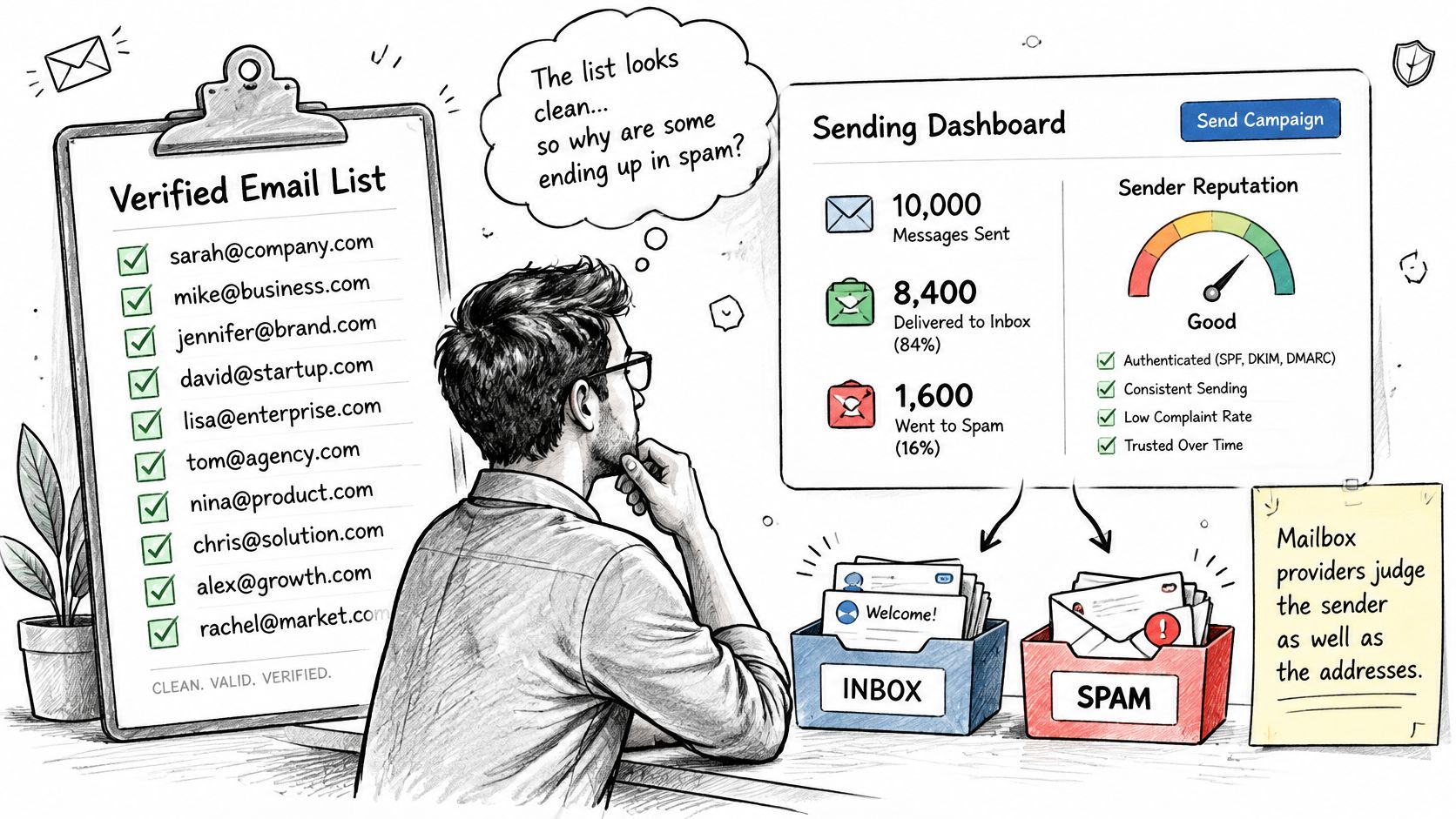
The Knak summary of Gmail and Yahoo authentication requirements states that Gmail and Yahoo require bulk senders to use SPF and DKIM, publish DMARC, align the visible From domain, offer one click unsubscribe, and keep spam complaints below 0.3%, with Gmail recommending below 0.1%. Those rules apply around the 5,000 message bulk threshold, but smaller startups, publishers, and outbound teams still need authentication, valid DNS, and low complaint rates.
Validity Is Not Safety
Engagement, complaint history, authentication alignment, unsubscribe handling, and sender domain reputation all shape placement. None of those show up in an SMTP acceptance. Verification reduces avoidable bounces, but it can't guarantee inbox placement and it can't manufacture consent.
Aggressive validation can even backfire. If a clean verdict encourages you to mail every live address, including dormant and catch all records, you'll generate the low engagement and complaints that push you into spam. I would rather send to a smaller send group with recent engagement than a larger list that merely exists.
The video below walks through how those sender side signals interact with list quality.
Before your next send, run a short check. Authentication passes and aligns, the one click unsubscribe works, complaint rate sits under the threshold, and your send group excludes review and suppress segments. If any of those fail, fixing the list alone won't fix placement.
Set Your Verification Cadence Before the Next Send
List hygiene fails when it depends on memory. Put it on a schedule tied to triggers, so rechecking happens whether you're busy or not.
| Trigger | When it applies | Action |
|---|---|---|
| Address captured | At the moment of signup | Run syntax, DNS and SMTP checks before saving |
| Major campaign | Before each large send | Reverify the whole list and sort into send, review and suppress |
| List age | Older than about 90 days | Rerun the full staged checks |
| Imported list | Partner, purchase or old export | Verify before any real subscriber receives mail |
| Monthly review | Every month | Check bounce rate by source and the dormant segment |
The First Action to Take Today
Take the list for your next send and run the staged checks, in order, without promoting unknowns into valid. Sort the results into send, review, and suppress, then compare each acquisition source against your bounce thresholds. Any source running hot gets paused and investigated at its capture form, not mailed harder.
Then confirm the sender side. SPF, DKIM, and DMARC should pass and align with your visible From domain, your one click unsubscribe should work in a test send, and your complaint rate should stay under the required ceiling with the stricter Gmail target as your working goal.
- Verify at capture: Every new address, every form, no exceptions for partner pages.
- Reverify before major sends: The whole list, not just recent additions.
- Review monthly: Bounce rate by source, dormant segment size, and catch all share.
- Quarantine imports: Old exports and purchased files stay separate until they pass.
Cadence beats intensity: One heroic cleanup decays within months, while small scheduled rechecks keep a valid email address list accurate all year.
If you want to test the process on a real file first, our free trial lets new users clean 50 emails at no cost, with no credit card and no sales call required. Run your next campaign list through the checks before you press send, and mail only the group that earned it.
Run your next list through CleanMyList before you send, and you'll get a clear verdict and reason for every address so hard bounces, disposable inboxes, and catch all risks stay out of your main pool. Start with the list for your upcoming campaign, sort it into send, review, and suppress, and send only to real, reachable people.