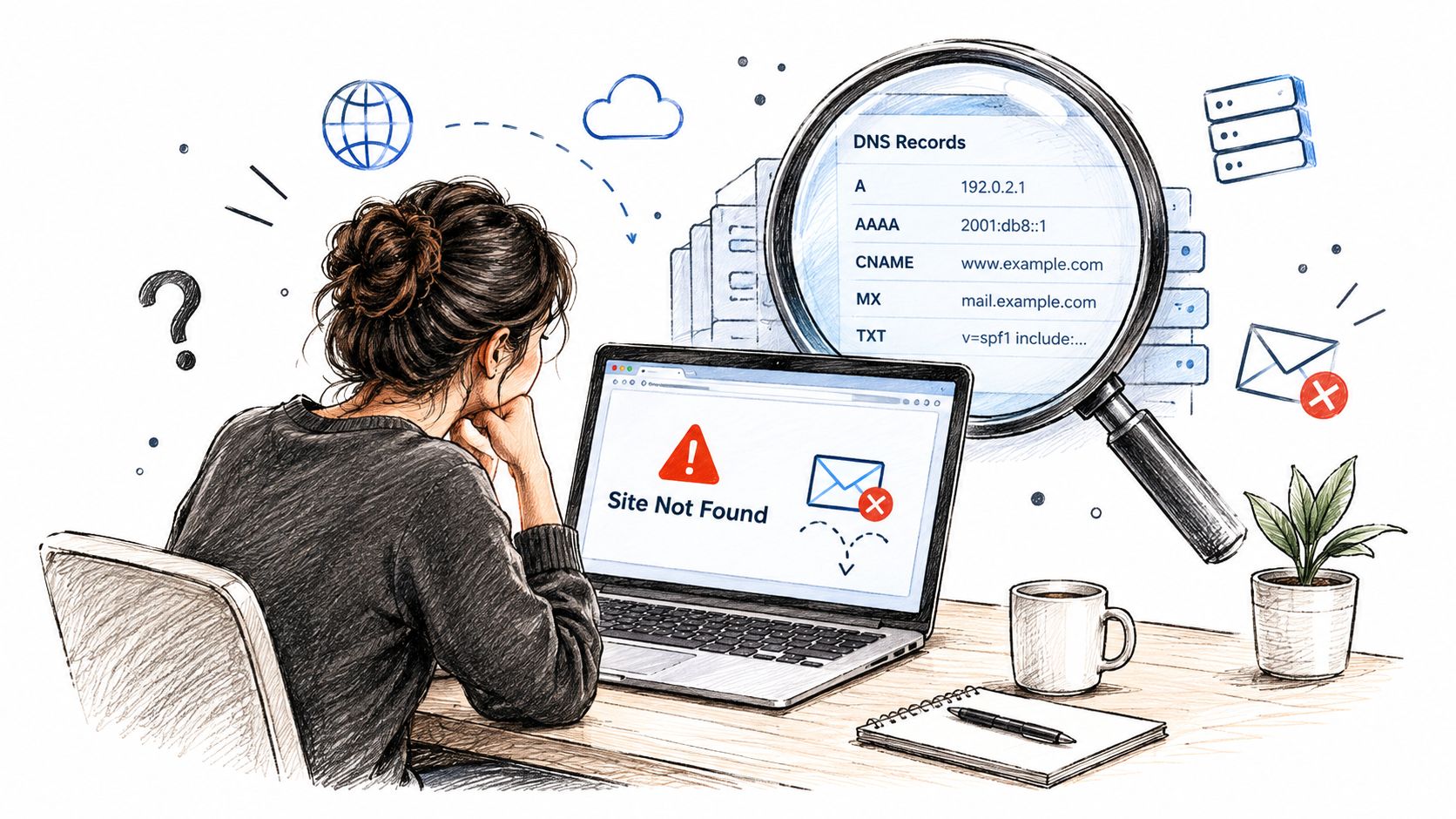
A campaign is ready to send when the website suddenly disappears, customer emails bounce, or a security alert shows that a familiar domain now points somewhere unexpected. You check the domain's current DNS records, but they look normal. That's the problem: a live DNS lookup shows the present, not the sequence of events that produced it.
Domain DNS history adds that missing sequence. It preserves observed changes to records such as A, AAAA, MX, NS, CNAME, SOA, and TXT, allowing you to compare an earlier infrastructure state with the one serving visitors and mailboxes today. For an email manager, that can explain a routing failure. For a developer, it can reveal a staged provider migration. For a founder evaluating an aged domain, it can expose a past infrastructure pattern that deserves closer review.
Historical DNS archives now provide a substantial record of Internet infrastructure. One public database describes more than 24 years of historical data and 2.2 billion recorded changes in its timeline, illustrating how domain records have become a useful telemetry layer for studying infrastructure evolution (ICANN historical timeline).
Table of Contents
- Introduction to Domain DNS History and Why It Matters Today
- What Domain DNS History Really Means
- How DNS Records Change Over Time
- Why DNS History Matters for Security Troubleshooting and Reputation
- How to Inspect Historical DNS Data With Tools and Logs
- Understanding the Limits and Freshness of DNS History
- Putting DNS History to Work for Cleaner Safer Campaigns
Introduction to Domain DNS History and Why It Matters Today
Suppose your company moved email providers recently. A few messages still arrive, but others bounce. Your current MX records point to the new provider, and the provider says its configuration is correct. Without historical context, the incident looks like a vague propagation problem.
A historical timeline can narrow the story. Perhaps the MX records changed first, while the domain's nameservers remained with the old DNS host. Perhaps a temporary value appeared and disappeared during testing. Perhaps the nameserver change happened before the mail routing change, which would point toward a different failure path. The order of changes matters, because infrastructure teams rarely change every dependency at exactly the same moment.
The same reasoning helps when a website goes offline. A current A record may show the new hosting destination, but it won't tell you whether the previous host was replaced, whether a CDN alias was introduced, or whether the domain briefly resolved elsewhere. Historical observations give you a way to compare snapshots instead of guessing from a single screen.
A timeline rather than a lookup
Live DNS answers a narrow question: “What value is visible now?” Domain DNS history asks broader questions:
- What changed? A record value, provider, alias, or policy.
- When was it observed? A timestamp places the change beside deployments, incidents, and vendor work.
- What changed before it? Earlier events may explain why the current record exists.
- What changed after it? Later corrections can reveal a rollback or temporary misconfiguration.
This guide treats DNS history as a forensic timeline for small businesses and email teams, not merely a directory of lookup tools. You'll learn what the records mean, how to read sequences, how to inspect evidence, and where the evidence can mislead you.
What Domain DNS History Really Means
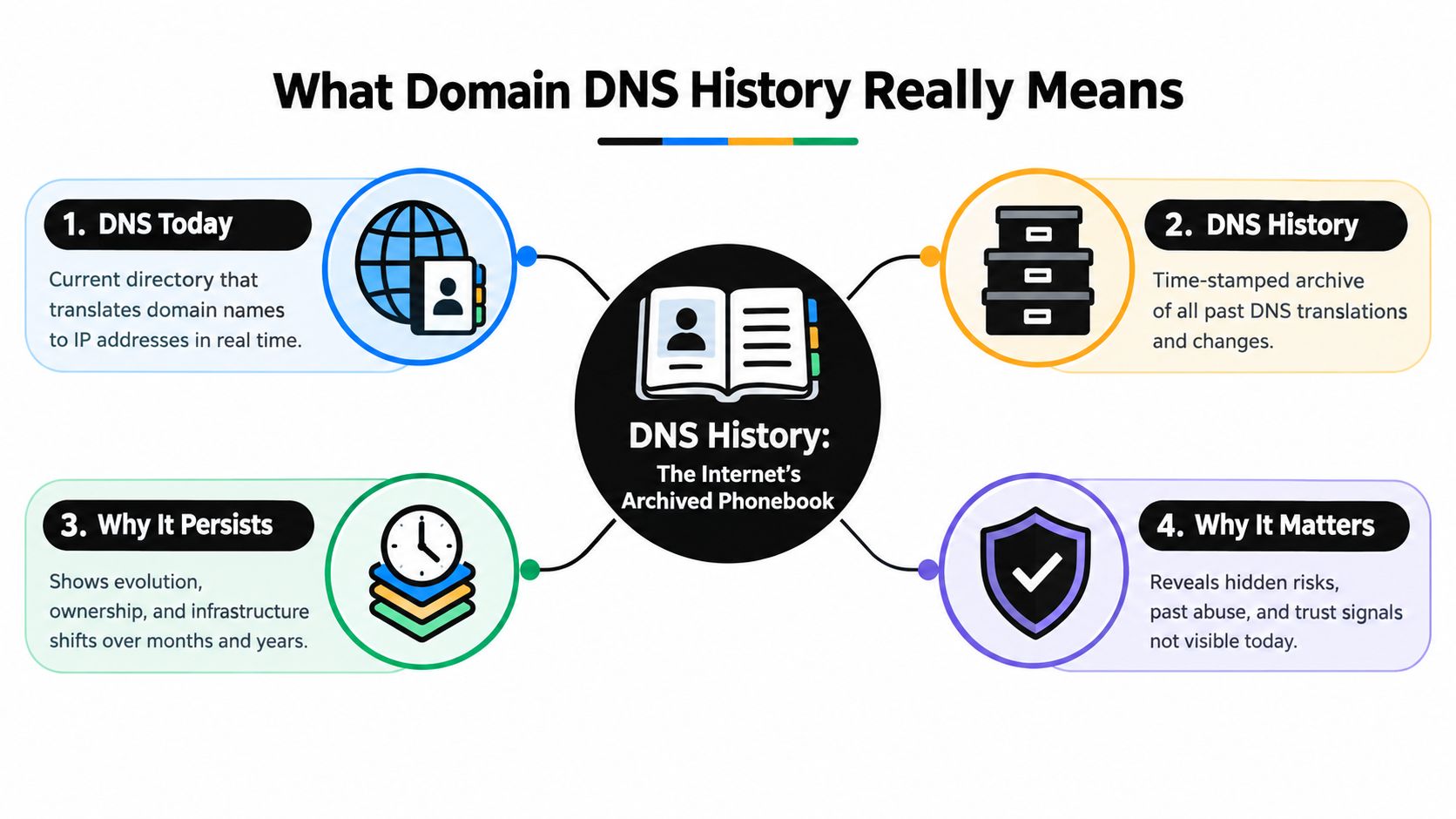
Think of DNS as a distributed phonebook. You type a domain name, and DNS helps your device find the service associated with that name. An A record can connect a hostname to an IPv4 destination, an MX record identifies mail-routing hosts, and an NS record identifies the nameservers responsible for the domain's DNS zone.
The phonebook analogy becomes more useful when you add an archive. Current DNS is the latest edition. DNS history is a collection of older observed editions, each tied to a time and a record value. It doesn't necessarily contain every edition ever published. It contains what a monitoring or passive-DNS system observed and retained.
The system exists because a single shared file couldn't keep scaling with a growing network. In November 1983, Paul Mockapetris published RFC 882 and RFC 883 to replace the centralized HOSTS.TXT approach with a hierarchical, distributed naming system. On March 15, 1985, Symbolics.com became the first registered .com domain, connecting the design to commercial domain use (DNS history overview).
What the archive can show
A historical DNS service may display record snapshots or a paginated event timeline. Depending on coverage, you might see:
- A and AAAA values for web infrastructure
- MX values for email providers
- NS values for DNS hosting and delegation
- CNAME values for aliases, SaaS platforms, and CDNs
- SOA values that help track zone updates
- TXT values used for verification and email policy
That information differs from WHOIS history, which focuses on registration and ownership-related details. It also differs from a live lookup, which reports the current answer without showing how the answer changed. Historical DNS is about observed resolution and zone data, not a guaranteed record of every administrative action.
Practical rule: Treat the archive like old phonebook editions, not like the registrar's private change log.
A domain can keep the same owner while changing hosting, mail, nameservers, or verification records. Conversely, ownership can change without every related DNS value changing at the same time. That's why a useful investigation compares DNS history with registrar records, provider logs, archived zone data, and operational context.
How DNS Records Change Over Time
Each DNS record type describes a different part of the infrastructure. Reading domain DNS history becomes easier when you stop treating every event as equivalent and ask what operational dependency that record controls.
The key record types tell different stories:
- A records connect names to IPv4 destinations. A change can indicate a hosting move, a new server, a failover, or a change in front-end infrastructure.
- AAAA records serve the IPv6 path. A new or altered value may show that a service added IPv6 support, although it doesn't by itself prove that all visitors use that path.
- MX records control mail routing. A change often accompanies an email-provider migration, a routing correction, or a temporary delivery arrangement.
- NS records identify the authoritative nameservers. A change can point to a DNS provider move, a registrar-related operation, or a broader infrastructure transfer.
- CNAME records create aliases. A new target may connect a hostname to a SaaS application, CDN, landing-page platform, or other managed service.
- SOA records describe zone-level authority and administration. Serial changes can help indicate that the zone was updated, though they rarely explain the business reason on their own.
- TXT records carry text-based controls and verification data. Changes may relate to SPF, DKIM support, domain verification, or other security policies.
The value comes from sequence and correlation, not from one isolated record. Historical DNS systems commonly present these observations as event timelines or snapshots, allowing analysts to identify when a value appeared, disappeared, or was replaced (historical DNS record analysis).
Reading the order of events
Consider an email migration. If MX records change first and NS records move later, the team may have prepared mail routing while leaving DNS authority in place. That pattern is consistent with a staged cutover. If MX and NS values change together, the organization may have moved DNS authority and mail routing as part of one coordinated transfer.
Neither pattern proves the cause. It gives you a working hypothesis that you can test against deployment notes, provider dashboards, and mail logs. A record replacement near the time of a website outage may support a hosting-migration explanation, while a TXT change near a deliverability alert may point toward a sender-authentication review.
Separate persistent changes from temporary tests
A short-lived value deserves different treatment from a value that remains visible across later observations. Temporary records can result from testing, verification, rollback, or an incomplete deployment. Persistent changes are more likely to represent the intended operating state, though an attacker can also leave a malicious record in place.
Write down four things for every relevant event:
- The record type
- The old and new values
- The observation times
- The operational event that may explain the change
This small habit turns a confusing timeline into an evidence table. It also prevents a common mistake, treating the most recent value as the only fact that matters.
Why DNS History Matters for Security Troubleshooting and Reputation
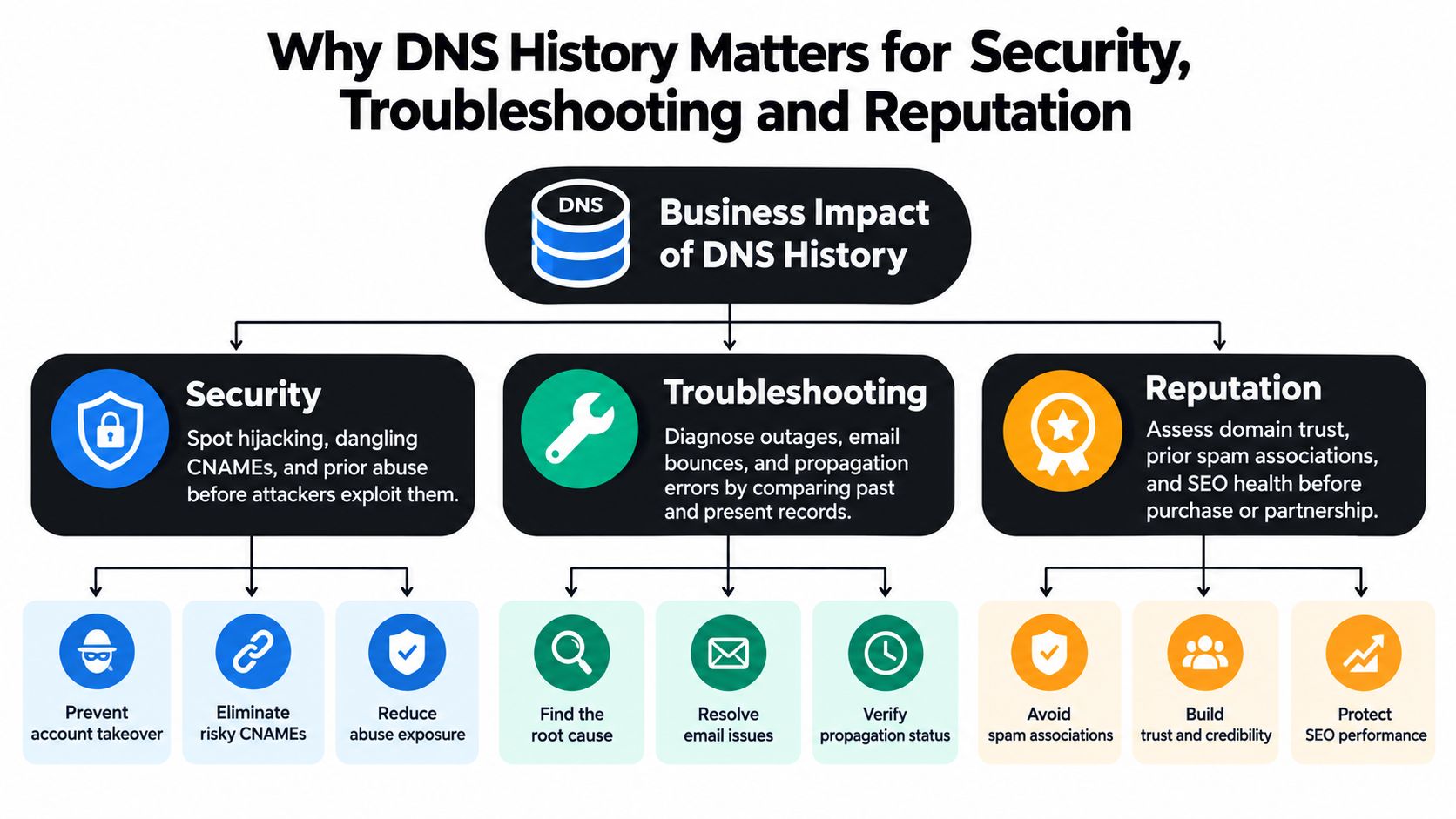
DNS history matters because infrastructure changes create consequences outside DNS. A changed record can redirect visitors, interrupt mail, expose an abandoned service, or connect a domain to infrastructure that deserves investigation.
Security investigations
During a suspected takeover, a current lookup may show that the domain has already been restored. History can reveal whether the domain previously pointed to an unfamiliar host, used unexpected nameservers, or carried verification and policy values that appeared during the incident.
The same review helps with dangling aliases. If a CNAME once pointed to a third-party service that the business no longer controls, the record may represent an abandoned dependency. DNS history can show when the alias was introduced and whether it persisted after the related service was retired.
Past abuse also deserves context. A domain's previous DNS associations don't prove that its current operator caused earlier activity, but they can inform triage when combined with registrar records, hosting information, certificates, and other evidence.
Troubleshooting outages and email failures
A small business often discovers infrastructure changes through symptoms. The website misroutes after a redesign. A newsletter starts bouncing after a provider switch. A verification step fails even though the team added the required TXT value.
History lets you compare the last known working state with the current state. For email, start with MX changes, then examine nameservers and relevant TXT observations. For a website, compare A, AAAA, and CNAME events with the deployment or hosting change. This approach reduces the temptation to blame propagation whenever the actual issue is an incomplete migration or an overwritten record.
Reputation and domain decisions
Teams buying an aged domain, accepting a partnership, or reusing an old sending asset should examine its infrastructure lineage. A history containing repeated provider changes, unexplained mail-routing patterns, or links to unfamiliar services is a reason to investigate further, not an automatic verdict.
Email teams can pair this review with a broader email domain reputation check. The useful principle is simple: DNS history supplies context, while current validation and sending evidence support the final decision.
A historical record is strongest when it explains a present symptom and weakest when someone treats it as proof without corroboration.
How to Inspect Historical DNS Data With Tools and Logs
A practical investigation starts with a question, not a tool. “What happened to this domain?” is too broad. “Did mail routing change before the bounce increase?” gives you a time window, a record family, and a business symptom to test.
A repeatable inspection workflow
-
Define the incident window. Note when the outage, bounce increase, provider migration, or security alert began. Add deployment dates and vendor-change dates if you have them.
-
Search the domain in a historical DNS service. Choose a source that exposes record types, timestamps, previous values, and enough context to distinguish an observed change from a current lookup.
-
Start with the record tied to the symptom. Review MX for mail delivery, A and AAAA for web destinations, NS for DNS authority, CNAME for managed services, and TXT for verification or authentication context.
-
Read the timeline in both directions. Work backward from the current value to find the previous state, then forward to see whether the change persisted or was replaced.
-
Export the relevant snapshots. Keep the domain, record type, value, observation time, source, and notes about related operational events. A compact evidence file is easier to review than a series of screenshots.
-
Cross-check critical findings. Compare the historical observation with registrar information, passive DNS, provider activity, archived zone snapshots, and mail-server logs.
If the question concerns whether a domain can receive mail, pair DNS history with MX record verification. Historical MX values explain what changed, but they don't independently confirm that the current destination accepts messages.
Match the source to the question
| Investigation Goal | Best Source Type | What It Shows | Limitation to Check |
|---|---|---|---|
| Reconstruct a hosting move | Historical DNS timeline | Earlier and later A, AAAA, or CNAME observations | Collection gaps or incomplete record coverage |
| Investigate mail-routing changes | DNS history plus mail logs | MX transitions alongside delivery symptoms | DNS observations don't prove mailbox acceptance |
| Review DNS-provider changes | NS history and registrar records | Nameserver transitions and registration context | A DNS archive may not show registrar actions |
| Examine suspected abuse | Passive DNS and security telemetry | Historical associations between domains and infrastructure | An observed association needs corroborating evidence |
| Document an incident | Exported snapshots and provider logs | A dated evidence trail with operational context | Different sources may use different timestamps |
Tools disagree for understandable reasons. They collect from different vantage points, retain different record types, and present events with different freshness. Record the source and retrieval time beside every important finding so another person can reproduce your reasoning.
Understanding the Limits and Freshness of DNS History
The most dangerous misunderstanding is assuming that DNS history is a complete ledger. It usually isn't. Historical data reflects what a repository observed, the record types it collected, the years it covered, and the way it sampled DNS.
Coverage can be uneven. Some repositories keep only selected record types or begin collecting at a particular point in time. One provider says its historical database is refreshed monthly, so results can trail reality by up to a month. Another says it began recording historical records in 2012 and initially stored only A and NS data (DNS history API limitations).
Three questions to ask before trusting a result
- Was the event observable? If no monitoring system saw the record while it was active, the archive may have no entry.
- Does the source cover the needed record type? A history rich in A records may still say little about earlier TXT or MX changes.
- How fresh is the latest observation? A delayed refresh can make a recent correction appear absent.
These limitations affect security and deliverability decisions differently. A missing historical event doesn't prove that a change never happened. A visible association doesn't prove ownership, intent, or malicious behavior. DNS history is best treated as a probabilistic signal with provenance, not as a definitive ownership record.
Use layered verification
For a high-impact decision, compare several kinds of evidence:
- Historical DNS observations, to identify the likely change sequence.
- Passive DNS data, to widen the view across observed resolutions.
- Registrar information, to examine registration and delegation context.
- Provider and mail logs, to connect infrastructure changes with actual service behavior.
- Archived configurations, where available, to compare intended settings with observed ones.
Email teams can combine this approach with email address domain validation. That helps distinguish an aged list containing stale or risky domains from a DNS-history gap that merely reflects incomplete collection.
Evidence standard: Use DNS history to form and prioritize hypotheses. Confirm critical security, ownership, and deliverability conclusions through independent records.
Putting DNS History to Work for Cleaner Safer Campaigns
Domain DNS history becomes most useful when it joins an ongoing hygiene routine. Before onboarding an aged list, inspect unusual domain histories and flag infrastructure that changed in ways you can't explain. Before moving email providers, capture the current state and preserve the migration plan so later troubleshooting has a reference point.
A practical review can follow this checklist:
- Before sending: Check whether recipient domains still show plausible mail infrastructure and whether aged contacts need revalidation.
- During migrations: Record the old and new provider details, then watch MX, NS, and TXT observations through the cutover.
- After incidents: Compare the last known healthy state with the present one and correlate changes with mail and deployment logs.
- During vendor review: Treat unfamiliar historical associations as prompts for research, not automatic proof of wrongdoing.
- For recurring hygiene: Store source names, timestamps, exports, and conclusions so future investigations don't restart from zero.
The central lesson is straightforward. Live DNS tells you where a domain is now. Domain DNS history helps explain how it got there, which makes it valuable for troubleshooting, security review, and sender-reputation decisions. It works best when teams combine it with fresh validation and independent operational evidence.
CleanMyList checks email addresses across DNS, SMTP, catch-all behavior, disposable providers, role accounts, bounce reputation, and other signals without sending messages, helping you re-run aged lists before campaigns. Visit CleanMyList to validate your data, reduce avoidable bounces, and keep domain-health checks connected to safer sending decisions.