
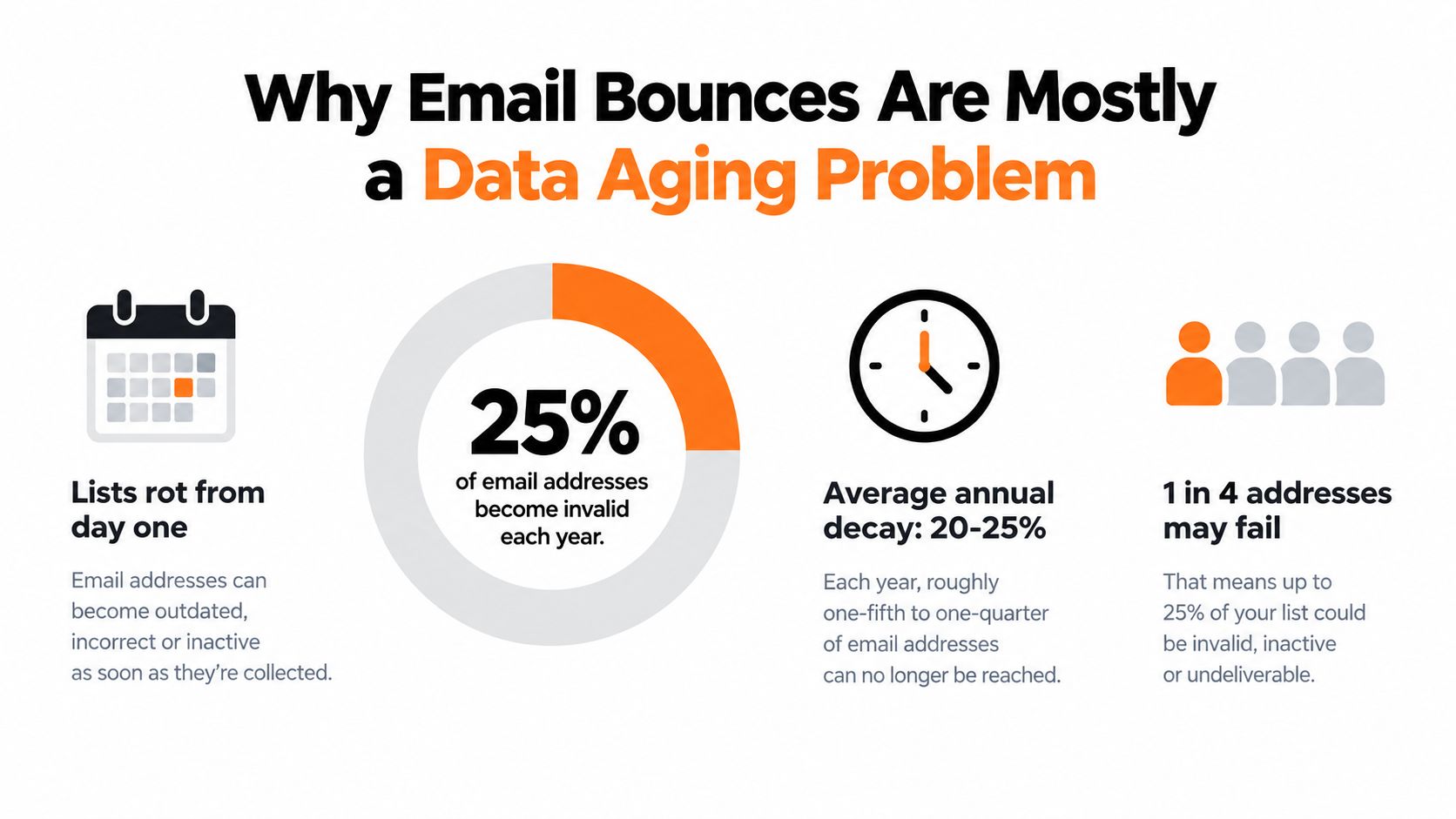
Roughly 20% to 25% of stored email addresses go stale each year, so a large share of bounce trouble starts with aging data, not bad copy or a single typo. In 2026, the fastest way to diagnose email bounce reasons is to separate list decay from authentication and policy failures, because both can block delivery for very different reasons.
That distinction saves time.
A marketing manager usually sees one ugly number in a campaign report: bounces. Then the guessing starts. Was the list bad? Did the ESP have a problem? Did the content trigger filtering? Should the team buy a cleaner, pause sends, or ask engineering to check DNS?
The useful answer is simpler than the bounce dashboard makes it look. Most email bounce reasons fall into a triage pattern. First, some addresses have gone bad because lists age constantly. Second, some messages fail because mailbox providers now enforce sender identity much more aggressively. If you don't split those two buckets early, you can spend days cleaning addresses when the issue is SPF, DKIM, or DMARC.
Table of Contents
- Why Email Bounces Are Mostly a Data Aging Problem
- Hard Bounces vs Soft Bounces Decoded
- Reading SMTP Status Codes Like a Deliverability Pro
- The Hidden Bounce Drivers Most Guides Miss
- How to Fix High Bounce Rates Before Each Send
- Building a Sustainable Bounce Prevention Routine
Why Email Bounces Are Mostly a Data Aging Problem
A list starts aging the day you collect it. Industry guidance puts annual email list decay at about 20% to 25%, so a meaningful share of stored addresses can go stale within a year as people change jobs, abandon inboxes, or lose access to old accounts (email list decay benchmarks).
That matters because a bounce spike often reflects normal record aging before it reflects a deeper deliverability failure.
A B2B newsletter list collected through trade shows, webinars, and product demos shows the pattern clearly. Last spring, many of those contacts were valid. By this spring, some work somewhere else, some now use different inboxes, and some company mailboxes have been shut down by IT. The address was real when you captured it. Time changed the record underneath you.
That is why bounce triage has to start with age.
What data aging looks like in the real world
Marketers often treat every bounce as proof the list was bad from the beginning. That misses the mechanics. An older CRM segment behaves more like inventory with an expiration date than a static contact database. Every month that passes increases the odds that a once-deliverable address has become undeliverable through no action inside your email platform.
The pattern is usually visible if you compare segments side by side. Recent opt-in contacts tend to stay stable. Older segments, reactivated lists, and event leads usually deteriorate faster because the email address is tied to a role, an employer, or a short-lived project.
Practical rule: If bounce rates rise on an older segment while newer opt-in segments stay stable, investigate list age first.
That does not mean every bounce is a list-cleaning problem. In 2026, sender policy failures can produce bounce clusters that look like bad data from a distance. If a whole campaign fails at once, or if failures appear across new and old segments alike, check SPF, DKIM, and DMARC before you assume the database is the culprit. DNS problems act like a locked front gate. List decay acts like people moving out.
The two minute diagnosis most teams need
When bounce rates jump, work through the segment like a mechanic checking the obvious failure points first:
- How old is the audience? Older segments carry more natural decay.
- How was it collected? Trade show scans, webinar registrations, outbound prospecting lists, and product signups age at different speeds.
- Was it verified before send? If not, stale records can slip back into circulation.
- Did the problem hit one segment or every segment? One audience usually points to aging data. Broad failure across audiences often points to authentication or policy trouble.
If your team needs a practical pre-send cleanup process, this guide to an email list cleaning service is useful because it focuses on operational steps rather than general theory.
The main shift in thinking is simple. A high bounce rate is often a sorting problem first. Separate normal list decay from sender configuration failures, then fix the bucket that is breaking delivery.
Hard Bounces vs Soft Bounces Decoded
About 1 in 4 email addresses changes over a year, but bounce reports still get treated as if every failure means "bad lead." That shortcut causes expensive mistakes. Some bounces come from normal list aging. Others come from sender policy, DNS, or receiving-server limits. If you mix those together, you end up cleaning a list that was never the main problem.
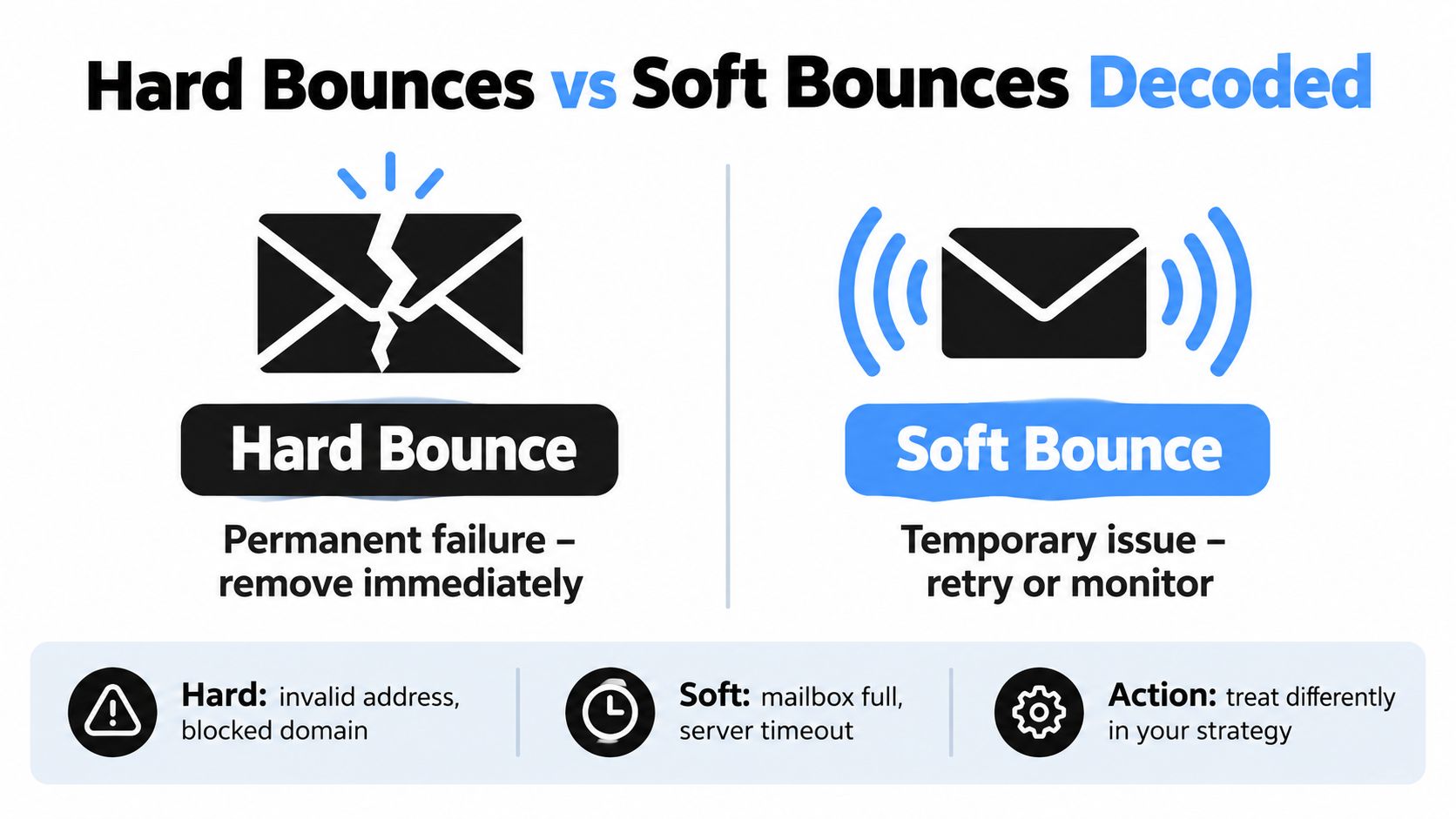
Start with the basic split. A hard bounce is a permanent delivery failure. A soft bounce is a temporary one.
That definition is simple. The operational meaning is where teams get tripped up.
Hard bounces tell you something is broken or gone
A hard bounce means the message cannot be delivered in its current state and repeated sends are unlikely to change the outcome (hard and soft bounce definitions and benchmarks).
Sometimes that points to list decay. The mailbox no longer exists. The domain has expired. The address was entered with a typo months ago and no one caught it.
Sometimes it points to sender-side failure instead. Authentication can be missing. DNS can be misaligned. A receiving system can reject mail from your domain on policy grounds and return a permanent failure that looks, at first glance, like an address problem.
That distinction matters. If the mailbox is gone, suppress it. If your setup is causing the failure, suppressing addresses will not fix the pattern.
Soft bounces mean the door is closed for now
Soft bounces happen when the address may still be valid, but the receiving system is not accepting the message at that moment (soft bounce causes and behavior).
A full inbox is the easy example. So are temporary server outages, greylisting, message size limits, and sending-rate caps. In each case, the destination has not disappeared. It is more like arriving during a loading delay than finding the building demolished.
This is why soft bounces need patience and tracking, not instant deletion. One soft bounce can be harmless. The same soft bounce repeating across several campaigns is a pattern. At that point, the issue may be mailbox abandonment, filtering pressure, or sending behavior that receivers do not like.
Bounce category is an instruction. Hard means remove the address or correct the root cause. Soft means allow retries, monitor repeats, and decide based on whether the condition clears.
How data aging shows up in practice
A stale webinar list often produces classic hard bounces. People changed jobs, old corporate domains were retired, and role-based inboxes were shut down.
A product newsletter can show more soft bounces if engagement has faded and some mailboxes are full or deprioritized.
A sudden wave of hard bounces across every segment at once deserves a different suspicion. That pattern often points away from natural decay and toward policy or authentication failure. In other words, 2026 bounce triage starts with this question: did the recipients disappear, or did the receiving servers stop trusting you?
Side by side comparison
| Bounce type | What it usually means | Common causes | Best next action |
|---|---|---|---|
| Hard bounce | Permanent failure | Invalid address, dead domain, expired mailbox, policy rejection, authentication problem | Suppress invalid recipients. If the pattern spans many segments, check DNS, SPF, DKIM, and DMARC first |
| Soft bounce | Temporary failure | Full inbox, server issue, greylisting, oversized message, rate limit | Let retries run, then review addresses or domains that keep failing |
A short visual explanation can help if you're training teammates or explaining the difference to leadership.
Reading SMTP Status Codes Like a Deliverability Pro
A bounce report can look like a mechanic's diagnostic screen. Lots of codes, very little plain English. The shortcut is to read the first digit first, then decide whether you are looking at list decay, a temporary receiving-server condition, or your own sender setup.
If the code starts with 5, the receiving server is signaling a permanent failure for that message as sent. If it starts with 4, the server is signaling a temporary condition and expects retries.
What 5xx codes indicate
A 5xx reply is the server's version of "do not keep knocking on this door with the same package." Under SMTP rules, these are permanent failures if nothing changes about the message or the destination (hard bounce SMTP behavior).
That matters because a 5xx result is not one problem. It is a category. Some 5xx replies point to true address decay, such as a mailbox that no longer exists. Others point to policy or trust failures, such as a domain rejecting mail because authentication is missing or misaligned. That is the triage mistake many marketing teams make. They see "hard bounce" and assume "bad contact," then pay for list cleaning while the fix is in DNS.
Typical 5xx situations include:
- Invalid recipient codes, where the mailbox was never valid or has been removed
- Dead or misconfigured domains, where the destination cannot accept mail
- Policy rejections, where the receiving server refuses the message based on sender rules
- Authentication failures, where SPF, DKIM, or alignment checks fail and the server treats the message as untrusted
If a large block of unrelated contacts across multiple segments suddenly returns 5xx replies, start with sender authentication before you start deleting addresses. This guide to an SMTP authentication error helps separate recipient problems from sender-side setup issues.
What 4xx errors mean for your sends
A 4xx reply means "not right now." The mailbox may still be valid. The receiving system is telling your server to pause, queue, and try again later.
That is why soft-bounce spikes can be misleading. A stressed receiving server, a rate limit, greylisting, or a temporary DNS lookup issue can all produce 4xx replies without saying anything negative about the contact itself.
Common 4xx causes include:
- Mailbox storage limits, such as a full inbox
- Receiving server outages or short-term instability
- Traffic controls, including greylisting and rate limiting
- Temporary routing or lookup issues tied to DNS or MX records
A useful rule is simple. If the remote server says retry, let your platform retry before you make a list decision.
Read the code as an instruction, not a label
SMTP codes are more useful when you treat them like triage notes. A 5xx code usually tells you to suppress the address or fix sender trust. A 4xx code tells you to wait, retry, and watch for patterns.
The pattern is what turns raw bounce data into action. Scattered 5xx failures in an old B2B segment often point to normal address aging. A broad wave of 5xx failures across fresh and old segments points to authentication or policy trouble. Repeated 4xx replies from one domain can point to throttling, which is a sending-behavior problem, not a database problem.
Read the first digit first. Then ask a better question: is this contact gone, or did the receiving server stop trusting this message? That question gets you to the right fix faster.
The Hidden Bounce Drivers Most Guides Miss
A large share of bounce investigations start in the wrong place. The team sees failures, assumes the list is rotten, and starts removing addresses. In 2026, that misses two different problems that can produce the same symptom. One is normal list decay. The other is sender identity failure.
Those two issues need different fixes.
A clean list can still bounce later
Email data ages like employee directories and phone trees. They look accurate until enough people change roles, leave, or stop checking the address. A list that passed verification six months ago can still create hard failures today, especially in B2B databases where job turnover is constant.
Verification also has a blind spot. Some domains accept mail broadly at the server level, then fail at the mailbox level later. Earlier guidance in this article noted the risk around catch-all domains. They can make a list look healthier than it is.
That creates a common reporting mistake. A marketing manager sees bounce growth after using a verifier and concludes the tool failed. The more accurate explanation is usually simpler. The tool checked the address at one moment in time. The contact record kept aging after that.
Hidden list-driven bounce sources often include:
- Role turnover: employees leave, aliases change, departments get renamed
- Old CRM exports: records stay active long after the mailbox stopped being used
- Catch-all domains: the domain responds, but individual delivery outcomes stay uncertain
- Low-intent acquisition sources: contacts entered the database, but the address quality was weak from the start
Policy failures often look like list problems
The second driver is easier to miss because the bounce still appears next to an email address in your report. That makes it feel recipient-specific even when the issue sits in your DNS records or sending setup.
Authentication works like a passport check at the border. The recipient server is not only asking, "Does this mailbox exist?" It is also asking, "Do I trust the sender claiming this identity?" If SPF, DKIM, or DMARC is broken or misaligned, the server may reject the message before mailbox validity even matters (authentication and policy rejection trends).
This is why bounce triage matters more than list cleaning in many modern programs. If several segments fail at once, including newer contacts, the list did not suddenly expire overnight. The sending domain likely lost trust, or never had enough trust in the first place.
What to check first
Use a simple order of operations before you delete contacts:
- Check whether failures hit many segments at once. Broad impact usually points to sender setup, domain policy, or reputation.
- Read the bounce text for trust signals. Phrases about authentication, policy, alignment, or sender rejection usually mean DNS and configuration need attention.
- Then review list age and source quality. Older B2B segments and recycled CRM records still deserve scrutiny, just not as the first suspect.
- Flag catch-all records as uncertain. They are not confirmed bad addresses, but they are poor candidates for high-stakes sends.
The practical lesson is simple. Separate true list decay from trust and policy failures before you spend money on another cleaner. If DNS is broken, cleaning the list treats the smoke while the wiring keeps burning.
How to Fix High Bounce Rates Before Each Send
Once you've separated aging data from sender-side failures, you can act without overreacting. The best workflow is short, repeatable, and boring enough that your team will use it before every major campaign.
Start with triage, not cleanup
Before you remove addresses, sort recent failures into two buckets:
| Bounce Category | Primary Cause | Recommended Action | Retry Guidance |
|---|---|---|---|
| Hard bounce | Permanent failure tied to invalid mailbox, dead domain, block, or sender setup issue | Suppress the address if it's recipient-related, or fix sender configuration if the failure points to policy or authentication | Don't retry unchanged messages to confirmed hard-bounce addresses |
| Soft bounce | Temporary server or mailbox condition | Let queueing and monitoring run, then review patterns by domain or segment | Retry on the normal platform schedule and only suppress if failures repeat |
Many teams go wrong. They see a bounce spike and clean the list before checking whether the domain itself is being rejected. If the root cause is policy enforcement, list cleanup won't solve the immediate problem.
Use a pre-send review for older segments
Older lists deserve a separate gate before launch. That's especially true for newsletter reactivation sends, dormant sales contacts, and exported CRM audiences.
A practical pre-send review usually includes:
- Age check: Separate recently collected contacts from older records.
- Source check: Treat purchased, scraped, or long-dormant lists with extra caution.
- Bounce history review: Remove addresses that already showed permanent failures.
- Authentication review: Confirm that your sending setup is aligned before volume goes out.
If your signup flow also needs protection, a guide to real-time email validation can help stop typos and fake entries before they ever hit your CRM.
Where a verification tool fits
One operational option is CleanMyList. It lets teams upload a CSV or paste addresses, review verdicts as they return, and export a cleaned list or sync results to an email tool. According to the product information, each address is checked across eight signals: syntax, DNS, SMTP mailbox existence, catch-all behavior, disposable providers, role accounts, historical bounce reputation, and a final send or skip recommendation.
That setup is useful because it supports triage, not just deletion. A marketer can see why an address was flagged instead of treating the whole list as one undifferentiated risk pool.
A few practical details matter here:
- No live email sends during verification: That reduces risk during checking.
- Encrypted data and deletion after 30 days: Useful for teams with privacy requirements.
- Credit bundles start at $6 and new accounts get 50 free credits: Helpful when you want to test a workflow before a larger cleanup.
- Rechecking aged lists: Important when a list was validated in the past but hasn't been mailed recently.
A four step routine that holds up under pressure
- Sort the failures first. Separate hard from soft, then flag any signs of policy rejection.
- Fix sender trust before deep cleaning. If the domain is failing authentication or policy checks, address that immediately.
- Validate aging segments before launch. Don't assume a list is still healthy because it was clean when collected.
- Review post-send outcomes by pattern. Look for repeated domain-level issues, recurring catch-all trouble, and pockets of stale data.
They don't need a more complicated system than that. They need a system they won't skip.
Building a Sustainable Bounce Prevention Routine
The teams with stable deliverability don't treat bounce control as a rescue project. They turn it into a recurring operating habit.
That means checking data before big sends, watching whether temporary failures recover, and treating sender authentication as ongoing maintenance rather than a box checked last year.
The routine that prevents repeat problems
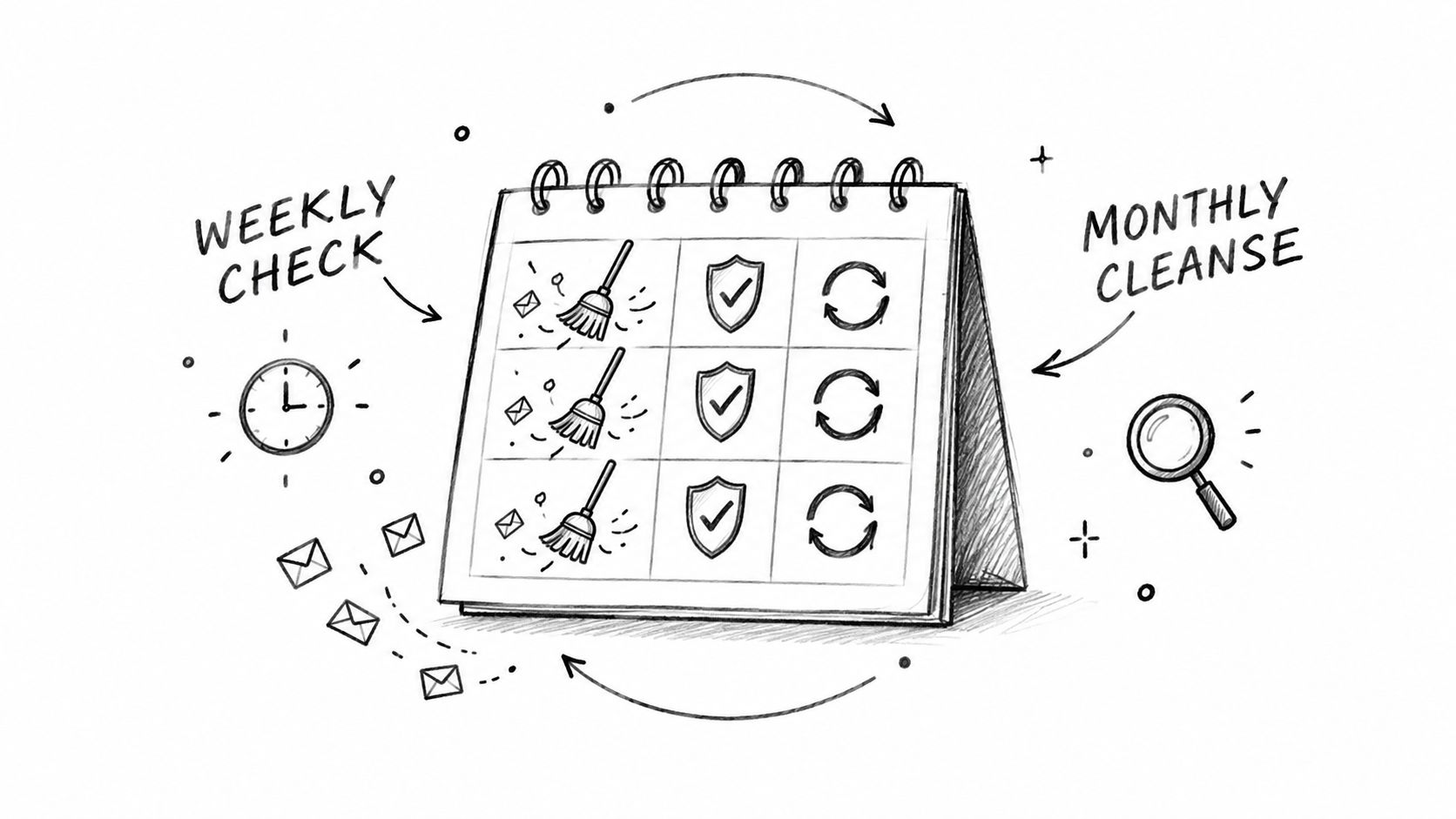
A practical bounce prevention rhythm looks like this:
- Validate before major sends: Especially when you're using older CRM exports, reactivation audiences, or cold outbound lists.
- Re-run aged segments periodically: A list that was clean once won't stay clean forever.
- Monitor category-specific bounce rates: Hard and soft bounce patterns mean different things, so watch them separately against healthy ranges already discussed earlier.
- Review authentication regularly: Sender trust can break when tools, domains, or policies change.
What good prevention really does
Prevention protects more than a single campaign. Every bad address you suppress and every authentication issue you fix reduces the chance that mailbox providers start distrusting your future sends.
If your team wants a broader framework beyond bounce handling alone, Lead Printer's guide to email deliverability best practices is a useful companion because it connects list hygiene, infrastructure, and sending habits in one place.
The goal isn't zero bounces. The goal is knowing which failures are normal, which are temporary, and which mean your process needs attention.
When you run email like that, bounce reports stop feeling random. They become one of the clearest operational signals in your program.
CleanMyList gives teams a way to check lists before they send, so stale records, catch-all risk, and other common email bounce reasons are easier to catch early. If you want to upload a file, review plain-English verdicts, and export a safer list before your next campaign, visit CleanMyList.