
Your campaign is ready, but the audience file isn't reassuring. It includes fresh signups, an older import, and contacts nobody has emailed recently. Your email platform will happily accept the upload. That doesn't tell you which addresses deserve a place in the campaign.
An email deliverability check should help you make that decision, not just produce a reassuring percentage. Separate mailbox acceptance from safe to send now. The useful result is a send, review, or suppress decision with a reason your team can act on, while sender authentication and campaign performance get their own checks.
Table of Contents
- Run an Email Deliverability Check Step by Step
- Reading Verdicts and Handling Flagged Addresses
- Sender Settings a List Check Cannot Fix
- Track Results After the Send
- Clean Your List and Recheck It Before Every Send
Run an Email Deliverability Check Step by Step
Start with address-level checks, then combine the findings rather than treating any individual pass as conclusive. A correctly formatted address can belong to a dead domain. A responsive mail server can accept nonexistent recipients. An otherwise valid contact can already be on your suppression list.
Sender requirements also deserve attention outside the file itself. Mailgun reported that 23% of surveyed senders believed new Gmail and Yahoo sender requirements caused deliverability challenges in 2025. Cleaning recipient data won't resolve those configuration problems.
Prepare the file before testing
-
Preserve the original export. Duplicate the list before changing anything. Keep acquisition source, consent records, last meaningful engagement, and previous bounce information attached to each contact. The usual mistake is exporting only the email column, then losing the context needed to decide whether a technically valid address belongs in the campaign.
-
Normalize without rewriting identities. Trim accidental spaces, lowercase the domain, and identify duplicates. Preserve the original address in a separate field so every correction is traceable. Don't strip punctuation from the mailbox name or merge contacts merely because their addresses look similar. When duplicate records disagree about subscription status, an unsubscribe must not disappear during the merge.
-
Check syntax and review suggested corrections. Look for missing separators, broken formatting, and common domain typos such as
gmial.comoryhaoo.com. Suggest the likely correction, but don't replace an address and assume the corrected mailbox belongs to the same person. Recheck an approved correction and retain its original value.
A syntax pass only answers whether the address has an acceptable structure. It doesn't establish that the domain receives mail or that the subscriber intended to hear from you.
Test routing before mailbox acceptance
-
Resolve the domain and mail route. Check whether the part after the @ exists and has working mail routing. Inspect DNS and MX results before attempting a mailbox probe. Don't confuse a temporary lookup failure with a permanently unusable domain, and don't assume a working website means the domain can receive email.
-
Run the SMTP mailbox check. The verifier asks whether the receiving server would accept the recipient without submitting message content. An explicit nonexistent-mailbox response is useful evidence for suppression. A timeout, temporary deferral, or blocked probe is different: mark it uncertain instead of inventing a definitive invalid result.
The order matters. Probing a mailbox before resolving a broken domain wastes effort and can leave the operator with a vague failure instead of a clear routing diagnosis.
-
Identify catch-all, disposable, and role-address signals. Test controlled, randomized recipients to detect domains that appear to accept every mailbox. Separately flag known temporary-address providers and shared inbox names such as
info@orsupport@. Keep these findings distinct because they require different handling decisions. -
Check historical hard bounces. Join the address against your sending history and suppression records. A new positive probe shouldn't automatically override a documented invalid-recipient hard bounce. Inspect the earlier bounce reason, since a recipient failure and a sender-policy rejection aren't the same problem.
-
Combine the findings and export decisions. Give each address an actionable label and an explanation. Keep the underlying flags available, especially when several signals disagree. Export only the eligible campaign segment, not the entire annotated file with the expectation that someone will remember to filter it later.
The seven signals in a deliverability check
| Signal | What It Checks | What a Failure Means |
|---|---|---|
| Syntax | Address format and allowed characters | Typos, missing @, or illegal characters |
| Domain and DNS | Domain exists and has mail routing through MX records | Dead or misspelled domain, such as gmial.com, or unavailable routing |
| SMTP mailbox check | Whether the receiving server would accept the mailbox, with no email sent | Mailbox doesn't exist or is rejected; temporary responses need review |
| Catch-all detection | Whether the domain accepts made-up addresses | Mailbox acceptance is inconclusive, so mark it uncertain |
| Disposable providers | Throwaway or temporary email services | Temporary signup data with uncertain durability and engagement |
| Role accounts | Shared inboxes such as info@ and support@
|
Campaign suitability needs a human decision |
| Historical bounce reputation | Past hard bounces linked to the address | Previous failed sends require suppression or investigation of the rejection reason |
These are the diagnostic signals; the final recommendation turns them into an operational decision. In our workflow, every email gets eight checks, with the results combined into one label, one score, and one plain-English reason. Keep that reason visible rather than relying on the score alone.
For a retail-specific application, BEDHEAD's guide to email list hygiene for mattress retailers provides useful context for applying list maintenance to a store's marketing program. The practical principle is to retain customer context while removing avoidable sending risk, not focus solely on maximizing the size of the export.
Practical rule: A useful verification result tells an operator what to do next and which signal caused that recommendation.
Before signing off, reconcile the output with the original file. Every original record should have a traceable outcome, including duplicates and quarantined contacts. If a colleague can't explain why an address was skipped, the export needs clearer reasons.
The limit is substantial: Validity's 2025 benchmark reported that 84.8% of legitimate marketing emails reached the inbox, 6.1% landed in spam, and 9.1% were missing or otherwise failed to reach the recipient. Verification removes avoidable recipient failures. It doesn't guarantee inbox placement.
Reading Verdicts and Handling Flagged Addresses
Turning verdicts into send decisions
| Verdict | Typical Signals | Action |
|---|---|---|
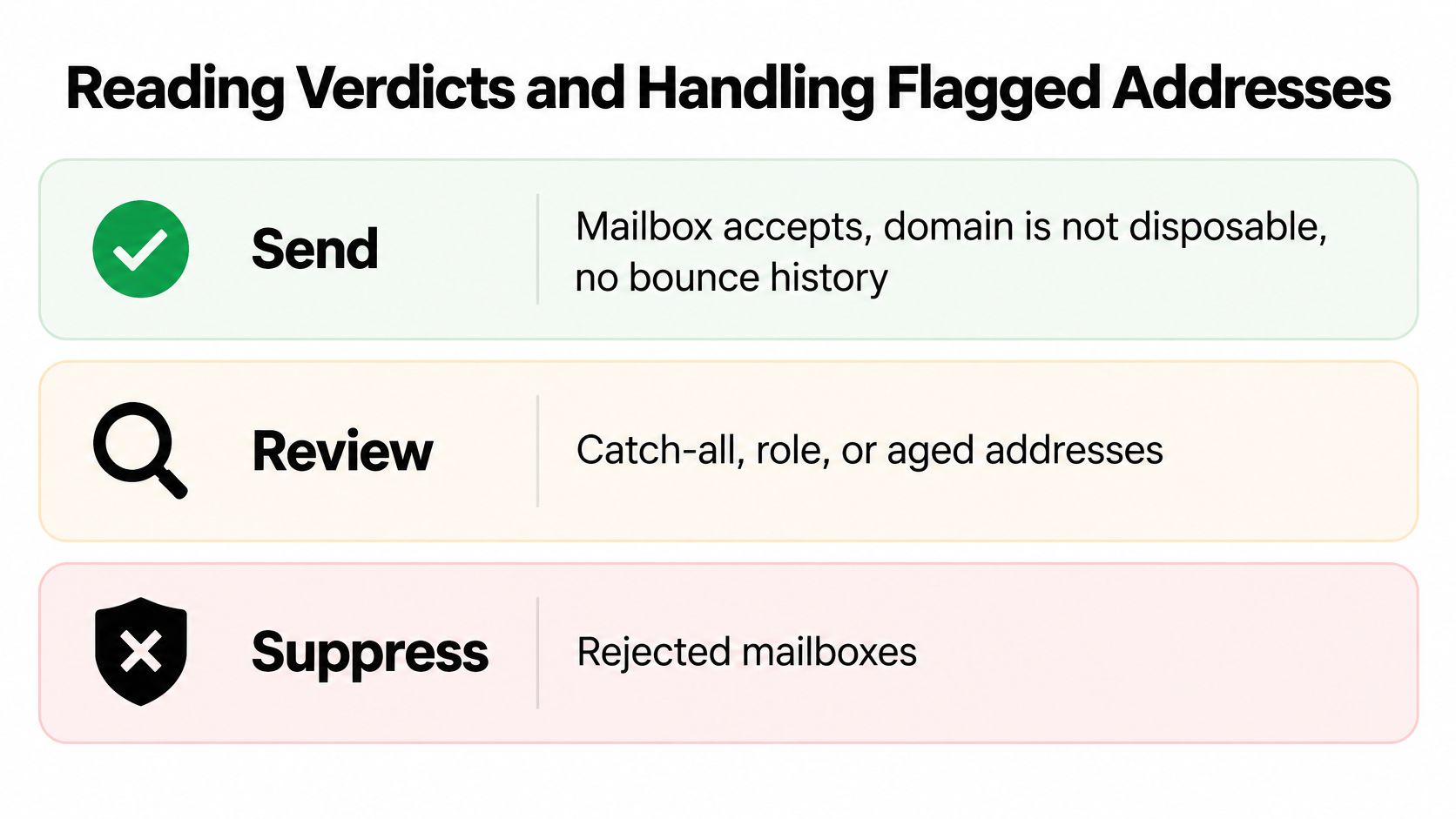
| Send | Mailbox accepts, not disposable, no bounce history | Keep in the main send list, subject to permission and campaign eligibility |
| Review | Catch-all domain, role address, or aged address | Send to an appropriate small segment or re-verify first |
| Suppress | Mailbox rejected, no mail route, disposable, or past hard bounce | Remove from the campaign list |
| Hard to call | Mixed score with warning signs | Decide by engagement history and campaign value |
The verdict is a routing instruction, not a character assessment of the subscriber. Send means the address has passed the recipient checks; your consent, unsubscribe, and targeting rules still apply. Hard to call should remain outside the main campaign until someone resolves the warning signs.
Use this visual checklist when handing results to the campaign owner.
Stripo's deliverability guidance supports combining staged verification signals into send, review, and suppress decisions, with uncertain addresses quarantined and cleaned results compared against subsequent hard bounces. That approach is more defensible than treating an SMTP response as proof of engagement.
Catch-all addresses need evidence beyond acceptance
Say a publisher runs a giveaway and imports the resulting subscribers. The file contains ordinary consumer addresses, catch-all domains, shared inboxes, and temporary addresses. A large eligible-looking segment might tempt the publisher to launch the newsletter to everyone immediately.
Catch-all results deserve a narrower decision. Because the domain accepts made-up recipients, a positive response doesn't distinguish a real subscriber mailbox from a nonexistent one. Don't turn that ambiguity into a guaranteed-valid label.
For the giveaway list, retain catch-all contacts only where there is independent evidence of a legitimate relationship and recent meaningful activity. A confirmed subscription, a genuine reply, or identifiable account activity is stronger evidence than the domain's acceptance response. Our guide to catch-all email addresses explains how to interpret that uncertainty.
If there is no supporting history, quarantine the address. A small test send isn't a substitute for permission, and it shouldn't become an excuse to contact an unqualified import.
Role accounts require campaign-specific judgment
An address such as support@ can be real and actively monitored while still being the wrong destination for a promotional sequence. Several people might receive the message, and none may be responsible for the decision you're trying to influence.
For the publisher's giveaway, a role address merits review because the signup doesn't clearly identify an individual reader. For a business sending a service notice to a customer's designated shared mailbox, the same address may be appropriate.
Cold-outbound teams should make that decision per campaign. A purchasing inbox explicitly designated for supplier inquiries is different from a general support queue. Don't classify every role address as invalid, but don't let mailbox existence substitute for relevance.
A shared inbox can be a legitimate destination without being a suitable marketing audience.
Disposable and aged addresses need different responses
Known disposable providers belong in the suppression segment for an ongoing newsletter. A temporary address may have served its purpose during a download or giveaway signup without providing a durable route to a reader. Suppressing it is a practical audience decision, not proof that the person acted in bad faith.
An aged address isn't automatically invalid. Its problem is stale evidence: the mailbox may have changed, and the reason for contacting its owner may no longer be current. Re-verify it and examine the relationship before returning it to an active segment.
For the hypothetical publisher, that means maintaining separate groups rather than flattening everything into valid or invalid:
- Confirmed eligible subscribers can enter the relevant newsletter audience.
- Catch-all and role contacts stay in review until context justifies sending.
- Disposable or definitively rejected addresses stay out of the campaign.
- Unresolved aged contacts need refreshed technical and relationship evidence.
Mixed results should have a named owner
Assign hard-to-call records to someone who can inspect acquisition source, engagement history, and campaign relevance. Write the decision beside the result so another marketer doesn't have to repeat the investigation.
Where the contact is legitimately eligible but technically uncertain, start with recently engaged recipients rather than the entire review group. Stop expanding that segment if complaints appear or meaningful engagement is absent. Don't repeatedly test inactive contacts merely because the verifier hasn't returned an explicit rejection.
Tag Review records so they're excluded from the next full send by default. Otherwise, a careful analysis can be undone by a saved audience rule that includes every subscribed contact.
Sender Settings a List Check Cannot Fix
A clean recipient list can't fix a sender that fails authentication. Test the actual messages produced by your email platform, not just whether DNS records exist. A published record and a correctly authenticated campaign aren't the same thing.
Mailgun reported that 54% of more than 1,100 global senders had implemented DMARC in 2025, compared with fewer than 43% in 2023. Adoption has grown, but your own configuration still needs verification.
Sender requirements and thresholds
| Requirement | Setting or Threshold | Why It Matters |
|---|---|---|
| SPF | Authorizes every legitimate sending service | Lets receiving providers check whether the sending server is authorized |
| DKIM | Signed with a domain aligned to the visible From domain | Supports message-integrity checks and sender-domain alignment |
| DMARC | Published, starting with a monitoring policy | Lets you review aggregate reports before moving to quarantine or reject |
| One-click unsubscribe | Supported on bulk mail | Required for bulk senders by Google and Yahoo |
| Spam complaint rate | Stay below the enforcement boundary and aim lower | Complaints can undermine inbox placement despite valid recipients |
Broadcom's sender-requirements guidance describes Google and Yahoo bulk-sender requirements including SPF, DKIM, DMARC, one-click unsubscribe, and spam-complaint rates below 0.3%. Verified.email's benchmark discussion identifies 0.1% as a recommended Yahoo complaint threshold and 0.3% as an enforcement boundary. Treat the boundary as a limit to avoid, not an operating target.
Check authentication in sending order
Begin by inventorying legitimate senders: your newsletter platform, transactional service, support system, and any sales platform. Make sure SPF authorizes the appropriate services without publishing competing SPF records. Oversized or incorrectly assembled records need correction, not another record added alongside them.
Next, send a test through each service and inspect the authentication results in the received message headers. Confirm that DKIM passes and that the signing identity aligns with the visible From domain. Selector mistakes and vendor-domain defaults can leave a message signed but unsuitable for your intended alignment.
Our guide to DNS for email explains the relationships between these records. Keep the person responsible for DNS involved when changing sending platforms.
Deployment advice: Don't tighten DMARC enforcement until you've identified the legitimate services sending on your behalf.
Start DMARC in monitoring mode, review aggregate reports, and investigate unexpected sources and failures. Moving directly to rejection can interrupt legitimate mail if a forgotten platform isn't configured correctly.
Finally, test unsubscribe behavior in the actual campaign. Confirm that the platform handles the request and excludes the contact from subsequent marketing. Authentication establishes identity; it doesn't replace a working exit for recipients who no longer want the messages.
Track Results After the Send
Keep a campaign record that connects the audience export to what happened after delivery. InboxKit's deliverability guidance recommends tracking inbox placement, hard bounces, complaints, and authentication failures by mailbox provider. Add meaningful engagement so you can distinguish technical acceptance from an audience that responds.
Watch outcomes by provider and verdict
- Inbox placement: Use seed tests to observe folder placement across relevant providers. Treat them as diagnostic samples, not proof of where every subscriber's message landed.
- Hard-bounce rate: Inspect rejection reasons and compare them with the address's pre-send verdict. Separate invalid recipients from policy or sender-related rejections.
- Spam complaints: Look for changes by acquisition source, campaign, and provider. Low hard bounces don't make rising complaints harmless.
- Engagement: Prefer genuine replies, relevant clicks, and downstream actions over opens alone. Apple Mail Privacy Protection can make opens an unreliable indicator of human attention.
Use Google Postmaster Tools for available Gmail sender-level reputation and compliance signals. Combine that view with your platform's reporting rather than expecting either dashboard to explain the whole campaign.
Diagnose the disagreement
If addresses labeled Send produce invalid-recipient hard bounces, investigate which check missed them and how much time passed before sending. If suppressed addresses appear among campaign recipients, inspect the export, integration, and audience filters first. That is an exclusion failure, not evidence that suppression worked.
When complaints rise while invalid-recipient bounces remain low, examine the offer, frequency, subscription expectations, and acquisition source. Re-running verification won't repair a mismatch between what subscribers requested and what you sent.
Use the distinction in our guide to email bounce rate to keep recipient failures separate from other delivery problems. Record the rejection text rather than saving only a campaign-level percentage.
For each campaign, retain the verification run identifier, audience filters, provider breakdown, and resulting suppressions. That record makes the next decision more precise: you can change a faulty selection rule without discarding an otherwise useful audience, or investigate sender infrastructure without repeatedly cleaning the same valid addresses.
Clean Your List and Recheck It Before Every Send
Remove suppressed addresses, quarantine review records, and send only to the eligible verified segment. Make those exclusions part of the campaign audience definition, not a note someone has to remember during scheduling. The final approval should cover both technical status and permission to receive that particular message.
Keep the audience separated into working categories rather than maintaining a single oversized campaign file.

Set the recheck rhythm around risk
A check is evidence from a particular moment, not a permanent attribute of the contact. Choose the next check using the list's age, acquisition source, sending cadence, and previous uncertainty.
- Regularly mailed audiences: Include verification in the pre-send checklist, especially for newly added contacts and unresolved results. Apply fresh bounce and unsubscribe exclusions before every campaign.
- Dormant audiences: Recheck before reuse and assess whether the original subscription still supports the proposed campaign.
- Event imports: Validate before merging, preserve the event source, and confirm what follow-up attendees agreed to receive.
- Purchased or unfamiliar sources: Don't treat a successful check as permission. Resolve the legitimate relationship and acquisition concerns before considering a campaign.
- Previously uncertain records: Recheck when there is a reason to expect better evidence. Repeatedly probing an unchanged catch-all domain doesn't resolve the underlying ambiguity.
Compare each run with the previous verdicts. Investigate contacts that moved from Send to Suppress, and keep the earlier findings available for audit. Don't automatically reactivate an unsubscribe or historical suppression just because a later technical result looks positive.
Make the cleaned audience usable
Upload the list or connect your email tool, run verification, and review the exceptions before approving the export. In our process, verification checks whether the receiving mail server would accept an address without sending any email to it, so the check doesn't affect sender reputation and contacts receive no verification message.
The clean list can be downloaded or pushed back into your email tool, with bad addresses tagged to keep them out of the next send. After syncing, inspect the actual campaign audience once more. A correct verification result is useful only if the sending platform applies it.
Use the walkthrough alongside your team's final audience review.
Prevention belongs at signup as well. A real-time check through an API call, or a one-line form integration, catches typos and fake emails before they enter the list. It reduces cleanup work without replacing consent collection or later review.
Give the campaign owner responsibility for approving exceptions and the operations owner responsibility for enforcing exclusions. That division keeps a questionable contact from slipping into a full send because nobody knew who should decide.
CleanMyList checks addresses and returns actionable verdicts with plain-English reasons, so your team can decide who to send to and who to skip. Visit CleanMyList to check your next campaign list, review flagged contacts, and export an eligible audience before scheduling the send.