Email to a new client bounces, and the first question you need answered is whether their domain publishes a mail server at all. Not whether the address is spelled right, not whether your own sending setup is broken, but whether the domain on the far side of the @ has anything listening. That's an MX record check, and it takes about ten seconds from your own computer.
The MX record is the piece of DNS that tells the outside world which hosts accept mail for a domain. If it's missing, wrong, or pointing at a dead host, every message to every address at that domain fails, no matter how clean your list is. If it's present and sane, you've cleared the largest domain-level obstacle and can start looking at the mailbox.
Here's the result-by-result table first, because the meaning of each answer matters more than the command that produced it. Then we'll get into what a clean result proves for your list, and where the check stops being useful.
Table of Contents
- Run an MX Lookup from Your Own Computer
- Read Each MX Result and Handle Null MX
- Confirm Every Mail Server Resolves and Has a Backup
- Re-Check Results From a Second Resolver
- Mistakes That Mislead an MX Check
- Confirm Your Domain Is Ready Before the Next Send
Run an MX Lookup from Your Own Computer
You don't need a paid tool to answer the first question. Every desktop ships with a resolver client, and the output is readable in a couple of lines once you know what the fields mean.
Open a terminal. On Windows that's Command Prompt or PowerShell, both of which have nslookup. On macOS or Linux, Terminal gives you dig or host.
On Windows:
nslookup -type=MX example.com
On macOS or Linux:
dig MX example.com +short
A healthy dig answer looks like this:
10 mail.example.com.
20 mail2.example.com.
The number on the left is the preference value. Lower numbers get tried first, so 10 before 20. The hostname after it is the mail exchanger, the actual server that will take the message. The trailing dot just marks an absolute domain name, not a typo.
With nslookup you'll see a header block, then an "answer" section:
example.com MX preference=10, mail exchanger = mail.example.com
Same two facts, different layout. Read the preference, read the hostname, move on.
Query the domain, not the mailbox host
This trips up more people than anything else in the whole process. MX records live on the bare domain, so example.com, not mail.example.com and not example.com/anything. If you query a subdomain that carries no records, you get an empty answer and may wrongly conclude the domain is broken. Run the query against the domain that owns the @ sign.
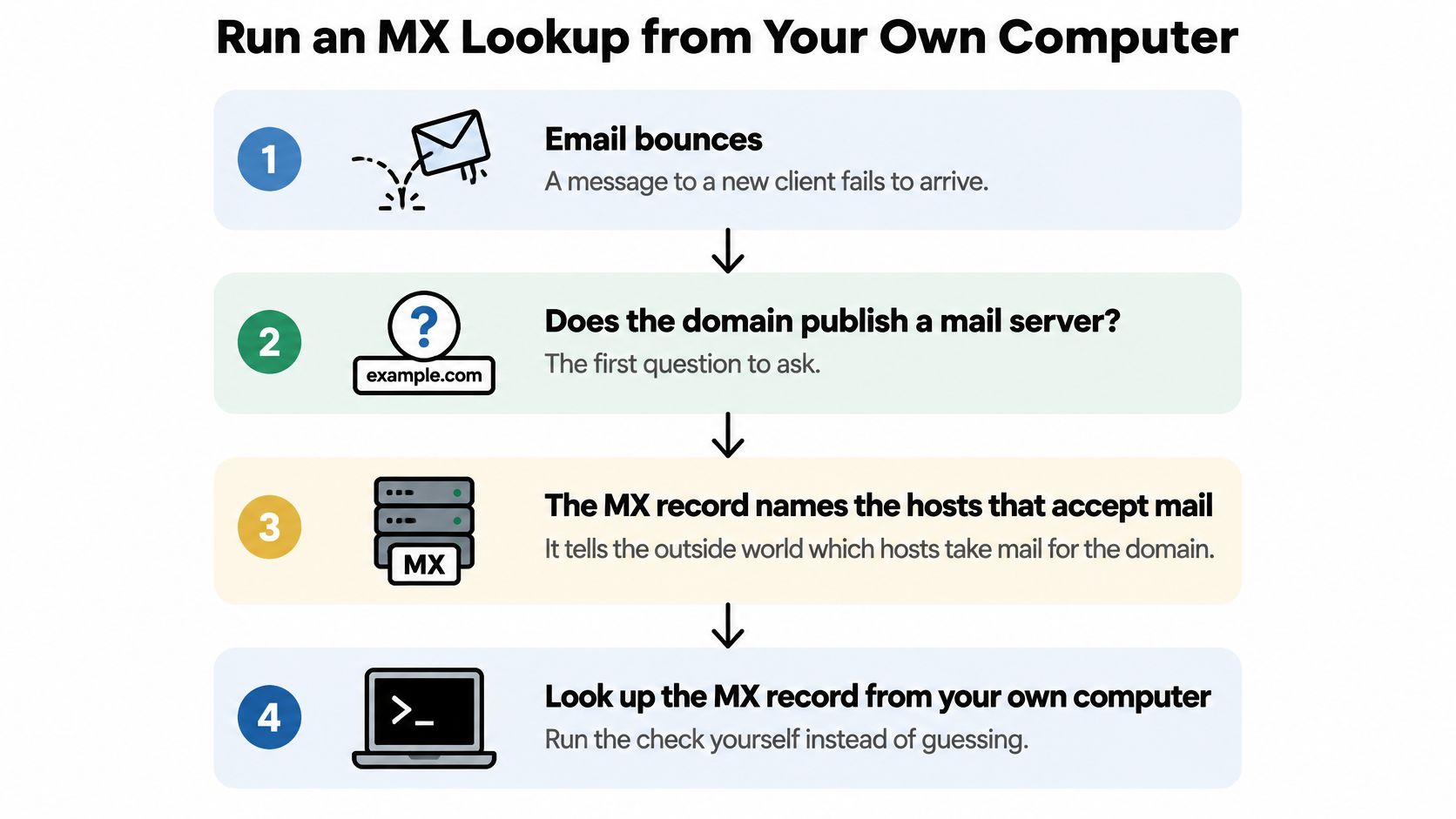
Confirm your tool works before trusting a negative. Query a domain you know receives mail, such as your own company domain. If that returns records and the problem domain doesn't, the missing answer is real. If neither returns anything, your resolver, network, or command is the problem, not the domain. That one control query saves a lot of wasted escalation.
Then compare the output against the MX entries in your DNS host's control panel. A mismatch means something changed without your knowledge: a provider migration that dropped the records, a zone edit that overwrote them, or a colleague testing a new setup. Paste the terminal output into a dated note so a later change is obvious when you look again.
The test to run today: at least one MX line should come back, and its hostname should belong to the mail provider you pay for.
Read Each MX Result and Handle Null MX
Every answer a lookup returns falls into one of a handful of categories, and each demands a different response. Treating them all as "no mail" is the single most common way people misdiagnose a mail problem.
| Result | What It Means | What to Do |
|---|---|---|
| MX lines returned, NOERROR | Domain publishes mail servers | Verify each server resolves to an address |
| Empty answer, NODATA | No MX record exists | Check the address-record fallback and confirm intent |
| NXDOMAIN | Domain name not found | Check spelling, registration and expiry date |
| SERVFAIL | Resolver or authoritative server error | Wait, then retry through a second resolver |
| Timeout | No response in time | Check your connection and retry later |
| Preference 0 with dot target | Null MX, domain refuses mail | Do not send; confirm the refusal is intentional |
The distinction between NXDOMAIN and NODATA matters more than many realize. NXDOMAIN says the domain name itself doesn't exist in DNS, so you're looking at a typo, an expired registration, or a deleted zone. NODATA says the name exists but has no MX records of its own. dig reports them differently, and if you're scripting the check, you need to branch on them separately or you'll mislabel both.
SERVFAIL and timeouts are the false-negative generators. A resolver hiccup during a zone change, or a slow authoritative server under load, produces exactly the same empty screen as a domain with no mail configured. If you collapse those into "no MX", you'll flag a working domain as dead and cut a good address from your list.
The two cases that confuse everyone
No MX at all is not automatically a failure. When a domain publishes no MX record, sending systems fall back to the domain's A and AAAA records, the same addresses that serve its website. Sometimes that fallback points at a real mail server and mail works fine. Sometimes it points at a web host that rejects SMTP outright. You can't tell from the DNS answer alone, so confirm with the domain owner or a delivery test whether the fallback is intentional.
Null MX is the opposite: an explicit refusal. A domain publishes a single MX record with preference 0 and the exchange set to the root label, written as a lone dot. That's a deliberate declaration that it accepts no mail. The RFC 7505 specification defines this record, and the standard notes that Null MX allows delivery attempts to fail immediately rather than queueing for days.
Check Null MX before any fallback. The order matters. Fallback to address records applies when MX records are absent, not when a domain has deliberately published a refusal. Detect the Null MX first and stop.
Two pitfalls bite here. The first is reading the dot as a hostname and trying to resolve it. The second is treating preference 0 as healthy without inspecting the exchange value. A 0 pointing at a real host is a normal high-priority server; a 0 pointing at a dot is a refusal. The preference alone tells you nothing.
Also watch for a Null MX published alongside other MX records. That's a contradictory configuration, and senders will behave unpredictably depending on which record they honor. It needs fixing, not interpreting.
A receiving server that rejects mail under this policy should respond with SMTP code 550 and enhanced status 5.7.27, per the RFC 5321 SMTP specification. If you see that code in a bounce, you're looking at a domain that told you no on purpose.
For a full worked example of what the records look like in a real zone, the breakdown of an MX record example walks through the format field by field.
If the refusal is unintended, publish your real mail hosts again and wait out the TTL. There's no shortcut around the cache.
Confirm Every Mail Server Resolves and Has a Backup
An MX answer is only an instruction, not a delivery. The hostname it names still has to resolve to a real IP address that accepts SMTP, and until you check that, you've verified nothing.
Start by sorting the records by ascending preference. Senders try the lowest number first, then work up the list as each attempt fails, which is why the ordering encodes your fallback plan.
Then resolve every target:
dig A mail.example.com +short
dig AAAA mail.example.com +short

At least one target must return a usable address. A hostname with no A or AAAA records is structurally unusable even though the MX query itself succeeded, and this is exactly the kind of half-configured state that produces bounces with no obvious cause. Note the IP addresses and keep them in your dated record.
What a normal hosted setup looks like
A Google Workspace domain typically returns hosts at preferences 1, 5, 5, 10, and 10. The doubled values aren't duplicates; multiple exchangers at the same preference are treated as equivalent and mail can go to either, which gives you balancing within a tier and failover between tiers.
If you see one lonely MX record with no backup, mail has a single point of failure. If you see a backup pointing at a provider you migrated away from two years ago, that's worse than no backup at all, because a failover will route real messages into an account nobody monitors.
The backup check is not enterprise-only. A 2020 measurement study of more than 2.7 million domains found that about 78% were MX-enabled, and roughly 60% of those used multiple MX hosts or addresses for balancing or fail-over, according to the active-measurement analysis of MX records. Redundancy across the public Internet is ordinary plumbing, not a large-company luxury.
That study is the reason I check for a second entry every time. Around 60% of the domains that accept mail have built a failover path. If yours hasn't, you're in the minority, and a single hosting outage takes your inbound mail with it.
For the wider picture of how MX, SPF and DKIM fit together in a zone, the guide to DNS records for email covers the relationships.
The honest summary of this step: you've now confirmed a routable, redundant path exists for mail to reach the domain. You have not confirmed that any human being at that domain will receive your message.
Re-Check Results From a Second Resolver
One resolver's answer is an opinion. Two resolvers agreeing, after a cache window has passed, is a configuration.
Force a query against a public resolver on Windows:
nslookup -type=MX example.com 8.8.8.8
On macOS or Linux, target Cloudflare or Google directly:
dig MX example.com @1.1.1.1 +short
Then run the same query against your DNS host's own nameserver, which you'll find listed in their control panel. Three data points, one comparison.
Read the TTL, not just the answer
Run the query without the +short flag to see the cache metadata:
dig MX example.com +noall +answer
The number in the second column is the seconds remaining in cache. That number tells you exactly how long a stale answer can persist elsewhere.
If two resolvers disagree, a cache still holds the old record. Don't touch your zone yet. Changing records again while propagation is in flight makes it harder to work out which version resolvers are serving, and it can extend the inconsistency window for everyone.
For SERVFAIL, the move is patience. Wait several minutes and repeat through both resolvers. If the failure follows you across resolvers and keeps happening, the authoritative server is the suspect, not your network.
For a timeout, test the connection first: try a different network, or retry at a different time of day. Timeouts that vanish on a second network were never about the domain.
The rule that settles most disputes. A result that stays identical across resolvers, and stays identical after the old TTL has expired, is a lasting configuration. Anything else is transient noise.
After any DNS change, rerun the lookup once the previous TTL has fully passed. Lower the TTL a day ahead if you can plan the change, because a short cache window makes verification quick instead of a waiting game.
Log four things every time: the answer, which resolver gave it, the TTL, and the timestamp. Those four fields let you reconstruct exactly what changed and when, which is the whole point of running the check twice.
Mistakes That Mislead an MX Check
The biggest misconception is that a passing MX check means a deliverable list. It doesn't. A clean MX result confirms that the part after the @ has a working mail server. It says nothing about whether the specific mailbox on the left of the @ exists, is active, or has room for your message.

That gap matters most with catch-all domains, which accept every address at the domain regardless of validity. A domain with perfect MX records can accept anything@example.com and discard it, so your clean result hides dozens of dead mailboxes. You spot catch-alls by trying a made-up address at that domain and seeing whether every mailbox appears valid.
Now the false alarms, named as misconceptions and corrected:
-
"I checked
mail.example.comand got nothing." MX records sit on the bare domain. Query the domain that owns the @, not the hostname you saw in the record. -
"The domain doesn't exist, NXDOMAIN." Then spell it properly.
gmial.comforgmail.comis the classic, and it's common enough that verification tools catch it directly with typo suggestions and domain existence checks. - "It's broken, I ran the check and got nothing." You may have caught a zone mid-change. Confirm the TTL of the old record, query two resolvers, and rerun after the TTL passes before you believe it.
- "A timeout means the record is missing." It means no answer arrived in time. Test your connection and retry.
- "One MX record is fine." It resolves the delivery question but leaves you with no fallback. A second entry at a higher preference is the cheap insurance.
There's also a subtler error: assuming a healthy preference order means the receiving server will honor it. Senders are required to try each relevant address, but a server can still reject for policy, reputation, or capacity reasons that DNS never reveals.
The honest split is this. Use MX checks for domain routing, and mailbox checks for individual addresses. Those are two different questions, and no amount of DNS digging will answer the second one.
Confirm Your Domain Is Ready Before the Next Send
A domain is ready to send when three things hold: its MX records resolve to hosts that belong to your actual mail provider, every target resolves to an address with a meaningful backup, and no Null MX or unexplained error sits in the answer. Anything else is a stop sign.
Work through the readiness pass in order. Run the lookup and match the hosts to your provider. Resolve each exchanger to confirm an address exists. Verify the backup is one you intend to keep. Then, if you changed anything, rerun after the old TTL has expired so you're reading the current zone rather than the cached one.
What that pass cannot do is tell you anything about the recipients. Domain-level routing is a fact about a server. Mailbox existence is a fact about a person, and you need a different check for it.
The order that saves bounces. Clear the domain, then clear the addresses. Skipping straight to the list without confirming the domain leaves you guessing which failure caused the bounce.
That's where the remaining work sits: verifying the list itself before it goes out. For a capture form, checking addresses one at a time through an API catches typos and fakes at the moment they're typed. For an existing list, bulk verification processes the whole file at once. Our email verification API handles both cases, one address at a time or in large batches from sign-up forms, apps, and scripts. Drop a CSV in and the verification runs without you needing deliverability expertise, so the domain checks and mailbox checks land in the same pass.
If you want the reasoning behind separating those two questions before you send, the guide to email address and domain validation lays out where each check applies.
Run your domain's MX lookup now. If the records come back clean and the backup is sane, the domain is ready, and the next move is verifying the list you plan to send to.
Once your MX records check out, the remaining risk is sitting in your list rather than in your DNS. CleanMyList verifies addresses against eight signals, including DNS and MX configuration, mailbox existence, catch-all behavior, disposable domains and role accounts, and gives every address a plain-English reason along with a send or skip recommendation. Upload a CSV or paste addresses, watch the verdicts stream back, and export the clean list into Mailchimp, Klaviyo, ActiveCampaign or your existing email tool. Every account starts with 50 free credits, no card required, so you can run a batch before your next send.