You are staring at this week's newsletter, ready to send one version to the whole list. That file includes the reader who bought last week and the reader who has not clicked in a year. Both are about to get the same subject line, the same offer, and the same send time.
It feels faster than building groups. It also treats two very different people as one subscriber.
Table of Contents
- What Email List Segmentation Really Means
- Segment Types Compared at a Glance
- Clean Addresses Before You Segment
- Measuring Engagement Without Trusting Opens
- Behavioral Segments That Lift Clicks and Revenue
- Topic Segments Built From Subject Lines and Clicks
- Your First Segment This Week
What Email List Segmentation Really Means
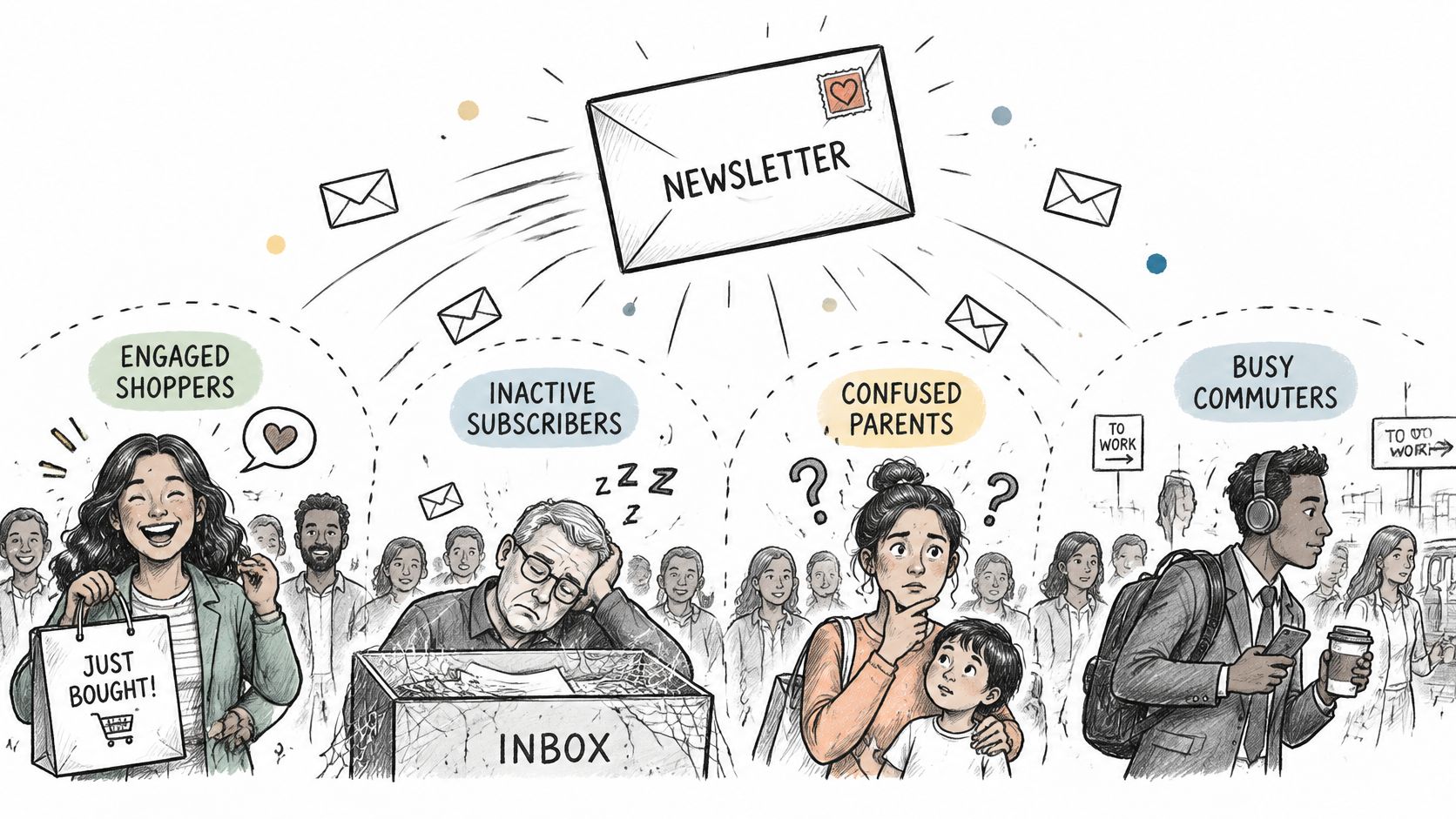
Email list segmentation means splitting one list into groups that share a trait and should receive a different message. A neighborhood shop does not drop one flyer on every door. Pool owners get the chlorine deal. Decorators get the paint card. The route is the same. The envelope changes with the house.
Who, when, and what
A split is worth making only when it answers three questions.
- Who receives it: only the people the offer fits.
- When it goes: a window that matches their stage, such as the first two weeks after signup.
- What it says: a sale, a how-to, or a product note, not all three jammed into one email.
The DMA Consumer Email Tracker 2023 surveyed 2,004 consumers in March 2023. 64% ranked email first for discounts, offers, and sales, 53% ranked it first for new products or services, and 44% ranked it first for advice, information, and reviews. In 2021, only 15% said at least half of the brand emails they received were useful. By 2023 that share had risen to 32%.
Relevance is the lever, and the addresses decide how far it moves. A sharp rule on a messy list still hits the wrong inbox. FluentCRM reported in 2025 that segmented campaigns generated 30% more opens and 50% more click-throughs than non-segmented campaigns. You also send fewer irrelevant messages, collect fewer unsubscribes and complaints, and earn more revenue per recipient.
Name the message before you name the group. If you can't, it isn't a segment yet.
Segment Types Compared at a Glance
Six splits cover most lists. Each row shows the data the group needs, one example you could build this week, and the risk that usually breaks it.
| Segment type | Built from | Example segment | Main risk |
|---|---|---|---|
| Demographic | Age, location, company size | Subscribers in London | Weak predictor of buying intent |
| Lifecycle | Signup date, onboarding stage | New subscribers in their first 14 days | Stages go stale if not updated |
| Behavioral | Clicks, purchases, site visits | Bought in the last 90 days | Must be recalculated before each send |
| Engagement | Recency of clicks and replies | No click or reply in 180 days | Opens are unreliable as a signal |
| Topic or interest | Clicked content and subject lines | Readers of pricing articles | Needs enough activity to classify |
| Role or firmographic | Job title, industry | Finance buyers in mid-size firms | Role accounts like info@ need separate handling |
Start from a send you will actually make
Pick the one or two rows tied to a decision this week. A promotion points at recent buyers and people who viewed a product. A welcome series points at new subscribers in their first 14 days. A win-back points at no click or reply in 180 days. If a row does not change the copy, the offer, or the timing, leave it for later.
Demographics are a weak first cut. City, age, or company size rarely shows intent. "Subscribers in London" works for a London workshop. It is a poor guide for a national sale. Pair location or firm size with a behavior, such as a purchase or a click on a pricing page, before you treat the group as ready to mail.
Lifecycle labels expire. "New" is true on day one and false on day 30. Tie the rule to signup date and refresh it, or people stay in the welcome track after they have already bought.
B2B role accounts are not job titles. info@ and support@ belong to a shared inbox, not to a finance buyer. Mark them and decide whether they sit in a newsletter, a review pile, or a suppression group before any outbound send. Don't delete them by default, and don't write to them as if a person opened the mail.
If you cannot name the message each segment will receive, the segment is not ready.
Clean Addresses Before You Segment
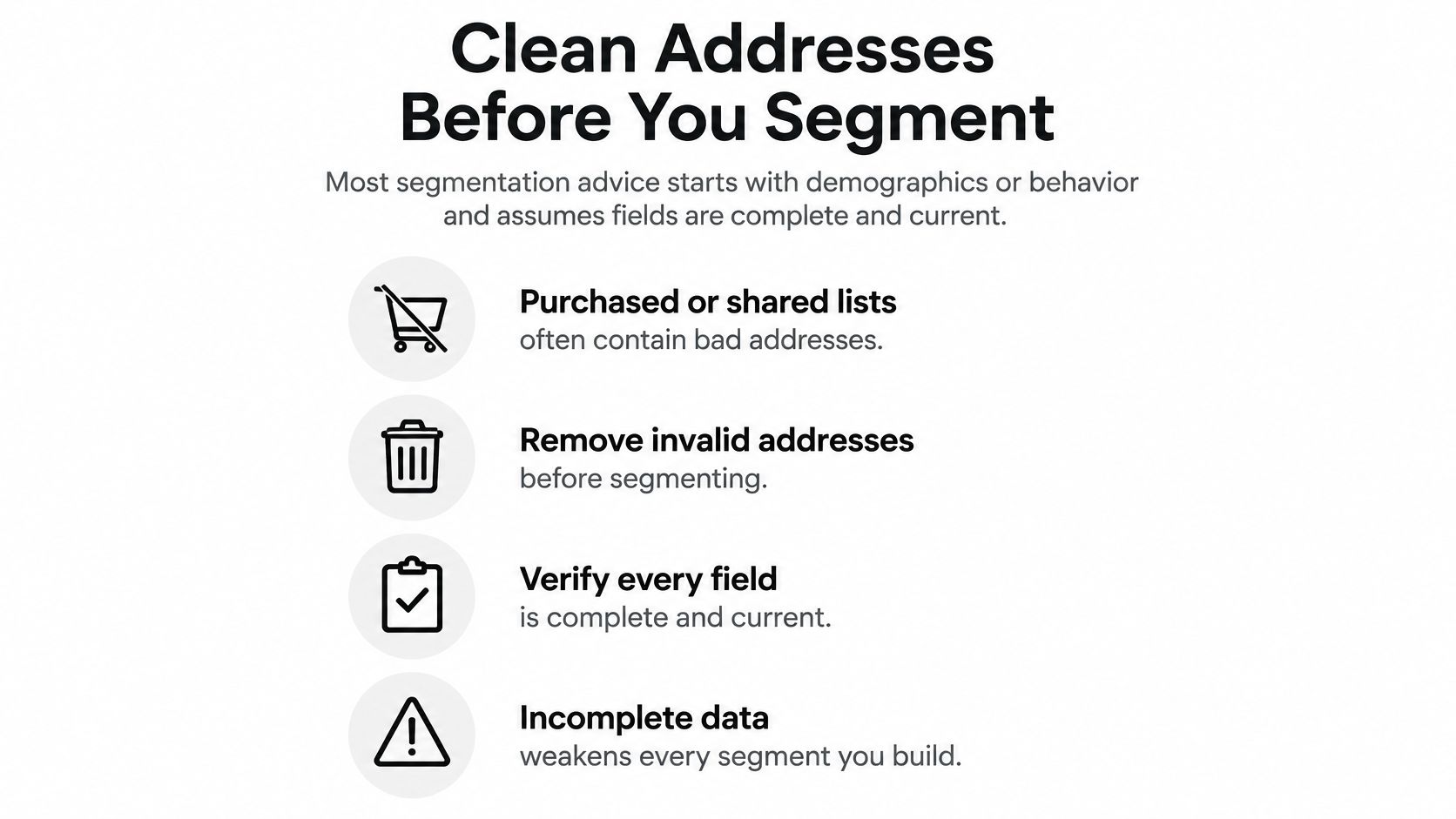
Most advice starts with demographics or behavior and assumes those fields are complete and current. They often aren't. Salesforce notes that purchased or shared lists often contain outdated or inaccurate data, produce high bounce rates, and can harm deliverability because recipients did not explicitly opt in.
A complex model on a dirty list can make worse calls than a simple model on clean data. Invalid, stale, role-based, and catch-all addresses inflate bounces, flatten engagement, and scramble revenue by segment. A small bad cluster is enough to make a "high value" group look dead, or a dormant group look toxic, when the actual problem is the file.
What distorts the math
A catch-all domain accepts mail for any local part. The server says yes even when no such mailbox exists, so you cannot confirm a person is there. Decide, per segment, whether those addresses belong in a high-value customer group. Many teams keep them out of tight promotional sends and allow them only in low-frequency broadcasts.
A role account such as info@, sales@, or support@ is a shared box. Several people may read it, or nobody may. In a B2B newsletter it can be a real route to a team. In a personal lifecycle journey it is noise. Flag it for a decision. Automatic removal throws away some legitimate routes, and automatic inclusion pollutes "named buyer" segments.
Say a 2,000-row "buyers in 90 days" export hides 80 dead addresses and 40 catch-alls. Bounce rate for that segment jumps, inbox providers throttle the next send, and the revenue-per-recipient number drops even though the live buyers were fine. You would have made a better call with one clean rule, "purchased in 90 days and mailbox confirmed," than with five clever rules on the raw export.
A segment-readiness checklist
- Keep the original file untouched. You may need the raw rows if a rule was wrong.
- Check syntax, domain records, and mailbox existence. A pretty segment cannot fix an address that cannot receive mail.
- Flag disposable and mistyped addresses. They bounce or vanish and they skew every rate.
- Mark role accounts for a decision, not a default delete. Shared inboxes are a policy choice.
- Set a catch-all policy per segment. High-value groups should not rest on unconfirmed boxes.
- Build segments only from records you can send to. Separate deliverability risk from subscriber intent.
- Re-run aged lists on a schedule. Addresses go stale between campaigns.
Adding one line of code to a signup or checkout form catches fake or mistyped emails before they enter the list. That is cheaper than discovering them inside a segment report. If you want the field-by-field checks written out, this email list validation walkthrough is the place to start.
A segment report is only as honest as the rows that were allowed into it.
Measuring Engagement Without Trusting Opens
"Opened recently" used to feel like a safe engagement segment. It isn't. Apple Mail Privacy Protection preloads email content and images even when the person never opens the message, so open rate rises on its own. Any group built on that event mixes real readers with people who did nothing.
More segments are not automatically better. A segment is only as good as the event behind it. The event has to be something the person chose, and something you can measure.
| Signal | Reliability | What it tells you |
|---|---|---|
| Opens | Low after Apple Mail Privacy Protection | Possible interest, inflated by preloading |
| Clicks | High | Active interest in the content |
| Replies | High | Direct engagement with the sender |
| Purchases | High | Commercial intent and buying history |
| Site visits after email | Medium | Browsing intent tied to the message |
| Recency of any meaningful action | High | Whether the contact is still active |
Compare lists of a similar size
List size changes the numbers you are staring at, so a small engaged file and a huge broadcast are not the same test. HubSpot's open-rate benchmark records that campaigns under 5,000 recipients saw a 37.6% open rate, a 10.2% click-to-open rate, and a 4.4% click-through rate, while sends above 250,000 recorded 26.0%, 2.9%, and 0.8%. Judge a segment against a holdout of similar size, not against a totally different blast.
When to call someone inactive
Pick a window of no meaningful action, such as 180 days with no click, reply, purchase, or site visit tied to your mail. Test that cut on a sample before you suppress the whole group. A missing open is not a reason to remove someone. Privacy tools can hide a real reader who still receives your mail and still buys.
Split the file into three piles before you write anyone off.
- Acted recently: clicked, replied, bought, or visited. Keep them in active sends.
- Deliverable but quiet: mailbox checks out, and no reliable action in your window. Move them to a slower cadence or a single re-engagement test.
- Stale or invalid: failed mailbox checks, hard history of bounces, or a dead domain. Keep them out of the next send so they don't distort the segment.
Use list-quality checks and campaign results together. A privacy-protected address can be healthy. A bouncing address cannot. Those are different problems, and only one of them belongs in a suppression segment.
Behavioral Segments That Lift Clicks and Revenue
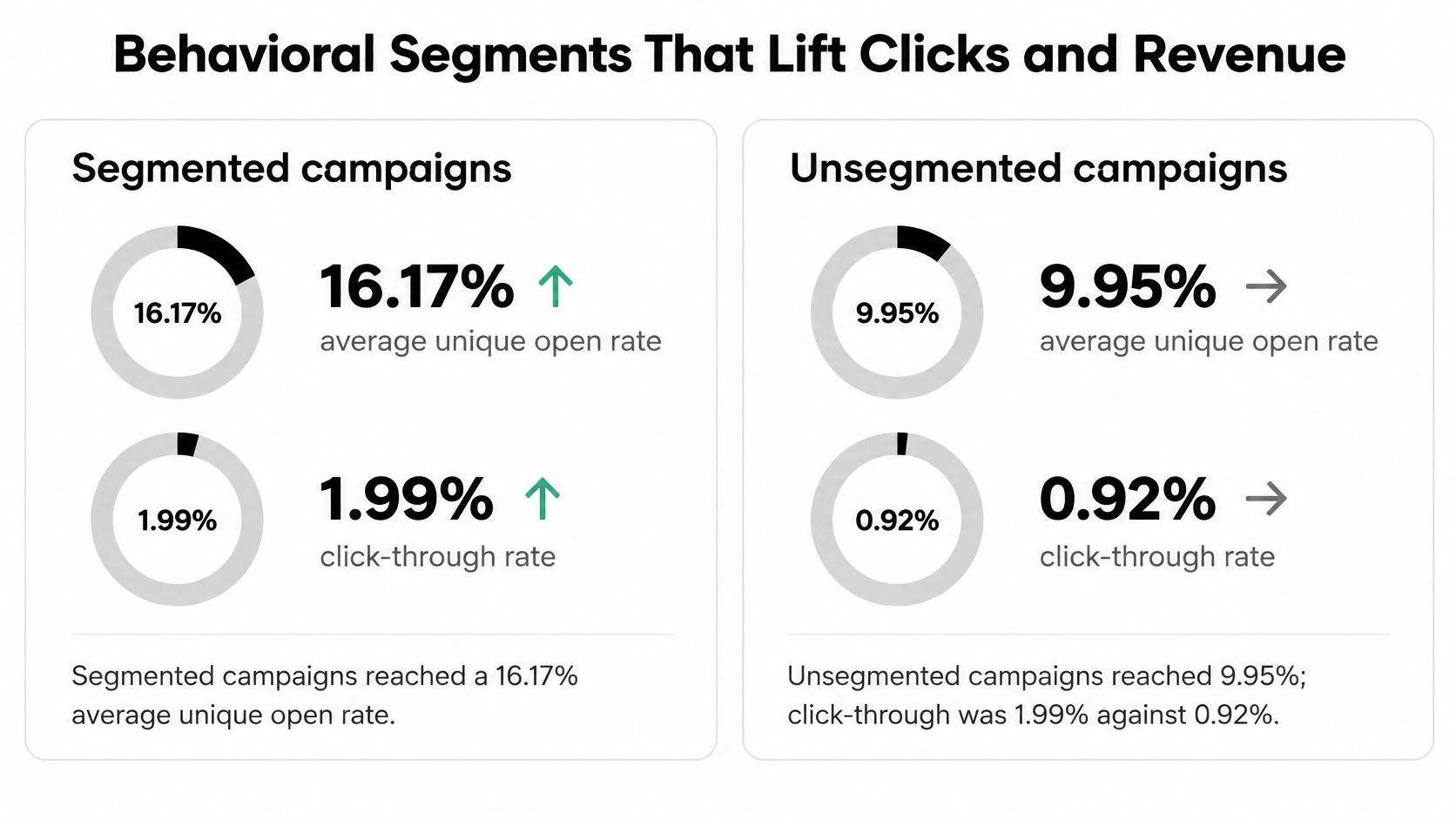
Behavior is where email list segmentation usually pays for the extra setup. In a Klaviyo benchmark covering 2,619,441,297 emails sent by U.S. e-commerce customers, highly segmented campaigns produced a 16.17% average unique open rate versus 9.95% for unsegmented campaigns. Average click-through rate reached 1.99% versus 0.92%.
The mechanism is ordinary. A recent purchaser should not get a discount on the product they just bought. Take irrelevant people out of the send and the people who remain are more likely to open and click. You also stop burning the list with offers that don't fit.
For a closer look at mail that assumes an existing relationship, see what a relationship email is built to do after the first purchase.
Three rules you can write this week
Recent purchasers. Bought in the last 90 days. Send care, a refill, or a complementary item. Do not send the same first-order coupon.
High-intent browsers. Viewed a product page at least twice and did not buy. Send that product, or a tight comparison, not the whole catalog.
Dormant subscribers. No purchase and no click inside your inactivity window. One plain re-engagement note, then a slower cadence. Don't keep them on the weekly promo.
Rules that keep the groups honest
Make the segments mutually exclusive for a given campaign so nobody lands in two competing sends. A buyer who also browsed should get the post-purchase note, not the browse nudge and the coupon.
Refresh membership before each send, or at least daily on a triggered journey. Otherwise someone who checked out this morning still sits in "didn't buy" and gets a discount for a product already on the way.
Keep a holdout that receives the broadcast version. Compare segment-level click rate, conversion rate, revenue per recipient, unsubscribe rate, and complaint rate against that holdout. If the segment wins on clicks but complaints jump, the offer is too aggressive, not "more relevant."
Because privacy controls distort opens, treat clicks, conversions, and revenue as the primary signals. Opens can sit in the report. They should not decide the next split.
A short walkthrough of how these rules look inside a live journey is worth ten minutes before you build the first flow.
Topic Segments Built From Subject Lines and Clicks
Topic splits go one step past "clicked something." They ask what the click was about. A peer-reviewed conference study modeled email-title topics with the Biterm Topic Model, built for short text, and combined those topics with historical interactions. The resulting topic-based segmentation increased average open rate by nearly two times.
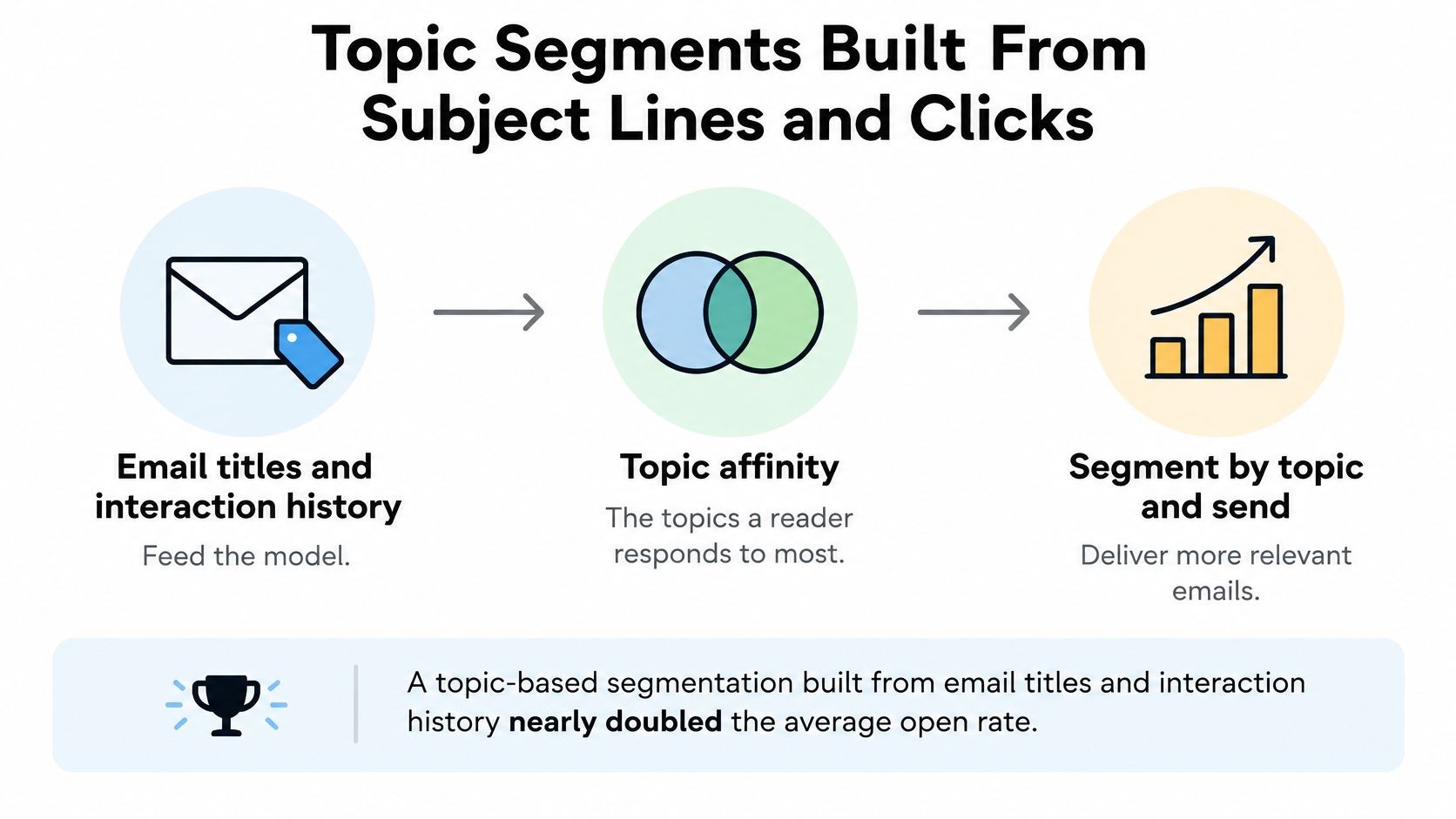
Two features do the work. Topic affinity is what a reader cares about. Interaction history is how strongly they respond. Together you can separate people who read pricing, people who read product education, and people who read industry news, then change the subject matter, the cadence, and the call to action. Pricing readers might get a comparison and a shorter gap between sends. Education readers might get a how-to and a softer ask. If you want subject-line patterns that still sound like a person, these funny subject lines for emails are a useful contrast to a hard sell.
A pipeline you can run without a data team
- Tokenize subject lines and the content people clicked. You need the words they responded to, not the words you hoped would work.
- Remove stop words. Tiny words drown the topic.
- Infer topic distributions with a short-text model such as the Biterm Topic Model. Ordinary long-document models struggle on a six-word subject line.
- Assign a dominant topic only above a confidence threshold. Below it, park the contact in an exploration segment so you keep learning.
- Combine the label with recency and click frequency. A pricing reader from three years ago is not a pricing reader now.
- Keep chronically inactive contacts off high-frequency topic sends. Interest you can't confirm should not get three emails a week.
- Test topic-specific content against a randomized generic-content control. Otherwise you can't tell if the topic did the work.
- Track click-to-open rate, downstream conversion, unsubscribe rate, and revenue per delivered email. One vanity metric will flatter a bad split.
- Retrain as the catalog and the audience shift. Last year's topics will misfile this year's products.
A threshold set too low is the usual failure. The model stamps "pricing" on someone who opened one subject line by accident, and that person then gets a hard sell every week. Raise the bar until the exploration segment is unsure, not a dumping ground you never mail.
Your First Segment This Week
You can finish one honest segment in a single working session. Don't boil the list. Ship one decision.
- Pick one row that matches this week's send. A promotion, a welcome series, or a re-engagement note. Write the message in one line before you export anyone.
- Export the list and keep an untouched copy. The raw file is your undo button.
- Validate before you slice. Check syntax, domain records, and mailbox existence. Flag disposable and mistyped addresses. Set a catch-all policy for this segment. With us, cleaning is three steps. Drop your list in, watch it clean, then send to real people.
- Build the segment only from verified records, and hold back a control group that still gets the broadcast version. Download the clean results or push them back into your email tool. Bad addresses are tagged so they stay out of the next send.
- After the send, compare clicks, conversions, and revenue against the holdout. Leave opens out of the verdict.
- Schedule a re-run of aged lists so stale addresses don't distort the next comparison.
Segments are only as accurate as the addresses behind them. Validate first, then segment.
CleanMyList checks each address before you build a segment, so invalid, stale, and risky rows don't warp your groups. Upload a list, see a plain-English reason on every result, and export or sync only the records you are willing to mail. When you're ready to segment from a list that can receive the message, start at CleanMyList.