Your campaign left the building at 9 a.m. By 9:20 the bounce folder is full: 38 notices, each a block of server text with a reply code buried in the middle, and one nagging question underneath. Why do emails bounce back, and is the list you spent three months building already broken?
Many marketers answer that question by deleting every address that bounced. That's the wrong reflex roughly half the time. A bounce is a reply from the receiving mail server, and like any reply it carries a diagnosis. Read it and it tells you whether the problem is the address, the timing, or something you did as a sender. Delete on instinct and you'll discard real subscribers while leaving the actual fault in place.
The stakes are bigger than a messy folder. In 2025, 28.4% of global email senders named reducing bounces as one of their top three deliverability challenges, according to Mailgun's survey of more than 1,100 senders. Here's how to read what comes back.
Table of Contents
- Hard and Soft Bounces and Their Codes
- How to Read a Bounce and Decide What to Do
- Permanent Causes That Make Addresses Bounce
- Temporary Causes That Clear With Retries
- Sender-Side Blocks That Reject Valid Addresses
- Pre-Send Checks That Prevent Avoidable Bounces
- Check Your Bounce Rate Before the Next Send
Hard and Soft Bounces and Their Codes
A letter comes back stamped return to sender. Sometimes the street address was wrong. Sometimes the local depot was closed for the day and the letter goes out again tomorrow. The envelope looks identical in both cases, but only one of them asks you to find a new address.
Email works the same way, except the receiving server tells you which case you're in. It answers every delivery attempt with a three-digit SMTP code, and the first digit is the verdict. Under RFC 5321, a code starting with 5 means a permanent failure, a hard bounce: this server will not accept this message for this recipient. A code starting with 4 means a temporary failure, a soft bounce: the server couldn't take it right now, and a later attempt may succeed.
The remaining digits, and the enhanced status code attached to them, narrow the cause. RFC 3463 defines those enhanced codes, which is where 5.1.1 comes from: five for permanent, one for addressing, one for a bad destination mailbox. That extra precision is the difference between a guess and a diagnosis.
| SMTP code | Bounce type | Typical meaning | Action |
|---|---|---|---|
| 550 5.1.1 | Hard | Mailbox does not exist | Suppress the address permanently |
| 550 5.7.1 | Hard | Access denied or policy rejection | Suppress, then check sender authentication and reputation |
| 450 4.2.1 | Soft | Mailbox busy or temporarily blocked | Retry later with increasing delays |
| 452 4.2.2 | Soft | Mailbox full, storage allocation exceeded | Retry, then suppress if it recurs across several sends |
| 421 4.7.0 | Soft | Too many messages, rate limited | Slow the send rate, then retry |
| 451 4.7.1 | Soft | Greylisted or policy deferral | Retry, most clear within minutes |
Read any row left to right and it hands you the decision. A 550 5.1.1 says the mailbox isn't there, so continuing to send to it wastes volume and signals poor hygiene to the provider. A 452 4.2.2 says the inbox is full, so the address deserves another attempt in a day or two.
Two notices, two responses
Say a newsletter goes out to a list that includes a former colleague's work address and a customer whose inbox is over quota. The first comes back 550 5.1.1: the mailbox was closed when she left the company, and no future send will change that. The second comes back 450 4.2.1: the mailbox was busy or temporarily blocked at that moment. Same campaign, same day, two completely different fixes. Deleting both loses a live subscriber. Retrying both wastes sending capacity on an address that no longer exists.
The rule to apply today: read the code before you touch the list. The first digit tells you whether the problem is the address or the timing, and only the address problem justifies removal.
How to Read a Bounce and Decide What to Do
Bounce notices are written for servers, not people, so the useful part sits in the middle of a paragraph of protocol text. Pull out the code and the rest becomes a decision tree rather than a judgment call.
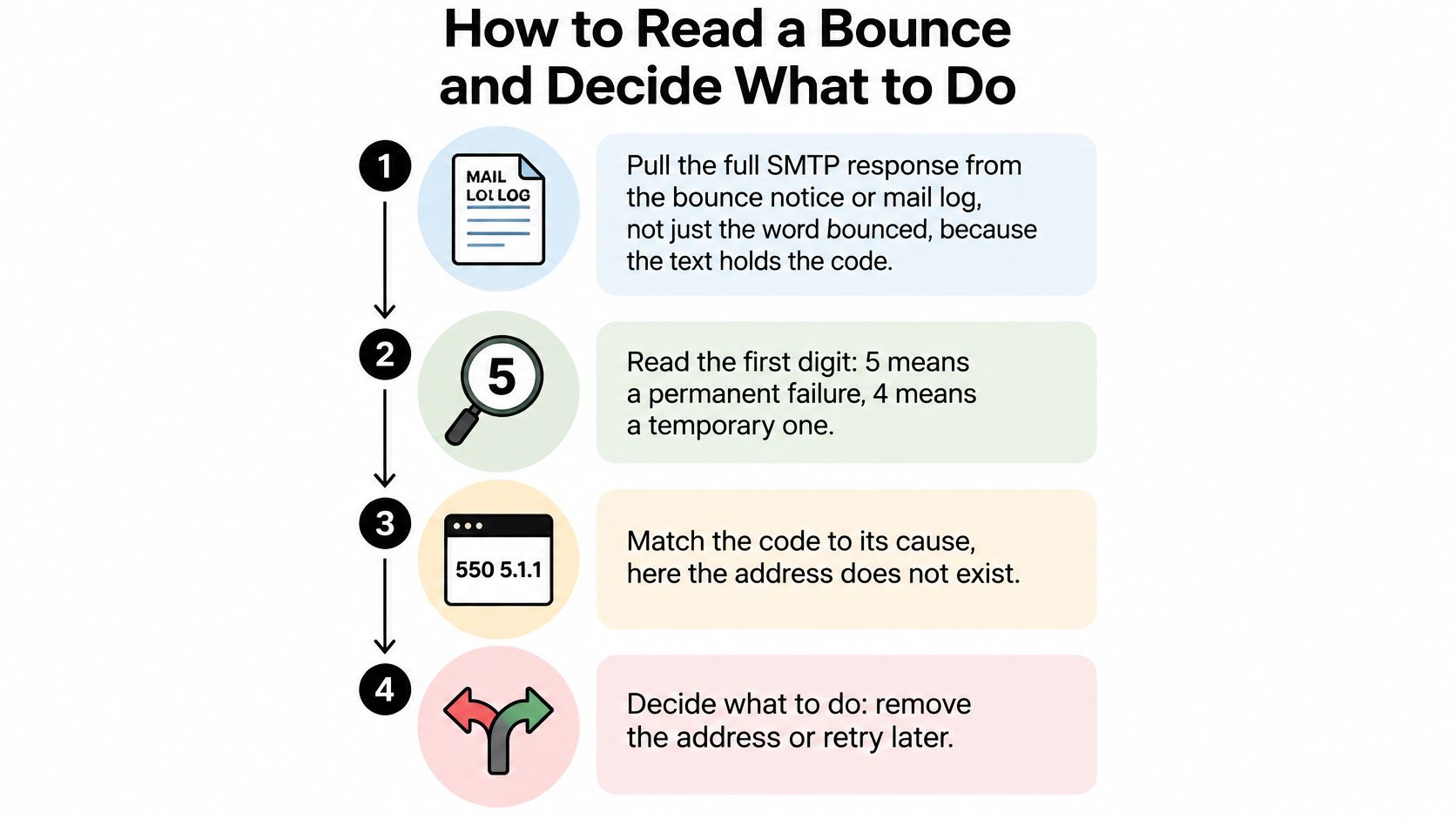
The flow below is the one to run every time a bounce lands in your inbox.
Here's the part most guides skip. An email can bounce when the address is syntactically perfect and the mailbox exists, because the receiving server can reject the message on sender reputation, authentication, content, attachment size or traffic patterns. Verification reduces avoidable bounces. It cannot diagnose a block aimed at you rather than at the recipient.
- Pull the full response, not the word "bounced." Every bounce notice and mail log carries the raw server reply. Without the code you're guessing at the cause, and guessing leads to deleting addresses that were never the problem.
- Read the first digit. A 5 means permanent, a 4 means temporary. This one step prevents both errors at once: retrying a dead mailbox and deleting a live one.
- Match the enhanced code to its cause. 5.1.1 is an address-level failure, a mailbox that doesn't exist. A policy, reputation or authentication rejection looks different and points at your sending setup rather than at the recipient.
- Suppress confirmed hard bounces permanently. Remove the address from the next send and keep it out. Repeating a failed attempt earns nothing and costs reputation. Teams running outbound sequences can find a practical walkthrough in this guide to keeping hard bounces out of sequences.
- Retry soft bounces on a backoff. Space attempts further apart, and only suppress once the same address fails repeatedly across several days. Suppressing on the first soft bounce drops subscribers who would have received the next send.
- Stop and audit when many addresses across different domains fail with the same policy code. That pattern isn't a list problem. Check authentication, DNS and complaint rates before you delete a single contact.
What success looks like: each campaign produces fewer repeat hard bounces than the last, and the soft bounces clear within a few days of retrying. If your hard bounce count stays flat, the suppression step isn't sticking.
If your team prefers a walkthrough on screen, this short video covers the same decision process from the receiving server's point of view.Permanent Causes That Make Addresses Bounce
Most hard bounces start with something dull. A typo at signup, a stray letter that turns a real mailbox into nothing. Or an address that was genuine on the day it was collected and stopped existing some months later when its owner changed jobs.
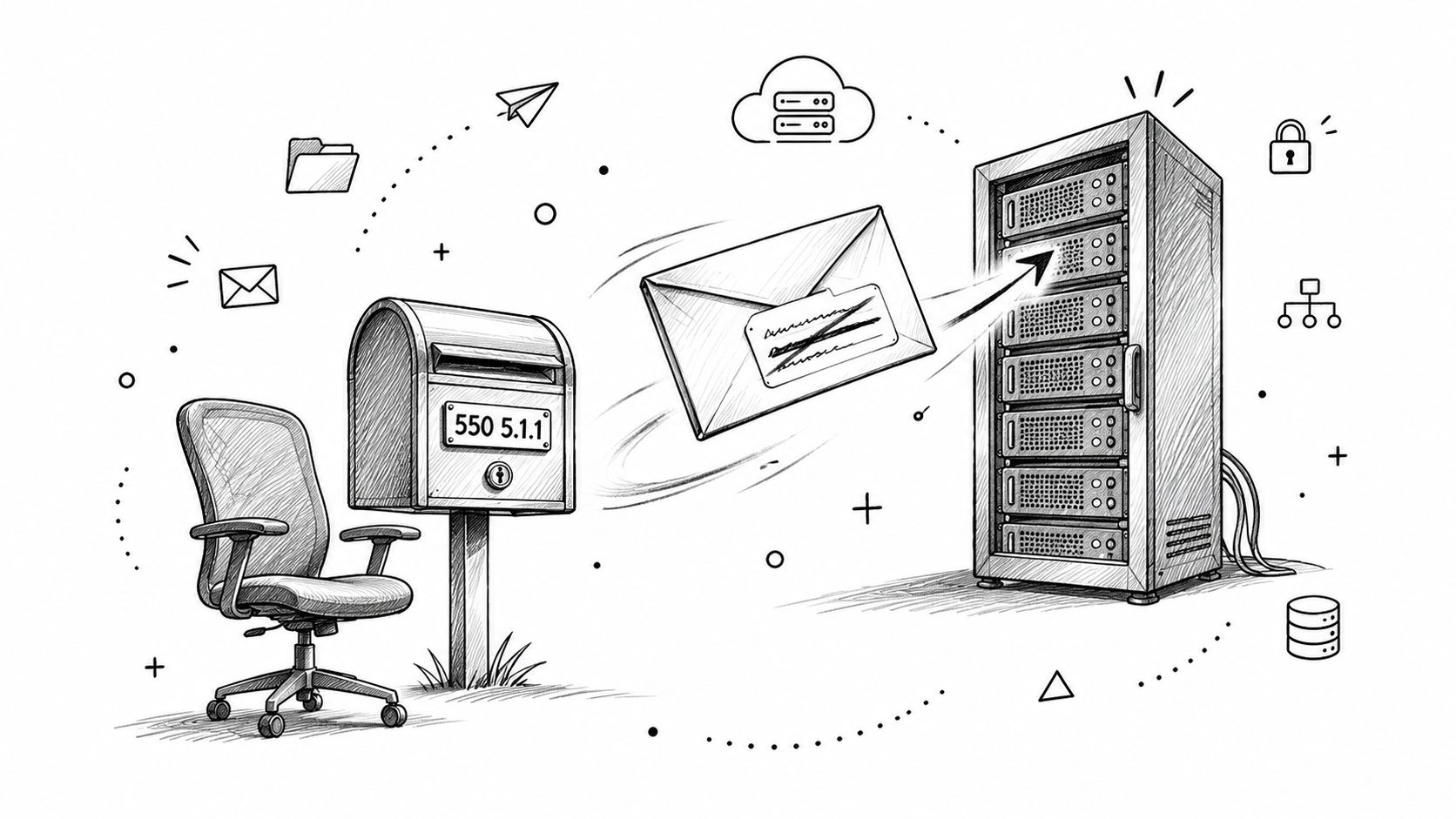
The server's report is blunt once you decode it. 550 5.1.1 means the mailbox does not exist, which covers both the misspelled address and the abandoned one. A domain-level failure is a different animal: the part after the @ has no working mail server, or the domain exists but doesn't accept mail at all. One is a bad name on a good domain, the other is a bad destination.
Time is the part people underestimate. A 2025 industry analysis reported that email databases lost at least 28% of their quality annually, flagged 2.5 billion invalid addresses, and found that only 62% of analyzed addresses were valid and safe to send, according to ZeroBounce's report on email list decay. The same reporting notes B2B lists deteriorate faster, because job changes retire professional addresses long before anyone updates a CRM.
Where catch-all domains hide the risk
A catch-all domain accepts every address you throw at it, valid or not. That's why a catch-all address can pass a basic check while still being a coin flip. Our catch-all check works by trying a made-up address on the domain to see whether every mailbox appears valid, which flags those domains for caution rather than trust.
Say a growth team runs a campaign to a list assembled two years earlier at a trade show. The signup form was clean at the time and every address was real. Two years on, a meaningful share of those professional addresses belong to people who have moved on, and the first send bounces heavily through no fault of the campaign. The list didn't rot because of bad data collection. It aged.
So the first question isn't "how do I clean this list." It's "is this address still real and reachable today, or did it never belong on the list in the first place." Those two problems need different fixes at different moments.
Temporary Causes That Clear With Retries
Soft bounces are the receiving side having a bad day. The mailbox is full because someone hasn't cleared their inbox in months. The account is briefly disabled. The server is overloaded, mid-migration, or down for maintenance. None of that says anything about whether the person wants your email.
Greylisting confuses a lot of senders the first time they meet it. The receiving server defers the first delivery attempt from an unfamiliar sender, then accepts the retry minutes later. It looks like a rejection in the log and behaves like a queue. If your sending setup retries, greylisting resolves itself and you never need to think about it.
Rate limiting is the one that gets mistaken for a list problem. When a sender pushes too many messages to one provider in a short window, the provider pushes back with a temporary deferral. The fix is to slow the sending rate, not to remove addresses.
Practical rule: soft bounces need time and retries, not list deletion. If the same address returns the same 4xx code on several separate sends across multiple days, treat it as permanent and suppress it. A soft bounce that never clears is a hard failure in practice.
Picture a weekly newsletter that soft-bounces to a large share of one provider at 9 a.m., right after a burst send. The same addresses deliver cleanly when the send is spread over an hour at a lower rate. Nothing was wrong with the list; the schedule was the fault.
Configure retries with increasing delays rather than fixed intervals. A patient sender gives a temporary condition hours to resolve, then days, and only then draws a conclusion.
Sender-Side Blocks That Reject Valid Addresses
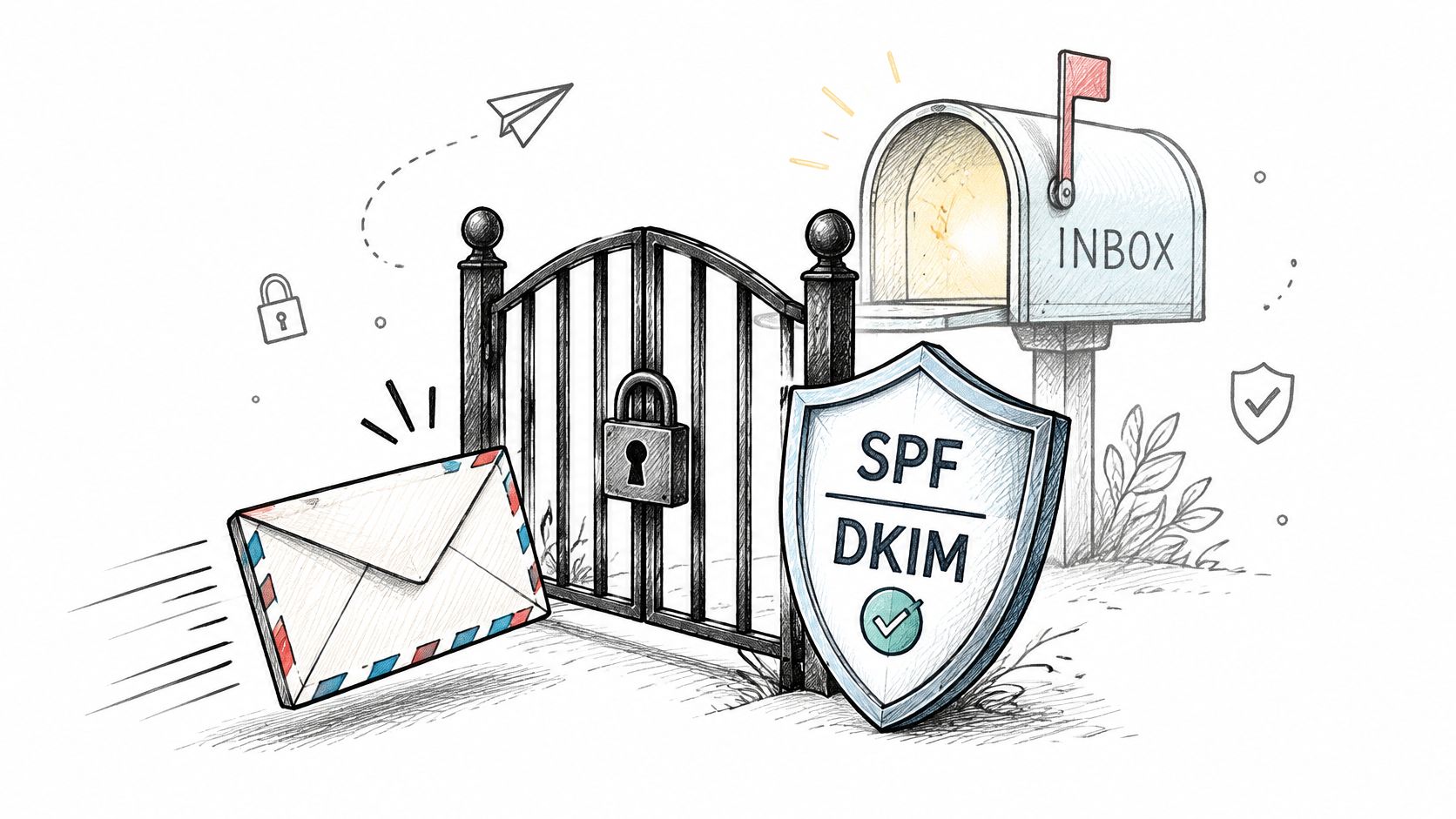
Here's the assumption worth challenging: that a bounce means a bad address. Plenty of bounces are aimed at you. Google's sender requirements call for SPF or DKIM authentication and valid forward and reverse DNS, including a PTR record, and failures can produce temporary or permanent SMTP errors or push your mail into the spam folder. The recipient's address was fine the whole time.
Complaints are the second lever. Google advises keeping the user-reported spam rate below 0.3%, and recommends aiming below 0.1%. Push past those levels and reputation drops, which can trigger rate limiting or outright rejection for every recipient on your domain. One noisy campaign can cost you delivery on the next three.
Shared infrastructure adds a twist that many senders don't expect. Google's guidance states that activity from other senders using the same shared IP affects the reputation of all senders on that IP. A brand new sender on a crowded IP can be blocked by behaviour that has nothing to do with them.
The checks to run when the address looks fine
- Authentication: confirm SPF, DKIM and DMARC are published and aligned with the From domain.
- DNS and PTR: verify forward and reverse DNS resolve consistently. Our guide to DNS for email deliverability walks through what each record does.
- Complaint rate: compare the last 30 days against that 0.3% ceiling.
- IP sharing: find out whether you're on shared infrastructure and who else is on it.
- Volume and content: a sudden jump in send size, an oversized attachment or a heavily image-based template can all trigger a rejection on their own.
Pre-Send Checks That Prevent Avoidable Bounces
A check is only useful if you know what it can't see. Each of these catches a specific class of problem and leaves the rest untouched.
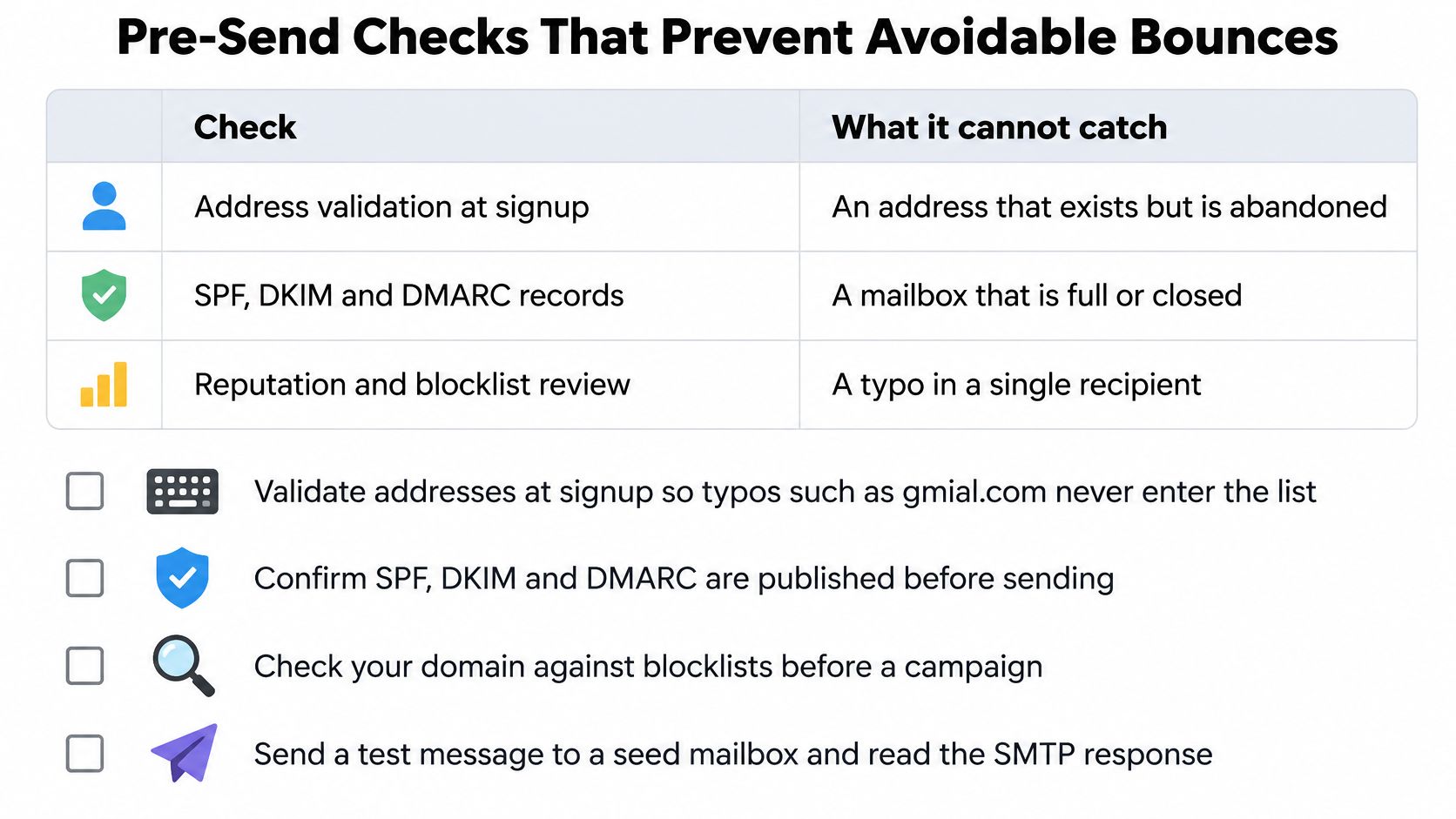
| Check | Catches | Cannot catch |
|---|---|---|
| Syntax check | Malformed addresses and typos such as gmial.com | A mailbox that was closed after the address was checked |
| Domain check | Domains with no working mail server | A missing mailbox on a domain that works |
| Mailbox existence check | Nonexistent mailboxes (550 5.1.1 cases) | Sender reputation, authentication or content blocks |
| Catch-all check | Domains that accept every address, which look valid but carry risk | Whether one specific mailbox is real |
| Disposable domain check | Temporary throwaway providers built to disappear | Genuine but unengaged subscribers |
| Role account check | Shared addresses such as info@ and support@ | Whether a real person reads the mail |
The sequence that works
- Validate at the point of signup. A real-time check in the form stops a typo before it becomes a contact record, and email validation best practices covers where to place it.
- Run the full list before every major send. Batch verification tags bad addresses so they stay out of the campaign, and you can see the reason behind each verdict rather than just a red label.
- Recheck aged lists and purchased data. Verification on a list built years ago is not the same task as verification on last week's signups.
- Remove confirmed hard bounces immediately. A suppression you delay is a bounce you repeat.
- Keep your sending domain authenticated and your complaint rate low. None of the four steps above protect you from a reputation problem you created yourself.
Two of those checks deserve a word of explanation. The domain check confirms that the part after the @ has a working mail server, which catches dead companies and mistyped domain names. Addresses from known temporary email services built to disappear are flagged separately, since a throwaway inbox will never open a newsletter.
When you want more than syntax and DNS in the same pass, inbox placement advice from Netco Design covers the sender-side habits that keep authenticated mail out of the spam folder.
The honest limit: pre-send checks cut avoidable hard bounces and give you a plain reason for each contact you drop, but they cannot diagnose a block aimed at your domain. Run them alongside the sender-side audit, not instead of it.
Check Your Bounce Rate Before the Next Send
Pull last campaign's numbers before you plan the next one. Divide bounced messages by messages sent, then split the total into hard and soft, because only the hard count points at a list that needs work.
Context helps you judge the result. Twilio's 2023 Email Marketing Benchmark Report found an average sender bounce rate of about 1.06%, with a median of 0.21%, according to Twilio's Email Marketing Benchmark Report. A rate far above the median usually means stale addresses, mistyped signup data, abandoned mailboxes or invalid domains rather than bad luck. Outbound teams should benchmark separately: Belkins' dataset put the overall B2B cold-email bounce rate at 1.71%, with 128,605 bounced messages out of 7.5 million emails, as reported in Belkins' email deliverability rates.
Run the arithmetic on your own send. Forty hard bounces from 2,000 messages sent is a 2.0% hard bounce rate, nearly ten times that median, and the list needs cleaning before it goes out again. Skim the wider set of email marketing tips from Silver Spoon Agency if you want to fix collection at the same time as the list.
Three moves this week: remove the hard bounces at once, verify the remaining list before the next send, and put older lists on a recurring recheck schedule. Verification checks whether the receiving mail server would accept an address without sending any email to it, so the contacts never receive a message and your sender reputation is unaffected. If you'd rather understand the metric first, this explainer on email bounce rate covers how to track it over time.
CleanMyList is built for exactly this loop: upload a CSV or paste your list, and every address gets eight checks, including SMTP mailbox existence, catch-all behaviour, disposable providers and historical bounce reputation, with a one-line plain-English reason and a send-or-skip recommendation. You can export the clean list or push it straight back into your email tool, and re-run aged lists whenever they've been sitting for a while. Start with 50 free credits at CleanMyList and find out how much of last campaign's bounce rate was avoidable.