The most popular advice about Yahoo Mail vs Ymail is also the least useful: choose one based on features. That assumes they're competing email services. They aren't. An address ending in @ymail.com is a Yahoo Mail account, just as an address ending in @yahoo.com is.
For a user, both addresses lead to the same Yahoo Mail environment and core mailbox service. For a marketing manager, however, the visible domain can provide useful lifecycle context. A Ymail address is typically a legacy identity, and legacy identities deserve careful verification rather than automatic trust or automatic suppression.
The practical question is therefore not which inbox is better. It's whether each address is active, correctly stored, engaged, and safe to mail. That distinction affects list hygiene, bounce handling, account continuity, and sender reputation far more than the label before the domain.
Table of Contents
- Why Yahoo Mail vs Ymail Is the Wrong Question for Marketers
- A Shared Origin Story Why Ymail Was Created
- Comparing Yahoo and Ymail Domains for Marketers
- How Ymail Addresses Can Impact Deliverability
- Common List Management Pitfalls with Ymail
- A Smarter Approach to Yahoo and Ymail List Hygiene
Why Yahoo Mail vs Ymail Is the Wrong Question for Marketers
Marketers lose time on Yahoo Mail vs Ymail when the operational issue sits elsewhere. Yahoo Mail is the service. Ymail is one domain identity inside that service. Yahoo's own address guidance makes that point clear, because it treats the domain extension as part of the full email address rather than as a separate mailbox system in its Yahoo's domain documentation.
For delivery, that distinction matters less than many teams assume. An @ymail.com record does not mean a different inbox technology, a different app experience, or a different class of Yahoo account. It also does not tell you whether the person behind that address is still active, still engaged, or still safe to mail.
What matters in practice: Ymail signals an address identity. It does not signal a separate mail platform.
I see the problem when database rules get too blunt. Some teams suppress every @ymail.com address because it looks old. Others treat @ymail.com and @yahoo.com as interchangeable and stop paying attention to account age, engagement decay, or bounce history. Both decisions create risk. One cuts reachable subscribers. The other keeps weak records circulating until performance slips.
The domain does offer a clue. An @ymail.com address can suggest an older signup path or a long-standing Yahoo identity. That can help with triage. It cannot prove the mailbox is abandoned, and it cannot confirm the opposite either. A subscriber may still use that address as a primary inbox for purchases, newsletters, and account recovery. Another may have left it untouched for years.
That is why deliverability teams should evaluate behavior, not nostalgia. Inbox providers respond to a mix of signals, including permission quality, complaint rates, authentication, sending consistency, and recipient engagement. Your team can manage those inputs. You cannot assume a legacy-looking domain will explain future performance on its own.
A practical rule set works better:
- Store the address exactly as submitted. Do not rewrite @ymail.com to @yahoo.com.
- Review questionable records with evidence. Domain recognition is not validation.
- Use engagement to guide decisions. Recent activity is more useful than the visible domain.
- Handle bounces case by case. The SMTP result should drive the action.
For marketers, the useful question is simple. Do not ask which label is better. Ask whether this specific Yahoo family address is valid, active, and worth keeping in rotation.
A Shared Origin Story Why Ymail Was Created
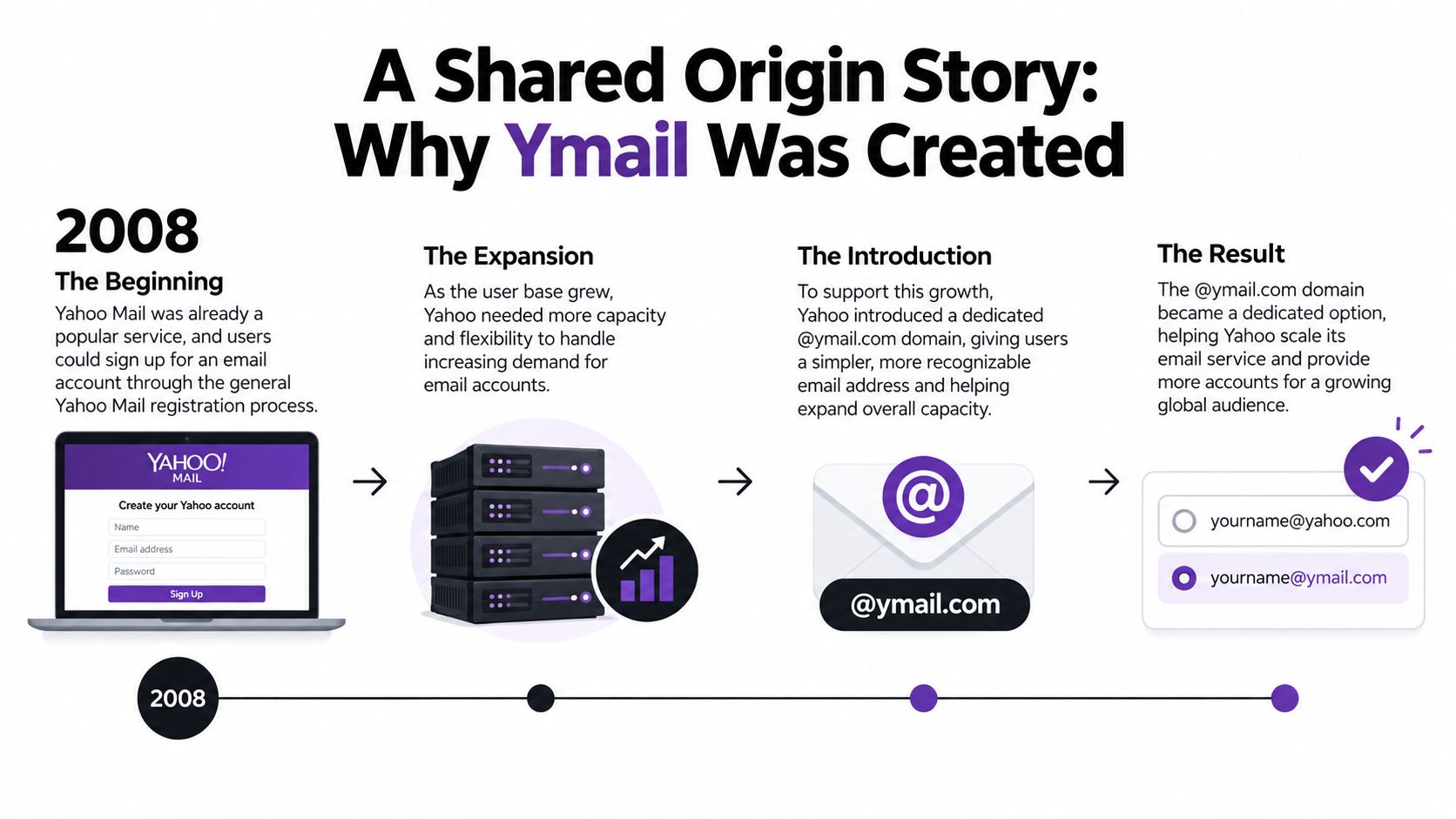
Yahoo created @ymail.com to solve an address-availability problem. By the time Yahoo expanded its domain choices, many desirable usernames under @yahoo.com had already been claimed. Adding another domain gave people more ways to create a Yahoo identity without building a separate mail platform.
Yahoo introduced @ymail.com on June 19, 2008, alongside the revived @rocketmail.com domain, as an option connected to the existing Yahoo Mail service. At launch, Yahoo said its mail service had approximately 266 million existing users, so the change was a large-scale address expansion rather than a small experimental product. Marketing Week's account of the launch documents that context.
A branding solution, not a technical split
The original problem was scarcity of memorable usernames. If a preferred name was unavailable at @yahoo.com, a user could try the same or a similar identity at @ymail.com. Yahoo could increase registration options while continuing to operate one underlying service.
That design explains why users did not receive a substantively different experience. The additional domain carried a different routing identity, but it did not create an independent Yahoo product. Core capabilities, including mailbox access and Yahoo's mail protections, remained associated with Yahoo Mail.
The distinction is similar to adding another entrance to an established building. The entrance matters when you route a visitor, but it doesn't mean the visitor has entered a different building.
Why the history still matters today
Yahoo later stopped presenting @ymail.com as a normal new-registration choice around 2013, while existing Ymail accounts continued operating through Yahoo Mail. The Ymail history summary describes that transition and also records that Yahoo Mail remained a major webmail platform shortly after Ymail's introduction.
That creates an important lifecycle pattern for data teams. A current @ymail.com address is generally an older Yahoo identity, but “older” doesn't mean “invalid.” It may be a mailbox that has survived account changes, device changes, employer changes, and years of contact history.
This is why historical context should inform your workflow without dictating your decision. Use it to ask better questions about inactivity, ownership, and engagement. Don't use it as a reason to delete a reachable contact before testing the record.
Comparing Yahoo and Ymail Domains for Marketers
Marketers usually lose time on the wrong comparison. The practical question is not whether Yahoo Mail and Ymail offer different features. It is whether your systems treat @yahoo.com and @ymail.com as distinct routing identities while still evaluating both through the same deliverability workflow.
| Criterion | @yahoo.com Address | @ymail.com Address | Impact for Marketers |
|---|---|---|---|
| Mailbox service | Yahoo Mail | Yahoo Mail | Don't treat them as separate providers |
| Address history | May be newer or older | Generally a legacy identity | Age can guide review, but it doesn't prove inactivity |
| Routing identity | Exact @yahoo.com address | Exact @ymail.com address | Preserve the complete address |
| User experience | Yahoo Mail website and apps | Yahoo Mail website and apps | Don't promise different features based on the domain |
| List risk | Depends on the individual record | Depends on the individual record | Verify and monitor both groups |
| Migration | Existing Yahoo ID remains tied to its address | Existing Yahoo ID remains tied to its address | Never assume a domain change is a rename |
The row that creates the most avoidable damage is routing identity. person@ymail.com and person@yahoo.com may sit under the same Yahoo Mail umbrella, but they are not interchangeable addresses. If a form, CRM rule, or spreadsheet cleanup step rewrites one into the other, you are no longer mailing the address the subscriber gave you.
I see this in real databases more often than teams expect. Someone adds a “helpful” normalization rule for Yahoo-family domains, then support cannot match the record, campaign data fragments across duplicate contacts, and bounces become harder to interpret because the stored address no longer reflects the original submission.
The fix is operational, not theoretical. Store the full address exactly as entered, including local part and domain. Remove any automation that standardizes every Yahoo-family address to @yahoo.com. A rule meant to clean data can easily create a different identity, or an invalid one.
Use email address domain validation as one checkpoint in a larger validation process. It helps confirm that the domain itself is configured to receive mail, but it does not prove that a specific mailbox exists, that the mailbox is active, or that the subscriber still controls it.
That distinction matters.
A better segmentation model separates observed behavior from domain metadata. Domain tells you how to route and how to preserve the record. Behavior tells you how aggressively to mail it.
- Engaged records: Continue normal sending when permission and engagement remain sound.
- Unengaged records: Reduce frequency or use a re-confirmation path before larger campaigns.
- Failed records: Process bounces according to the actual delivery result.
- Unverified imports: Validate before adding them to a regular campaign stream.
What does not work is a domain-only rule in either direction. Suppressing all Ymail addresses assumes legacy equals bad. Trusting all Yahoo-family addresses assumes a familiar domain equals safe. Both shortcuts create list quality problems because they replace mailbox evidence with guesswork.
For marketers, the right conclusion is simple. Treat @yahoo.com and @ymail.com as related domains inside the same provider family, but keep them as separate addresses in your data model and judge them by permission, engagement, and delivery outcomes.
How Ymail Addresses Can Impact Deliverability
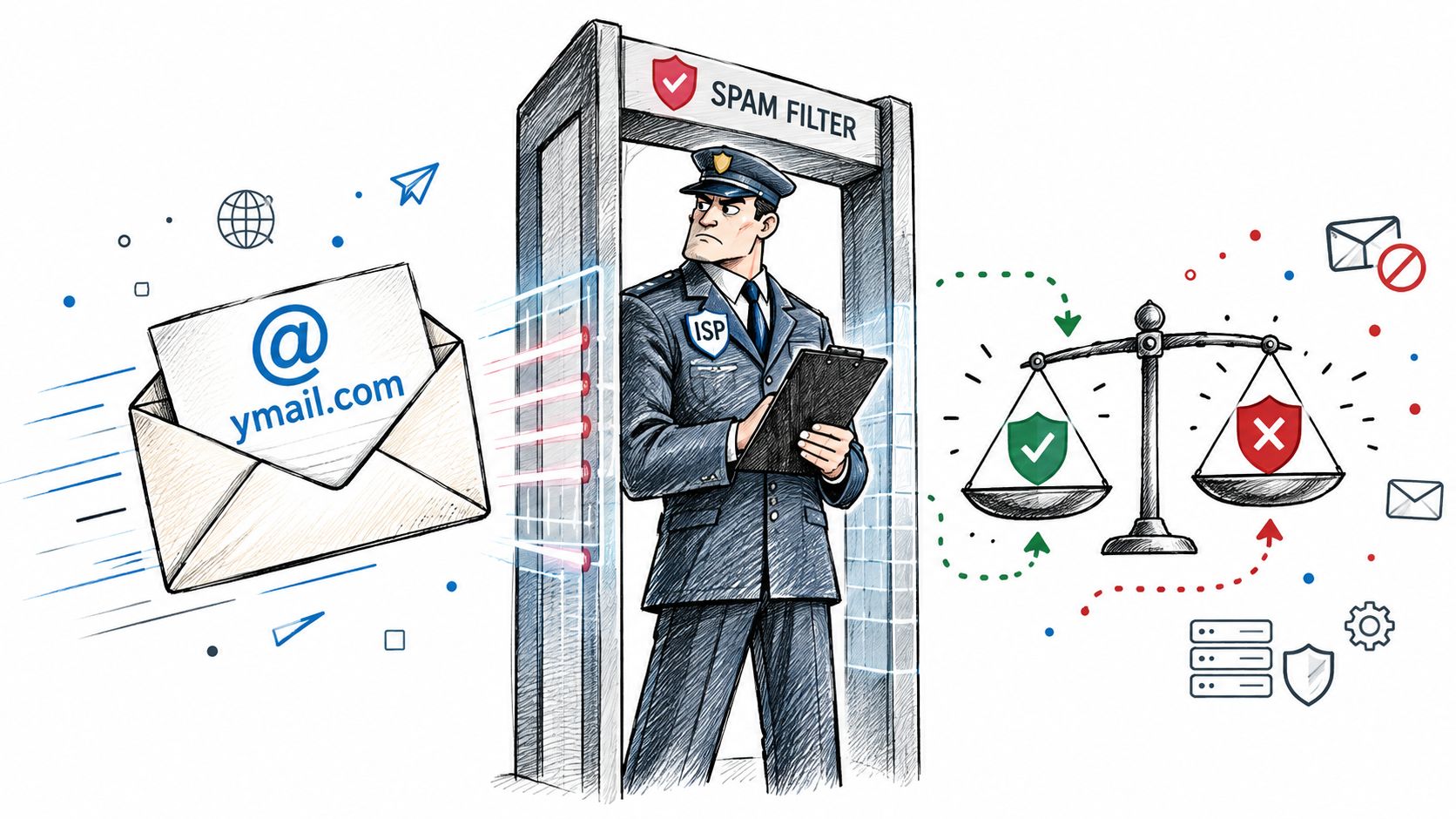
An @ymail.com address doesn't automatically hurt deliverability. The risk comes from what the domain may correlate with, such as account age, long periods of inactivity, forgotten recovery details, or outdated records. That's a correlation to investigate, not a penalty that Yahoo or another provider necessarily applies because the string says ymail.com.
Separate domain context from mailbox evidence
Suppose an @ymail.com subscriber clicks your messages, replies to support emails, and recently updated their preferences. That behavior is strong practical evidence that the address remains useful. There's no sound reason to suppress the record merely because it uses a less common domain.
Now consider an imported Ymail address with no permission history, no recent engagement, and an unresolved spelling concern. That record needs scrutiny. The same would be true for an old @yahoo.com address under identical conditions.
Deliverability teams should examine:
- Permission: Do you know how and when the contact subscribed?
- Engagement: Has the recipient interacted with recent messages?
- Bounce history: Has the mailbox rejected previous sends?
- Complaint signals: Has the recipient marked messages as unwanted?
- Identity consistency: Does the address match the customer record and source?
- Verification result: Does the mailbox appear deliverable under the checks available to your provider?
A bounce is still a bounce regardless of whether the address ends in @ymail.com or @yahoo.com. Remove or suppress hard failures according to your normal policy. Don't override a clear delivery failure because the contact has historical value.
Practical rule: Use the domain to prioritize review, never to make the final quality decision.
Email also supports revenue workflows, so list quality affects more than newsletter metrics. Teams evaluating deliverability and pipeline generation should connect mailbox health with the downstream value of the messages they're sending. A stale sales contact can waste outreach capacity, while a wrongly suppressed customer can disappear from a valuable communication path.
Integration behavior is not the differentiator
Yahoo Mail accounts, including those using Yahoo-family domains, support standards-based IMAP retrieval. Yahoo specifies imap.mail.yahoo.com on port 993 with SSL enabled, and its documentation explains that IMAP synchronizes mailbox state across clients while POP is oriented toward downloading mail. Yahoo's IMAP and POP guidance is more relevant to integration planning than the visible difference between yahoo.com and ymail.com.
For marketers, the implication is simple. Don't build separate sending logic because one address uses Ymail. Build reliable validation, authentication, bounce processing, unsubscribe handling, and engagement monitoring. If a catch-all result complicates your confidence in a record, document how your team handles catch-all email addresses instead of treating every uncertain result as either safe or invalid.
Common List Management Pitfalls with Ymail
A marketing team imports an old customer file and sees a substantial group of @ymail.com addresses. One manager proposes deleting them because “nobody uses Ymail anymore.” Another argues that all Yahoo-family addresses should remain untouched because they belong to a major provider. Both recommendations skip the question that matters: which individual mailboxes are still active and wanted?
The first approach creates false negatives. The second leaves stale records in circulation. A domain can help you identify a segment for analysis, but it can't replace verification or engagement evidence.
Pitfall one is blanket suppression
An @ymail.com address may be old because its owner has kept the same Yahoo ID for years. Yahoo users can't rename an existing Yahoo ID or email address. Moving from @ymail.com to @yahoo.com generally requires creating a new account, which can complicate contacts, historical messages, folders, filters, recovery information, and third-party logins. This continuity issue is documented in Yahoo Mail guidance summarized by Mailrelay.
That creates a strong reason for some users to retain a legacy address as their primary inbox. Deleting those records based only on the domain can remove real customers who have no intention of migrating.
Pitfall two is ignoring age and inactivity
The opposite scenario is just as common. A team keeps every old Ymail address forever because the domain is technically legitimate. Over time, some records may become dormant, disconnected from their owners, or difficult to recover. A legitimate domain can contain an unreliable individual record.
Use a review path instead:
- Recent engagement: Keep the address in the normal program if permission and behavior support it.
- Extended silence: Send a focused re-engagement or confirmation message, subject to your compliance policy.
- Unclear provenance: Validate the address and check the source before mailing.
- Hard bounce: Suppress the address according to your bounce policy.
- Customer-critical identity: Retain the record for account continuity while updating other contact methods where appropriate.
Pitfall three is rewriting the domain
A data engineer may see customer@ymail.com and “correct” it to customer@yahoo.com. That transformation can send mail to a different person, fail delivery, or overwrite a legitimate identity in the CRM. Keep the original value, and if you need a normalized field for analysis, store it separately without replacing the sendable address.
The same caution applies to regional Yahoo domains. Family resemblance doesn't make addresses interchangeable. List hygiene should improve the record while preserving the identity that the subscriber supplied.
A Smarter Approach to Yahoo and Ymail List Hygiene
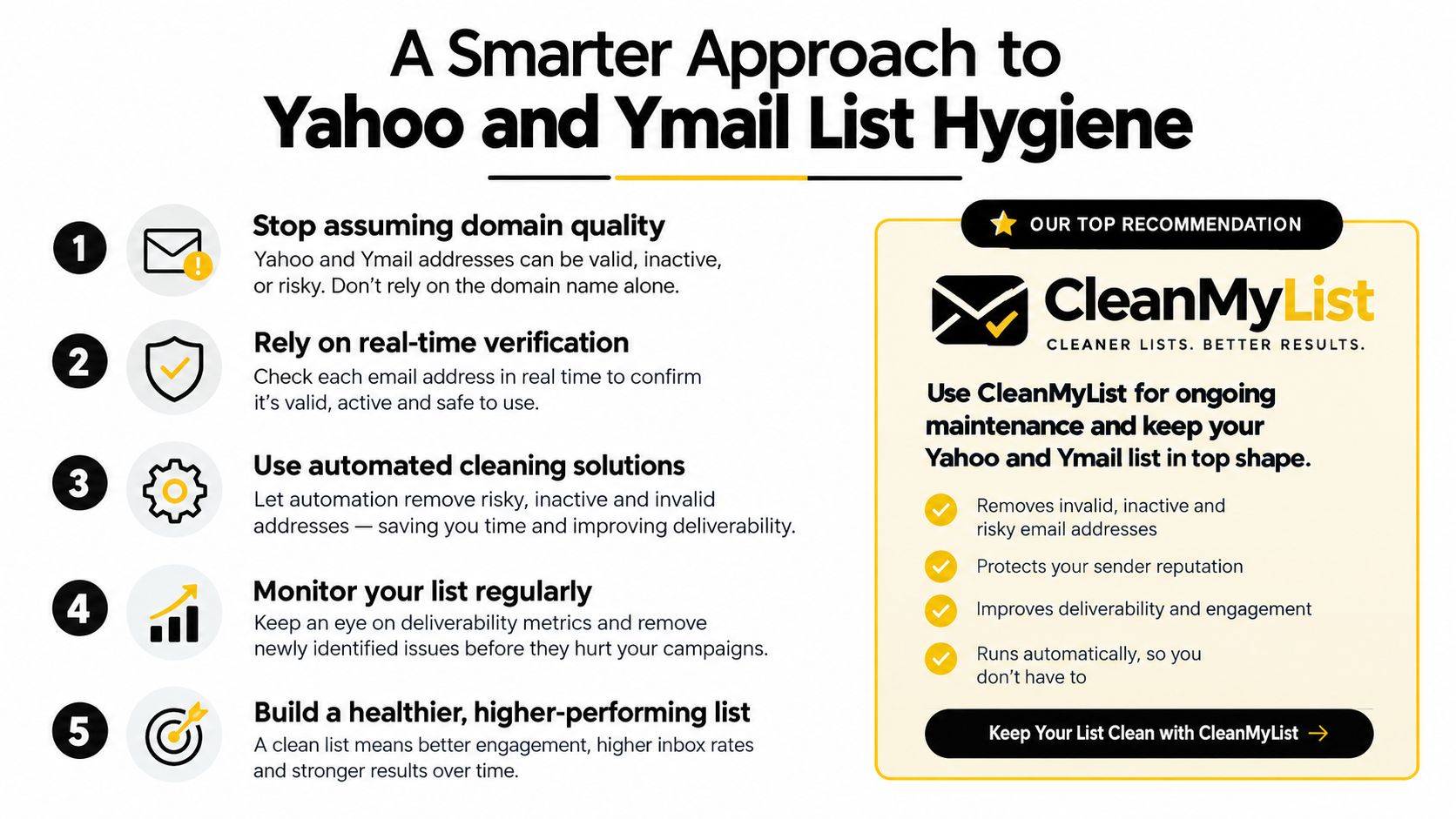
The safest policy is neither “suppress Ymail” nor “ignore Ymail.” It's evaluate every address through evidence. The domain can prioritize a review queue, but syntax, domain validity, mailbox signals, permission, engagement, and bounce history should determine what happens next.
Build the process around the record
Start by preserving the exact address. Keep the original source, acquisition date, consent status, last engagement, bounce outcome, and verification result alongside it. That history lets a marketing manager distinguish an established customer identity from an unverified list import.
Then apply checks in layers:
- Syntax review catches obvious formatting errors and malformed local parts.
- Domain review confirms that the domain is configured to receive email.
- Mailbox assessment provides stronger evidence about whether the recipient can accept mail.
- Risk classification identifies disposable, role-based, catch-all, or otherwise uncertain addresses where your validation service can detect them.
- Engagement monitoring determines whether the contact remains responsive after delivery.
No single result deserves more authority than the business context. A catch-all response may require caution, but it isn't identical to a hard bounce. A quiet subscriber may need re-confirmation, but silence alone doesn't prove that the address is invalid. A verified mailbox still requires permission and responsible sending.
Apply different actions to different outcomes
Your sending platform should make decisions repeatable. Keep active, permissioned contacts in the appropriate audience. Route uncertain addresses into a controlled test or re-engagement path. Suppress hard bounces and complaints promptly. Recheck aged lists before major sends instead of assuming that an address validated in the past remains healthy indefinitely.
This approach matches Yahoo's documented lifecycle reality. An older @ymail.com address may be a stable identity or may be vulnerable to inactivity, so marketers should avoid blanket suppression and use verification plus engagement monitoring instead. Yahoo's account-name guidance supports that individual assessment.
Publishers and newsletter teams can also pair list hygiene with a clearer subscription operation. Resources such as the NewsletterAsAService homepage can help teams think about newsletter delivery as an ongoing system rather than a one-time upload. The core principle remains the same: protect the relationship by mailing people who can receive and want the message.
For a practical operational checklist, use a documented process for cleaning an email list, then record what happened to each address. Good hygiene isn't a one-off deletion exercise. It's a repeatable cycle of verification, engagement review, bounce processing, and careful data preservation.
The final decision is clear. Treat @ymail.com and @yahoo.com as Yahoo Mail identities with different address histories, not as separate services and not as automatic quality categories. Preserve the full address, verify uncertain records, monitor behavior, and let delivery evidence guide suppression.
CleanMyList checks Yahoo and Ymail addresses before you send, helping you identify malformed, risky, stale, or otherwise questionable records without sending verification emails. Upload your list or validate addresses at signup, then visit CleanMyList to start with free credits and protect your next campaign's sender reputation.