The domain after the @ is never case sensitive, while the part before it is case sensitive under RFC 5321, yet major providers treat John@ and john@ as the same inbox. If a message arrives either way, why can changing a capital letter still stop someone from logging in?
The answer is that email delivery and account matching are different jobs. A mailbox provider decides where a message goes. Your signup form, customer database, and password reset code decide whether an address matches a stored account, and those systems don't necessarily agree.
For marketers, that disagreement can create duplicate contacts. For developers, it can produce missed lookups or unsafe account merges. Understanding case sensitive email means separating what the standard permits, what receiving servers do, and what your own software should preserve.
Table of Contents
- The Short Answer by Part of the Address
- Why the Standard Allows Capitals to Matter
- How Gmail, Outlook and Yahoo Treat Capitals
- Where Capitalization Causes Real Problems
- How to Normalize Addresses Without Losing Mail
- Signup Forms That Accept Any Capitalization
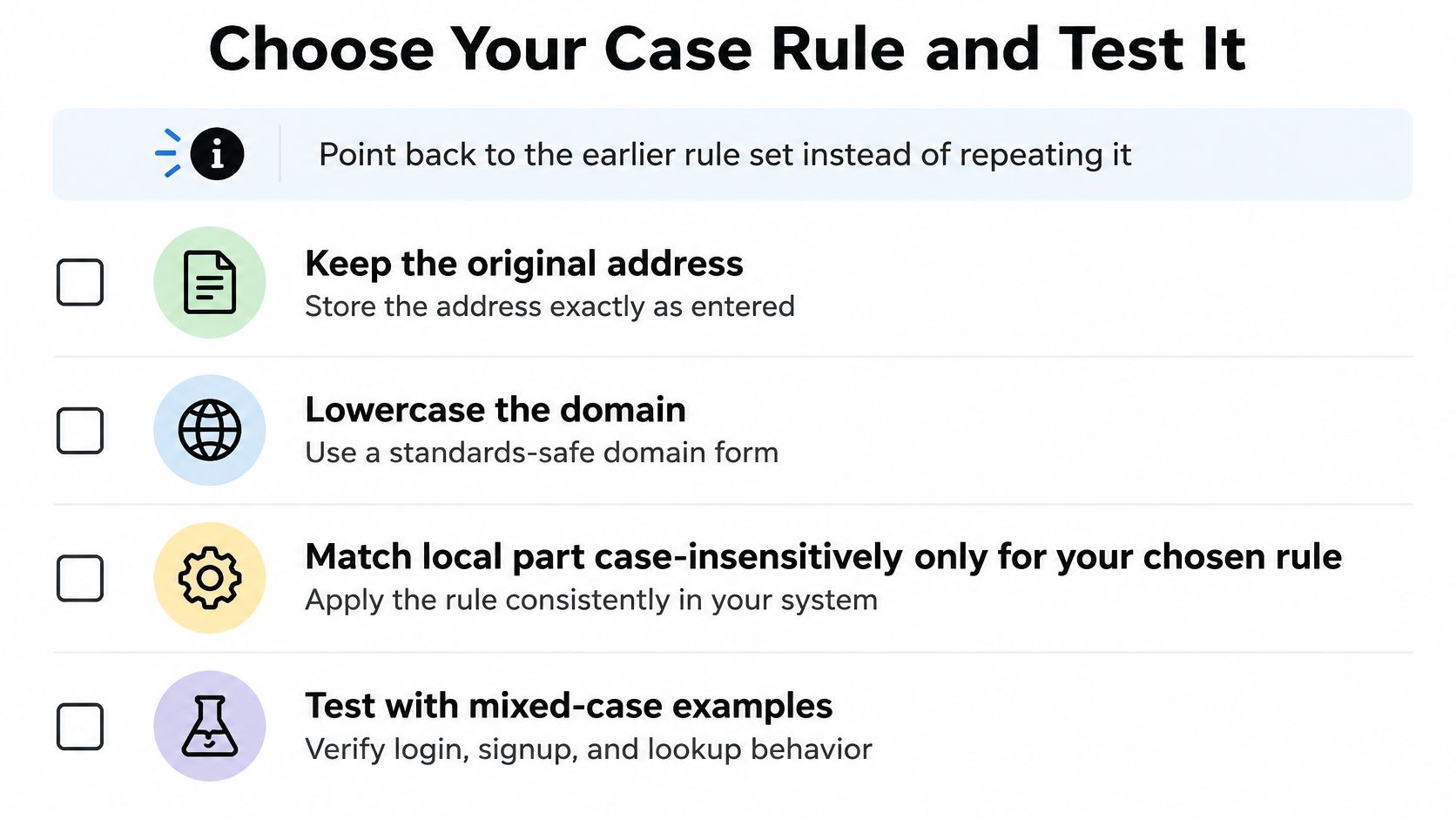
- Choose Your Case Rule and Test It
The Short Answer by Part of the Address
The domain ignores capitalization. The local part technically allows capitalization to matter, although major mailbox providers ignore it in everyday delivery.
The local part is the text before the @ symbol, such as Sarah.Lee. The domain is the text after it, such as example.com. These aren't merely different pieces of the same label. They serve different purposes and follow different handling rules.
Say a customer types Sarah.Lee@gmail.com at checkout. Their confirmation arrives normally, and neither the customer nor the shop notices the capitals. Gmail's mailbox handling makes the typed capitalization irrelevant to that delivery.
That successful delivery doesn't tell you how the shop stored the customer's account. Its database might still treat the capitalized version as a different value from sarah.lee@gmail.com.
Case sensitivity by part of an email address
| Part of the address | Case sensitive? | Why it matters |
|---|---|---|
| Local part (before the @) | Technically yes under RFC 5321 | Separate mailboxes could differ only by capitalization, but most providers ignore case |
| Domain (after the @) | No | DNS names aren't case sensitive, so Example.COM equals example.com |
| Whole address in practice | No for major providers | John@gmail.com and john@gmail.com reach the same inbox |
Case insensitive means a system treats uppercase and lowercase versions as equivalent. It doesn't necessarily mean the system changes what you typed or stores everything in lowercase. Comparison and storage are separate choices.
Practical rule: Keep the address as entered, treat the domain as case insensitive, and change local-part matching only under a deliberate, tested policy.
For a sender, capitals alone usually aren't a reason to edit a contact. For a developer, they're a reason to inspect the comparison rules rather than applying a blanket lowercase operation.
Why the Standard Allows Capitals to Matter
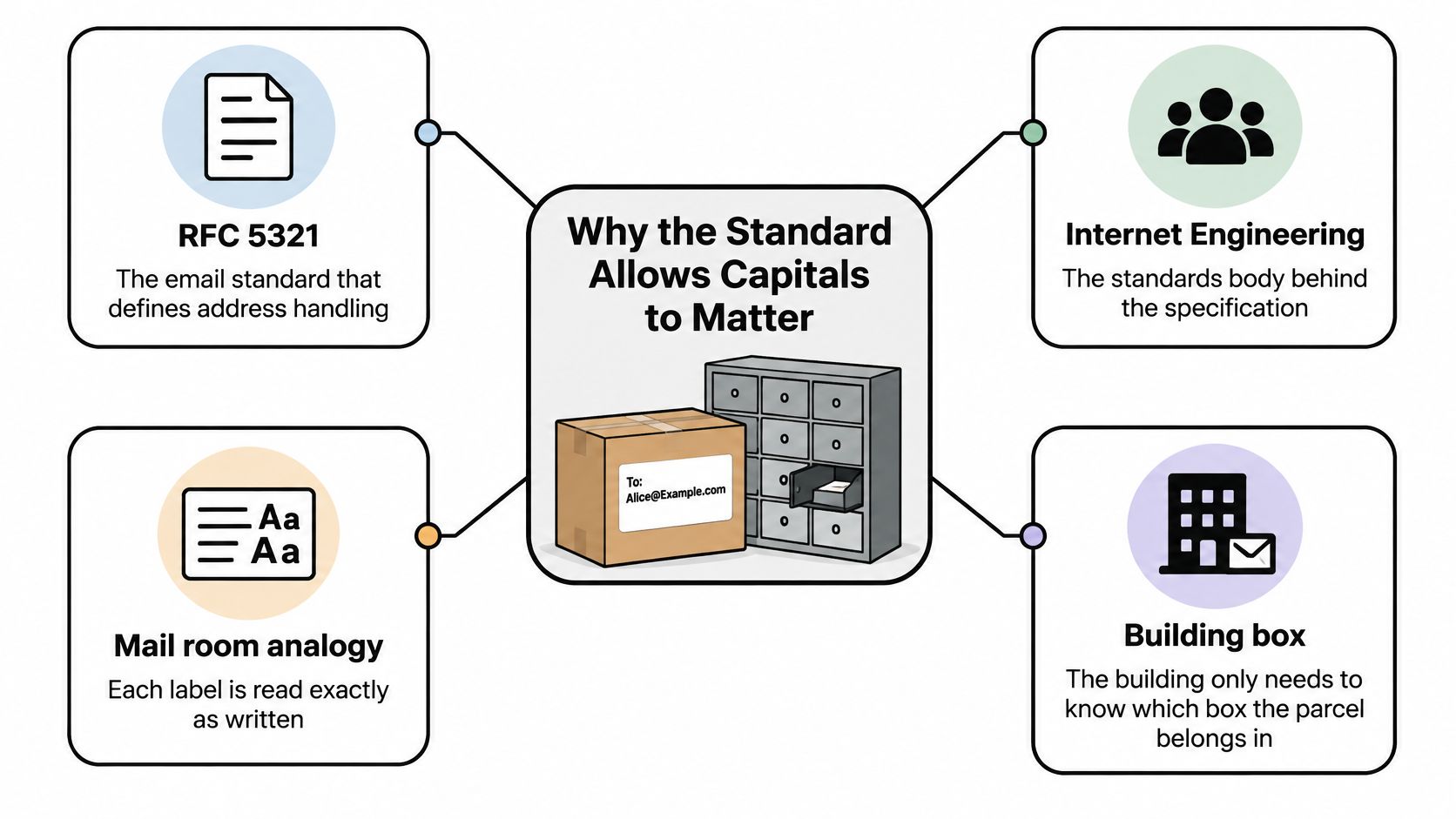
Think of a mail room that reads each parcel label exactly as written. The building address gets the parcel to the right building, but the mail room still needs to interpret the recipient's label without altering it.
Email uses a similar division of responsibility. The domain identifies the receiving system. That system interprets the local part and decides which mailbox, if any, it names.
The Internet Engineering Task Force's RFC 5321, published in October 2008, says a mailbox local-part “MUST” be treated as case sensitive and its capitalization preserved by SMTP implementations, while warning that exploiting this capability “impedes interoperability” and is discouraged.
SMTP, or Simple Mail Transfer Protocol, is the set of rules servers use to transfer email. Preserving the local part means a sending system shouldn't assume it knows how the receiving system interprets that text.
Permission isn't a recommendation
A receiving host could assign smith@example.com and Smith@example.com to different mailboxes. A sender that rewrites either address before transmission could therefore change the intended destination.
But the standard's warning matters just as much as its permission. Interoperability means different systems can work together reliably. Requiring correspondents to remember exact capitalization makes that cooperation harder, so a receiving system can choose to accept multiple capitalizations for the same mailbox.
That choice doesn't require sending systems to discard capitalization. A server can preserve the address during transfer while the receiving host performs a case-insensitive mailbox lookup.
What software can safely change
The domain follows DNS, the Domain Name System, rather than mailbox naming rules. Consequently, user@example.com, user@EXAMPLE.COM, and user@Example.Com identify the same domain.
Lowercasing that portion is standards-safe. Lowercasing the local part isn't universally safe because it can theoretically collapse distinct mailbox names.
If you're building address handling, distinguish email address formatting from identity matching. A correctly formatted address isn't proof that another spelling identifies the same account.
Preserve the original input and keep comparison logic separate. That lets your application adopt practical matching rules without permanently destroying information it might need later.
How Gmail, Outlook and Yahoo Treat Capitals
Gmail, Microsoft Outlook.com, Microsoft 365, and Yahoo Mail ignore capitalization when matching the local part to a mailbox. Seeing capitals in a contact list therefore doesn't, by itself, mean those addresses need correction.
For example, Jane.Doe@outlook.com and jane.doe@outlook.com identify the same mailbox. This describes mailbox handling, not a promise that every website using an Outlook address as a login identifier will compare it correctly.
How common mailbox providers handle capitals in the local part
| Mailbox provider | Local-part handling | Practical result |
|---|---|---|
| Gmail | Ignores case | John.Smith@gmail.com and john.smith@gmail.com reach the same inbox |
| Microsoft Outlook.com and Microsoft 365 | Ignores case | Capitalization changes alone identify the same mailbox |
| Yahoo Mail | Ignores case | Capitalization changes alone identify the same mailbox |
| Self-hosted mail servers | Controlled by mail software and directory configuration | A strict server can reject Anna@ while accepting anna@ |
Treat this table as a practical description of provider behavior, not an immutable contract. Configuration and service behavior can change, and a custom business domain doesn't reveal its full mailbox configuration just from its spelling.
Where a strict server changes the result
Say a company operates its own mail server and uses a case-sensitive user directory. Its administrator creates anna@example.com but doesn't configure Anna@example.com as an alternative.
A message addressed to the capitalized version could be rejected because the lookup finds no matching mailbox. Another configuration could assign the capitalized version to a separate account instead.
That's why the receiving system's behavior matters more to a delivery decision than a general statement about email. A mailing list can contain consumer accounts, hosted business accounts, and independently managed servers.
You don't need to treat all of them as equally mysterious. You do need to avoid extending a tested rule for a familiar provider to every unknown domain.
To check behavior, use an address you own or have permission to test. Send to its usual spelling and a capitalization variant, then inspect the receiving inbox and any rejection notices. A successful test confirms that example's behavior, not every mailbox on unrelated systems.
Where Capitalization Causes Real Problems
Duplicate contacts are the most straightforward failure to look for. A customer registers as Jane@gmail.com, returns as jane@gmail.com, and your application creates another profile because it compares the stored text exactly.
The provider still delivers the messages. Your team, however, may send duplicate campaigns, split purchase history, and miss the fact that the records belong together.
Diagnose the symptom before changing the address
- Duplicate contacts: The customer receives repeated messages, and activity appears under separate profiles. The cause is usually inconsistent import or matching logic, making this a data and configuration problem. Review the comparison policy before merging the records.
- Login failures: A customer can register but can't sign in using another capitalization. An exact text comparison may be rejecting the lookup. Fix the authentication configuration, rather than telling customers their mailbox address is wrong.
- Lookup misses: An invitation or password reset returns no matching account even though support can see the profile. Different application paths may use different matching rules. This is a code consistency problem.
- Incorrect deduplication: A cleanup job combines distinct addresses on a strict host. The script has treated an unverified assumption as an identity rule, creating a data integrity problem. Restore the affected records and narrow the merge policy.
- Reporting disagreements: The email platform and customer database show different audience totals. One tool may group capitalization variants while the other keeps them separate. Align the reporting configuration before comparing segment counts.
Delivery failures need a separate investigation
A strict server can reject a capitalization mismatch, making the address look stale in a bounce report. A bounce is a rejection or failure notice associated with a message, but that notice needs interpretation before you edit the contact.
Successful delivery doesn't prove your database matches correctly. A failed lookup doesn't prove the mailbox is invalid.
Check the destination spelling, rejection explanation, and mailbox status independently. A typo, an unavailable mailbox, or a receiving-server policy can cause failure without capitalization being involved.
Use address verification as part of that investigation, but don't treat a verification result as proof that capitalization variants belong to the same person. Deliverability and identity are related questions, not interchangeable answers.
How to Normalize Addresses Without Losing Mail
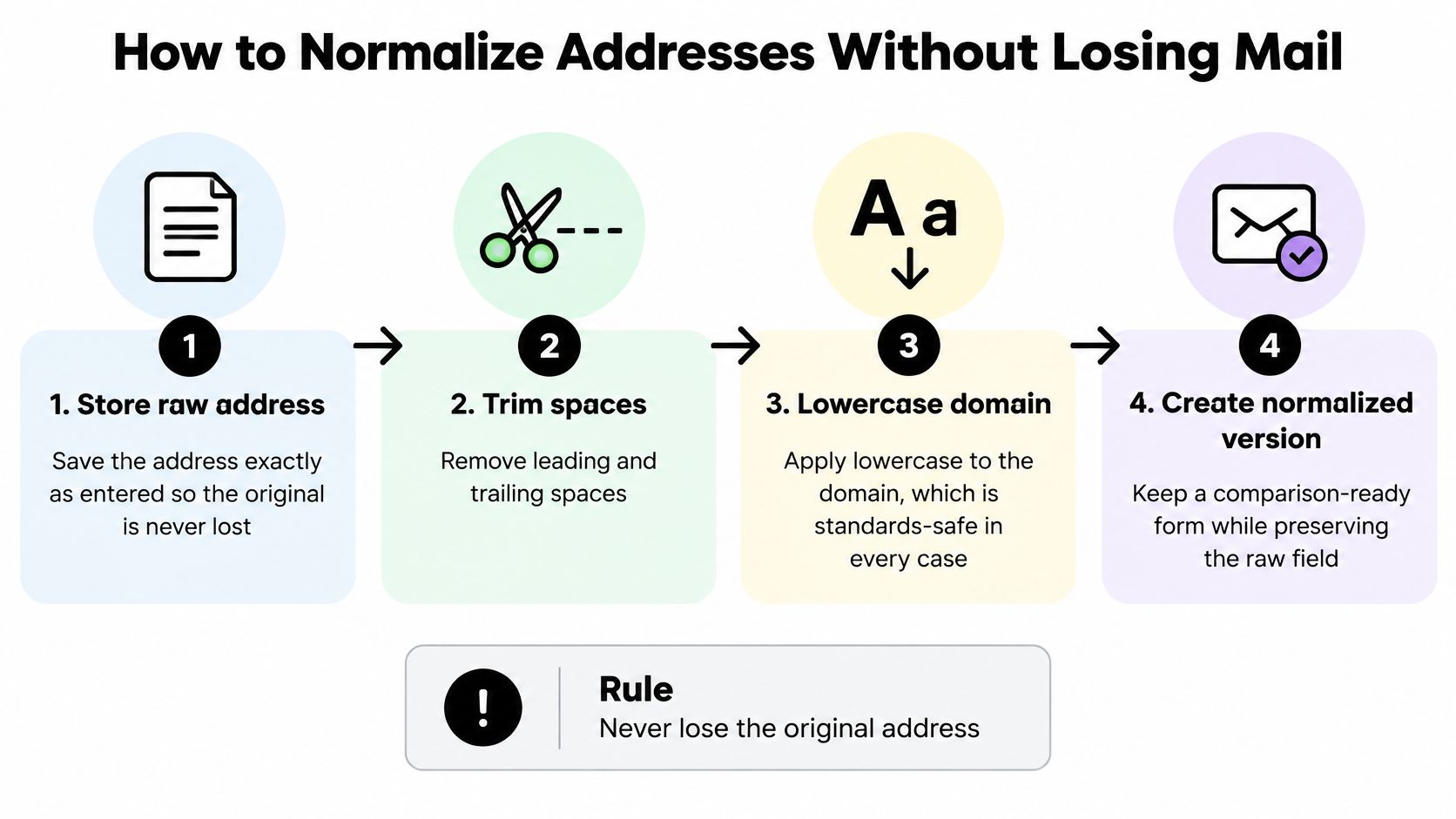
Normalization means creating a consistent form for processing. Safe normalization keeps the information you received while producing a separate value your software can compare under an explicit rule.
The common mistake is to lowercase every local part, overwrite the original, and discover later that the merge can't be undone. A safer design separates raw input, the delivery address, and the matching key.
Build a reversible normalization process
-
Save the raw input. Store exactly what the person submitted in a dedicated field. Don't overwrite this field when cleaning or importing records.
-
Trim surrounding whitespace. Remove accidental spaces before and after the address in the processing copy. Don't indiscriminately remove characters inside it, where rewriting can change its meaning.
-
Lowercase the domain. Parse the address with an email-aware library rather than casually splitting unusual input. Apply the domain transformation to the parsed address, leaving the local part intact.
-
Create a provider-aware match key. A match key is the value your application uses to find equivalent records. Lowercase the local part only where your tested policy permits it, such as known case-insensitive providers, and retain exact matching for unknown systems.
-
Use the key consistently. Apply the same comparison logic to duplicate detection, account lookup, and login. Check the database's text comparison settings too, because a supposedly exact key won't help if the database compares it differently.
-
Keep the submitted spelling available. Display the address in its original capitalization and send using a validated, whitespace-trimmed version that preserves the local part. The raw field remains an audit record, not an instruction to transmit malformed input.
-
Test uncertain domains before changing policy. Preserve local-part capitalization for unknown hosts, whether the address contains capitals or not. Run controlled tests with authorized mailboxes before applying case-insensitive matching broadly.
-
Record merges and support reversal. Log the source records, comparison rule, and surviving record. Flag existing collisions for review rather than letting a new uniqueness constraint decide ownership.
Carry the same rules into imports and enrichment
For spreadsheet workflows, prepare the raw and comparison fields before importing a CSV email list. Otherwise, a carefully designed signup process can still be undermined by a bulk upload.
If your workflow uses Context.dev to find people through an API, apply the same preservation policy to returned contact details. An external record should be evaluated under your matching rules, not automatically treated as proof that existing accounts should merge.
A successful migration leaves equivalent contacts grouped under your documented policy, original addresses recoverable, and existing users able to sign in. Remember that one person can legitimately have multiple addresses, and a shared mailbox can serve multiple people.
Signup Forms That Accept Any Capitalization
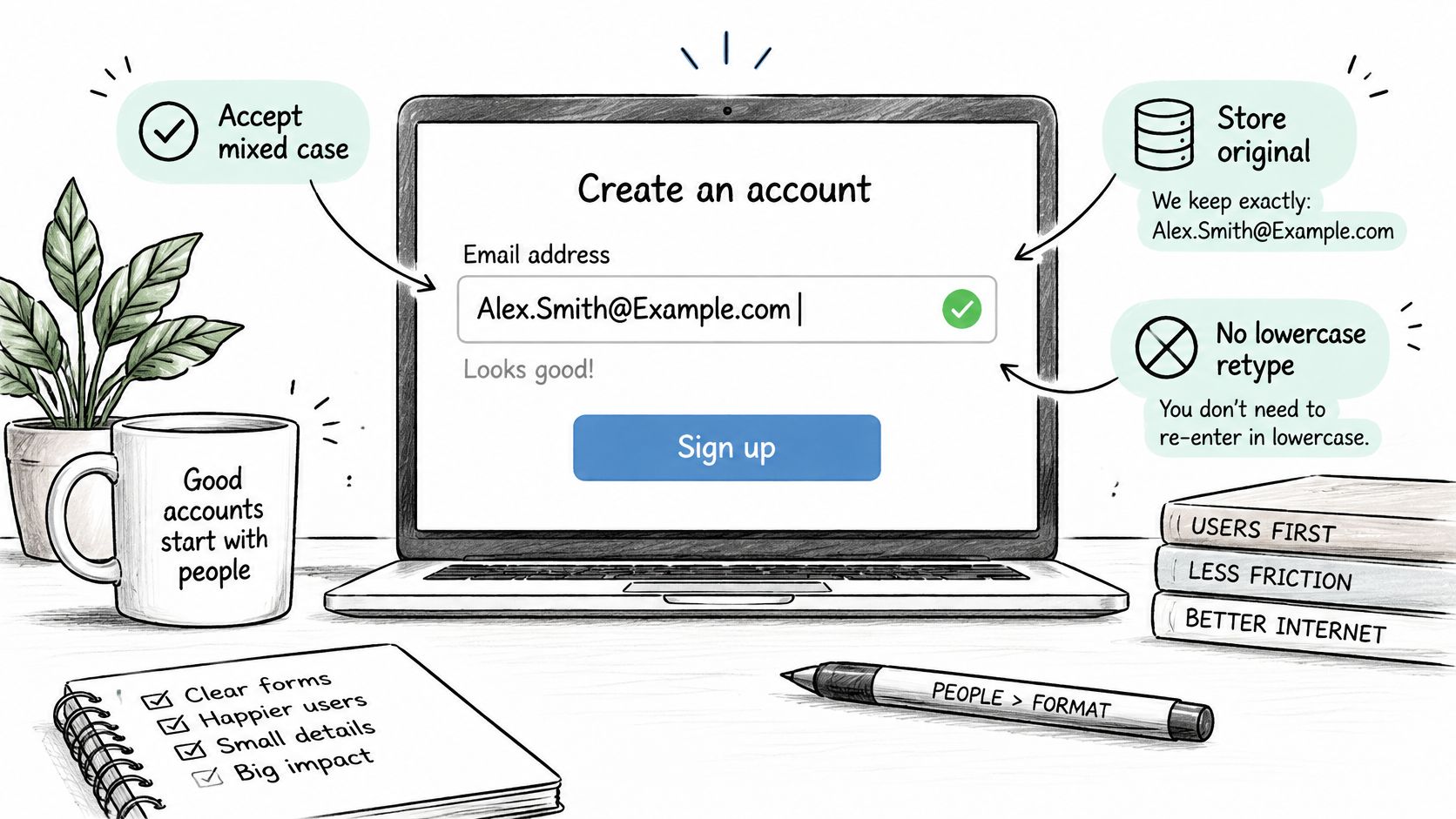
Never reject an address because it contains capitals, and don't make customers retype it in lowercase. Accepting input and deciding how to match an account are separate responsibilities.
A form should preserve the submitted spelling, trim surrounding whitespace in its processing copy, and normalize the domain on save. Use an email-aware validator instead of a restrictive character filter that rejects legitimate address forms.
Help customers correct mistakes without rewriting identity
Offer a suggestion when a domain resembles a common provider, such as gmial.com instead of gmail.com. Ask the customer to confirm the correction rather than automatically changing the destination.
Show the submitted capitalization on the confirmation screen. That gives the customer a recognizable address to inspect and avoids suggesting that their preferred spelling was invalid.
For a shop offering BonusQR's web-based rewards for repeat customers, apply the same account policy wherever customers return to access rewards. A different capitalization shouldn't create a separate customer profile when your tested matching rule identifies the same mailbox.
Make every account path agree
Signup, login, password reset, invitations, and bulk import need a shared matching implementation. If each team writes its own lowercase operation, exceptions and corrections will drift.
Consider this worked example, with an explicit condition: the company's mailbox handling has already been tested as case insensitive.
-
Submitted address: The customer enters
Mark.Chen@Company.com. -
Stored delivery address: The application saves
Mark.Chen@company.com, while retaining the raw submission separately. -
Comparison key: The approved policy produces
mark.chen@company.com. - Returning customer: A lowercase login finds the existing account through that key.
Without the tested condition, the application should preserve exact local-part matching rather than inventing certainty. If a case-only collision appears during registration, handle it carefully without revealing another customer's account details.
Use real-time email validation at signup to check input before it becomes a contact record. Syntax validation, mailbox verification, and ownership confirmation serve different purposes: a valid-looking or accepting mailbox doesn't prove that the person submitting it controls it.
Choose Your Case Rule and Test It
Turn your preservation and matching policy into executable tests. Include both mailbox delivery and application behavior, because passing either test alone leaves part of the problem unchecked.
A practical test plan
- Choose authorized mailboxes on Gmail, Outlook.com, and Yahoo Mail, then prepare capitalization variants.
- Send controlled messages to the usual and altered spellings. Confirm where they arrive and inspect any rejection notices.
- Include an unknown or self-hosted domain before extending case-insensitive matching to it.
- Exercise the application paths, including registration, login, password reset, imports, and collision handling.
- Document and revisit the results so developers, support staff, and marketing use the same policy.
For lists ready to migrate, we can check existing addresses before rollout. Our verification asks the receiving server whether it will accept an address without sending an email, and adding one line of code to signup or checkout catches fake or mistyped emails before they enter the list.
Keep uncertain results separate from confirmed account matches. Verification helps assess whether to send, while your tested identity policy determines whether records belong together.
CleanMyList checks addresses before you send while keeping your original list untouched, so you can investigate delivery risks without discarding capitalization. Visit CleanMyList to clean 50 emails at no cost, with no credit card or sales call required, and pair the results with your mixed-case signup and login tests.